
How to Prepare Your Mix for Mastering
A good master starts with a solid mix. Mastering can improve the balance, dynamics, and overall impact of a track, but it cannot reliably fix problems that are already present in the mix.
Before sending your track
Please check these requirements before sending your mix:
Send your mix using a file-sharing service such as WeTransfer and provide the download link.
Reference Tracks
Reference tracks help us understand the sound and tonal balance you are aiming for.
Send 1–2 tracks that are close to your target sound, or include a short note describing what you want to achieve.
We use these references alongside your mix to better understand the sound you are aiming for.
Follow these steps when exporting your mix for mastering.
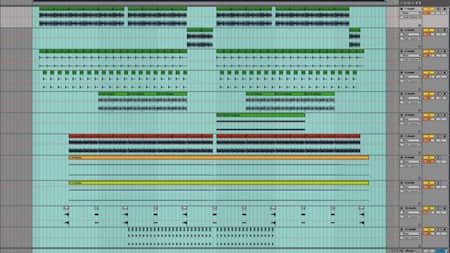
Set Export Range
Set start and end points to include the entire track — including reverb tails and delays. Don’t cut the natural decay.
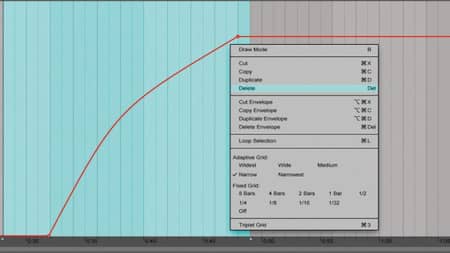
Remove Global Fades
Avoid fade-ins or fade-outs on the master channel. If you need fades, export a version without them and provide the faded version separately.
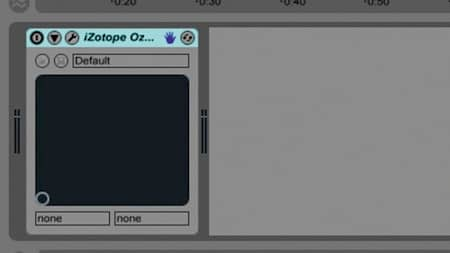
Disable Master Bus Processing
Review your master bus processing before export. Remove limiting and any processing that is not essential to the sound. If EQ, compression, stereo processing, or other effects are intentional parts of the mix, leave them on and let us know.
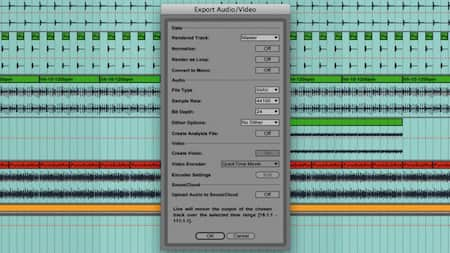
Export & Send
Export your mix as WAV, AIFF, or FLAC using your project’s original sample rate. Include your reference tracks and any notes about the sound you are aiming for.