
Preparing Stems for Mixing and Mastering
Properly prepared stems give the mixing engineer the flexibility needed to shape the sound without being limited by unnecessary processing. Incorrect exports or unnecessary processing can limit the options available during mixing. If you are requesting stem mastering, the same export principles generally apply.
Before Sending Your Project
Before exporting, make sure your stems meet the following requirements:
Put all stems and supporting files into a single ZIP or RAR archive. Upload the archive to a file-sharing service such as WeTransfer, then send us the download link.
What to Include
- All individual stems, exported according to the requirements above
- 2–3 reference tracks that represent the sound you are aiming for
- Your rough mix, if available
- A text file with the BPM, project notes, and any specific instructions
Reference tracks help communicate the sonic direction you are aiming for, but the final result depends on the source material and the mix.
Follow these steps before exporting to make sure the stems are clean and properly prepared for mixing and mastering.
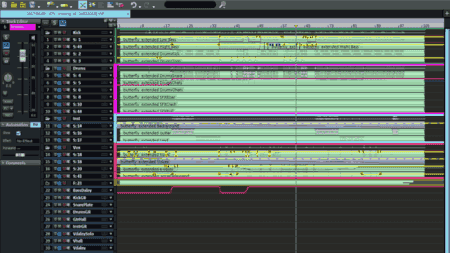
Clean Up the Mix
Review the processing on your individual tracks and buses before exporting. Disable EQ, compression, limiting, reverb, delay, and stereo processing unless they are part of the sound and need to remain unchanged. Keep creative effects that are important to the production.
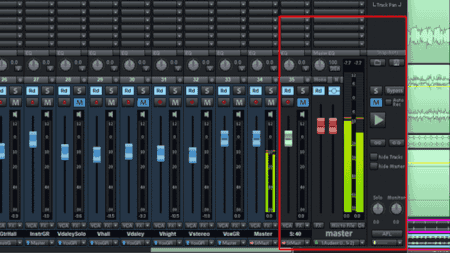
Check Your Levels
Check the master output and individual stems for clipping. Do not normalize the files or use limiting just to make them louder. Leave enough headroom for further processing.
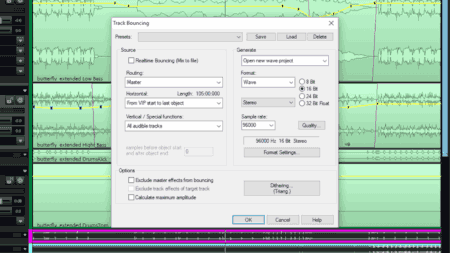
Export the Stems
Export each stem from the same start point so all files remain perfectly in sync. Use WAV, AIFF, or FLAC and keep the project's original sample rate. 24-bit or 32-bit float is recommended.
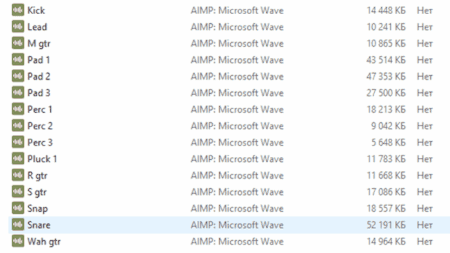
Prepare and Send the Project
Put all stems, your rough mix, reference tracks, and project notes into a single ZIP or RAR archive. Include the BPM and any specific instructions about creative effects or processing. Upload the archive and send us the download link.