Clean the low end
Use the high-pass filter on vocals, guitars, synths and percussion to remove unwanted rumble and low-frequency buildup. This helps keep the low end cleaner and gives kick and bass more room in the mix.
Working hours: 9:00–20:00 (Sunday: Closed) | sales@arefyevstudio.com

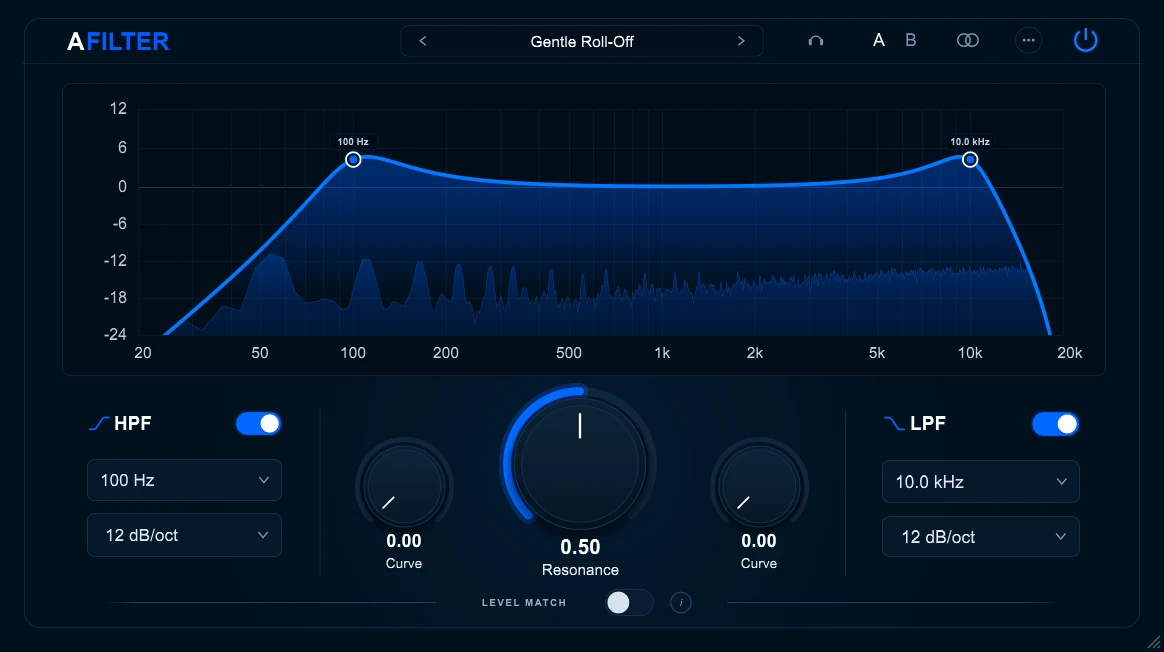
A versatile high-pass and low-pass filter for cleaning up tracks, shaping tonal balance, and creating steep frequency cuts.
Feedback, bug reports, feature requests, and ideas for future products are welcome on Patreon.
IN THE MIX
Use AFILTER when a track needs a cleaner frequency boundary, not a complex series of corrective EQ moves.
Use the high-pass filter on vocals, guitars, synths and percussion to remove unwanted rumble and low-frequency buildup. This helps keep the low end cleaner and gives kick and bass more room in the mix.
Use the low-pass filter to tame harsh synths, noisy samples, bright percussion and effects. Control unwanted high-frequency content and reduce harshness without making unnecessary changes to the rest of the spectrum.
Adjust resonance to emphasize frequencies around the cutoff point. Automate cutoff and resonance settings to create filter sweeps, transitions and evolving effects, or use subtle filtering to shape individual tracks and groups.
FILTER & MONITORING
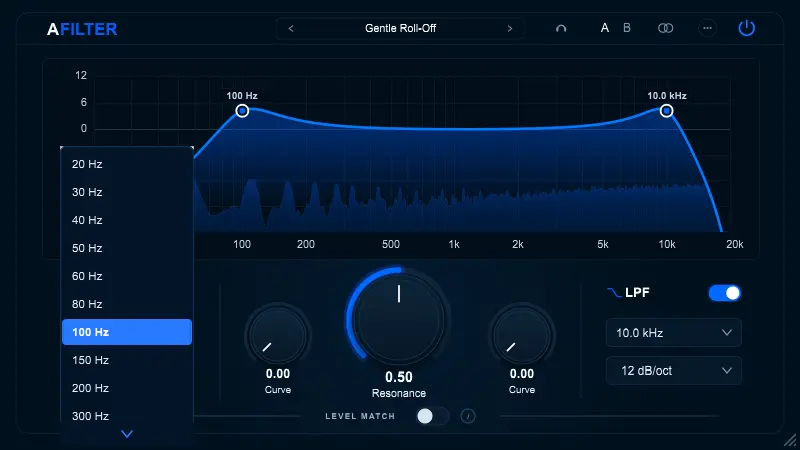
Set the low- and high-frequency boundaries separately to clean up a track or shape its overall range.
Set the cutoff frequency independently for the high-pass and low-pass filters.
Choose 12, 24, 36, 48 or 96 dB/oct, or select Brickwall for an especially steep cutoff.
Control the resonance around the cutoff frequency and adjust the filter curve to achieve the desired response.
Use Delta monitoring to hear the difference between the original and filtered signals. Level Match helps you make more accurate A/B comparisons without loudness influencing your judgment. Resonant peaks above 0 dB are gently rounded by the SmoothTanh saturation stage.
DESIGNED FOR FOCUSED FILTERING
AFILTER brings the essential tools for shaping frequency boundaries into one straightforward workflow.
Independent high-pass and low-pass filters make it easy to remove unwanted frequencies and shape the tonal balance of individual tracks.
Adjustable resonance and filter curves let you move beyond basic cleanup and create more pronounced filtering effects.
Delta monitoring and Level Match help you evaluate filter changes and make more informed processing decisions.
WORKFLOW & CONTROL
Automate AFILTER parameters directly in your DAW. Change cutoff frequencies, resonance and other available controls over time to create filter sweeps, transitions and evolving sound effects.
AFILTER settings are saved with your DAW project, so your filter configuration is restored when you reopen the session.
NEED TO KNOW
Quick answers about downloading, compatibility and using AFILTER in your audio projects.
Yes. AFILTER is completely free to download and use. If you find it useful, you can optionally support its development through Patreon.
AFILTER works in DAWs that support the VST3 or CLAP plugin format. Samplitude Pro X9 (VST3) and REAPER 7.41 (CLAP) were manually checked for this release. Other DAWs that support these formats may also work, but have not been individually tested.
VST3 and CLAP are plugin formats used by audio applications. Choose the format supported by your DAW. You can install both if you use different hosts or want to choose between them.
Yes. The Windows installer includes an optional Standalone application, which can run without a DAW. Select the Standalone component during installation if you want to use it.
Yes. You can automate available AFILTER parameters directly in a compatible DAW, for example to create cutoff sweeps, transitions and changing filter effects. Plugin settings are saved with your DAW project.
Yes. AFILTER supports both mono and stereo audio processing.
Have feedback, found a bug or an idea for a new feature? Share it with us on Patreon. Suggestions for future AREFYEV STUDIO products are also welcome.