
Mastering Checklist — Final Audio Checks Before You Release Your Track
This is your final mastering checklist before release — run it right before export to catch problems that will show up after release.
Clipping. Loudness. Balance. Translation. Miss one — and the track breaks when it leaves your studio.
A checklist catches obvious issues. Run it once before export — then compare your track to a real release at the same level. If it doesn’t match a reference at the same level — don’t release it.
This takes less than a minute — but missing one point can cost the entire release.
Why a Mastering Checklist Exists (and Where It Breaks Down)
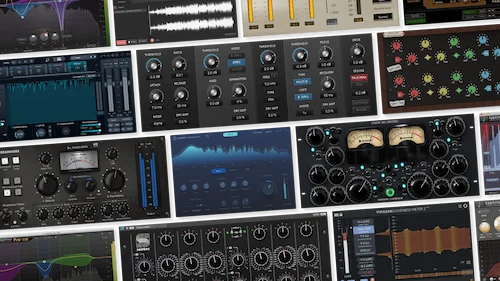 Here’s the reality: a mastering checklist isn’t about making your track better — it’s about making sure it doesn’t fail after release.
It catches obvious failures: clipping, unstable loudness, and extreme tonal imbalance.
Real mastering is not checklist-driven. If you want to understand how those decisions are actually made: how professional mastering actually works.
The Core Mastering Checklist (Final Release Control)
Run this checklist right before export — ideally at matched level against a reference track.
| Check | What to look for | What happens if ignored |
|---|---|---|
| Clipping | No digital overs, especially after limiting | Distortion, damaged transients, harsh top-end on streaming |
| Loudness balance | Feels competitive without sounding pushed | Too quiet → feels weak. Too loud → loses punch after normalization |
| Low-end control | Bass is tight, controlled, not overwhelming | Boomy playback or missing low-end on smaller systems |
| Stereo width | Wide image without phase issues | Elements shift or disappear in mono playback |
| High frequencies | Clear and open, without harshness | Fatigue, sharpness, uncomfortable listening |
| Dynamics / punch | Transients hit, track still breathes | Flat, lifeless sound despite loudness |
| Translation | Holds up across different playback systems | Sounds inconsistent outside your setup |
| Overall playback feel | Compare with a reference track at matched level | Feels smaller, weaker, or less impactful than released tracks |
If one of these fails — don’t release the track.
What Happens After You Pass the Checklist (and Why That’s Not the Finish Line)
 You go through every item. No clipping. Loudness feels right. Nothing jumps out as broken.
You hear it immediately when you compare it to a released track.
Everything looks correct on paper — but once the track plays at real volume, the balance falls apart.
It doesn’t mean the track translates across systems, holds together, or stands up next to real releases.
This is where it breaks — everything feels “correct” during the process, but once the track leaves that environment, things start to fall apart. That’s exactly where most tracks start to fall apart: why your track falls apart outside your room.
If you’re not sure how your track behaves outside your setup, that’s exactly where most mistakes show up: how your track actually holds up against real releases.
You’ve checked the basics. But does it actually hold up?
No clipping. Loudness looks fine. Nothing obviously wrong. That’s where most tracks sit right before release — technically clean, but still uncertain.
If you’re second-guessing how it will translate outside your setup, that’s the moment to test it properly. Send your track — we’ll run a real mastering pass and show you how it actually behaves.
Real engineer. Real processing. No presets — just your track, tested for real-world playback.
What Slips Through the Checklist (Mistakes You Don’t Catch Until It’s Too Late)
Most tracks don’t fail because of obvious mistakes. They fail because of decisions that only break once you hear them outside your studio.
Nothing is technically broken — but once the track leaves the studio, the decisions don’t hold.
Sometimes it’s immediate: the track sounds solid on its own, but next to a released track, it collapses.
The track can pass every check and still lose energy, depth, or stability across systems.
If any of this sounds familiar — the track feels fine but doesn’t hold up outside your setup — you’re already past the checklist stage. You’re dealing with real mastering issues. This is exactly what we analyze when artists send in tracks for correction: what we actually fix when artists send us their masters.
And if you want to understand how these problems actually show up and why they’re so common, we’ve broken down the most typical cases here: real mastering problems and how they actually affect your track.
A checklist filters obvious mistakes. The real problems show up later — in actual playback.
How Engineers Use a Checklist (and Why It’s Not About Ticking Boxes)
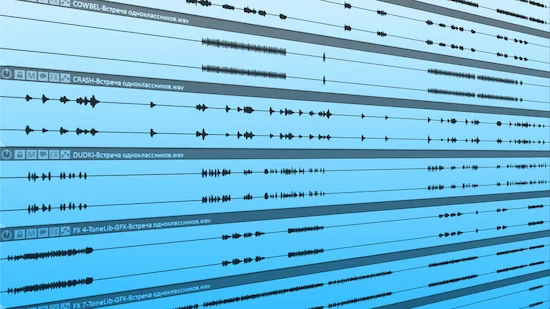 The checklist stays the same — but the result depends on how you interpret it.
A beginner runs through it like a set of rules. No clipping? Good. Loudness in range? Done. Stereo feels wide? Move on. It’s a process of confirmation — checking that nothing is obviously broken.
An engineer doesn’t just check the result — they listen for what changed when they made that decision.
Most problems don’t break the track — they change how it feels next to other tracks.
At that point, checking isn’t enough — you need to understand what changed after each decision. That’s why engineers don’t trust results just because they pass the check.
Two tracks can pass the same checklist and feel completely different in impact. One holds together. The other doesn’t. The difference isn’t in the checklist — it’s in the decisions behind it.
An engineer doesn’t rely on the checklist to confirm a result — they use it to question it.
The checklist shows where problems start. It doesn’t tell you how to fix them.
If you want to understand how those decisions are actually made — how engineers interpret what they hear and adjust accordingly — the process goes far beyond simple verification. It’s broken down in detail here: how professional mastering works in real sessions.
You can check everything. You still can’t guarantee the result.
At this point, your track might be clean. No obvious errors. Nothing technically wrong. But that doesn’t mean it will hold up next to real releases.
The difference shows up after release — when the track meets real listeners, real systems, real comparisons. That’s where decisions matter more than checks.
If you want to hear how your track actually translates before you release it, send it in. We’ll master a short section and show you what changes when it’s handled at a professional level.
No presets. No automation. Just your track — processed and evaluated for real-world playback.
Mastering Checklist — Common Questions (What Still Confuses Most Artists)
Is a mastering checklist enough to get a professional result?
No. It helps catch obvious technical problems like clipping, loudness issues, and clear imbalances — nothing more. But it won’t tell you if your track actually translates or feels competitive. A checklist shows that nothing is obviously broken — but it doesn’t tell you if your track will hold up outside your studio.
What loudness should I aim for when mastering?
There’s no single number that works for every track. Streaming platforms normalize playback anyway, so pushing louder doesn’t guarantee impact. What matters is how your track feels after normalization — not the LUFS value itself. If you’re unsure how loudness interacts with clipping and punch, this breakdown explains it in practical terms: loudness and clipping in mastering.
Can I master my track without an engineer?
The real issue is objectivity — after working on a track for hours, it’s hard to hear what’s actually wrong. That’s why self-mastered tracks often pass basic checks but fall apart next to professional releases.
Why does my track still sound weak even after mastering?
Usually it’s not a loudness problem. It’s balance and dynamics. You might be hitting the right level, but losing punch, clarity, or energy in the process. The track ends up loud but flat. This is one of the most common issues we see when artists come in for corrections: fixing weak or unbalanced masters.
Why does my master sound different on other systems?
That’s a translation issue — your decisions don’t hold up across different playback systems. Your monitoring setup might hide or exaggerate certain frequencies, so decisions that felt right in your room don’t hold up elsewhere. A checklist won’t catch this — it only becomes obvious when you listen across multiple environments.
What should I do if my track passes the checklist but still feels off?
That means the problem isn’t technical anymore — it’s in the decisions you made during mastering. The issue is no longer “what’s wrong,” but “what isn’t working.” Those are mastering decisions, not checklist items. And they usually require a different perspective to fix.