
Prepare Your Mix for Mastering — What Actually Matters Before You Send It
Preparing a mix for mastering means ensuring that the mix remains stable when playback level increases — without shifts in balance, loss of punch, or changes in tonal structure.
- Remove any limiter from the master bus
- Control low-end balance (kick vs bass)
- Increase playback level and check if the mix remains stable
- Test mono compatibility
- Export WAV (24-bit+), no normalization
If your mix changes when you turn it up, it’s not ready for mastering.
Minimum Requirements Before Mastering
- No limiter reducing more than 1–2 dB (ideally none)
- Low end controlled below 80 Hz with clear kick/bass separation
- No more than ±1–2 dB balance shift when playback level increases
- No harshness appearing when the mix is pushed
- Exported in WAV, 24-bit or higher, no normalization
Increase your monitoring level by 3–6 dB. If the low end shifts, highs become aggressive, or balance changes — the mix is not ready.
Compare your mix to a released track at the same perceived level.
Signs Your Mix Is Ready for Mastering
A properly prepared mix holds its balance across different playback levels and systems. No element jumps forward, nothing collapses, and the tonal balance remains consistent when the track is pushed.
- Stays consistent when level increases
- No limiter controlling the dynamics
- Low end is defined, not overwhelming
- No harsh frequencies when pushed
When these conditions are met, mastering can improve translation. If not, it will highlight instability.
What Breaks When a Mix Isn’t Ready
- Low end becomes unstable when pushed
- Highs turn aggressive at real playback levels
- Dynamics collapse instead of building energy
- Stereo image breaks in mono and real-world systems
What Actually Makes a Mix Ready for Mastering (Not What You Think)
Ask ten producers how to prepare a mix for mastering, and most will say the same thing: “leave -6 dB of headroom.”
That number stuck because it’s easy to copy — not because it reflects how mixes actually behave.
We regularly receive mixes sitting at -10 dB that are impossible to work with — and others peaking at -3 dB that translate perfectly. The number doesn’t matter — what’s happening inside the mix does.
A prepared mix is not defined by level — it’s defined by how consistently it behaves under playback pressure.
First — balance. Not just levels, but relationships. Kick and bass working together instead of competing. Vocals sitting in place without fighting the instruments. Highs adding clarity without turning sharp when pushed. When these relationships are right, the mix holds together under level.
Second — dynamics. Not loud vs quiet, but how the track breathes. If everything is already flattened, nothing can be added later. If transients are intact, even small changes create impact. You don’t need exaggerated peaks — you need room for them to exist.
Third — no internal conflicts. This is where most mixes fail. Elements compete for the same space, frequencies stack, and stereo width that feels impressive collapses in mono. These problems stay hidden — until the track is pushed.
Preparing a mix means removing those conflicts before they scale — not chasing numbers or fixed rules.
Once mastering starts, unresolved mix behavior becomes more noticeable — not corrected.
Step-by-Step: How to Prepare a Mix for Mastering
- Remove any limiter from the master bus
- Check low-end balance (kick vs bass)
- Turn the mix up and listen for changes
- Check mono compatibility
- Export WAV (24-bit+), no normalization
Headroom Is Not a Rule — It’s a Result (Why -6 dB Doesn’t Fix Anything)
“Leave -6 dB of headroom.”
That line shows up everywhere — tutorials, forums, templates. It sounds precise, but it’s one of the most misunderstood ideas in audio.
Headroom alone does not determine mix readiness — internal balance and behavior do.
In most cases, peaks between -3 dB and -10 dB are completely usable — as long as the mix stays stable.
We’ve seen mixes hitting -12 dB that still distort internally because the low end is unstable. We’ve also seen mixes peaking at -4 dB that translate perfectly because everything is controlled. The peak number alone means nothing.
What matters is how the mix responds when pushed.
If the low end is balanced, it won’t spike. If transients are intact, they won’t collapse. If highs are controlled, they won’t turn brittle. When this is in place, headroom appears naturally — not because you aimed for it, but because nothing is fighting for space.
A mix can hit the “right” peak level and still fall apart. You push it — the low end breaks. You control peaks — the track loses punch. You add clarity — the highs turn harsh. This indicates unresolved behavior inside the mix — not an issue introduced during mastering.
When the track collapses under level, the issue is already present in the mix.
A stable mix doesn’t need target numbers — it creates its own space.
Frequency Balance Problems That Kill Your Master (Before You Even Start)
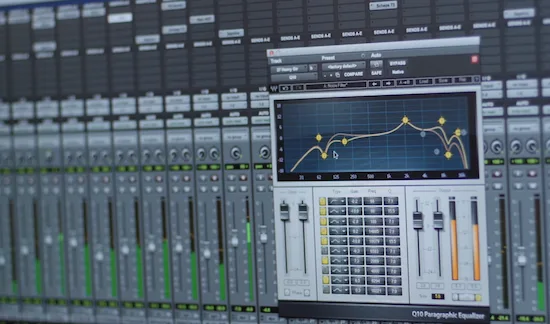 In most mixes we receive, these problems are not obvious until the track is pushed to mastering level.
If something feels off after mastering, it usually starts in the frequency balance.
Most of these issues stay hidden at first. The mix sounds full and detailed — until you try to push it. That’s when it stops behaving.
When elements compete in the same range, the mix loses definition.
Most mixes fail in the low end — not because of level, but because of interaction. Problems below 80 Hz are usually caused by overlap between kick and bass, not excessive energy.
In most mixes we receive, low-end issues come down to poor separation — not level.
Excessive sub energy, especially below what your monitoring can reproduce, creates a false sense of power. It may feel strong in the studio — but collapses in real playback. As soon as that range is pushed, definition disappears. The kick gets buried, and the low end turns into a blur instead of a foundation.
In one case, a track had strong sub energy around 40 Hz that felt impressive in the studio. On streaming platforms, it translated as weak and undefined because the energy wasn’t controlled.
Sub energy below 50 Hz needs to be controlled — otherwise it won’t translate reliably.
If the low end feels bigger in solo but weaker in the full mix, it’s not controlled — it’s masking.
When low end spreads instead of focusing under level, it loses punch and turns into pressure. That’s not something mastering can fix without damaging the rest of the mix.
Midrange issues reduce separation. Elements start masking each other instead of staying defined.
Once you push the track, the center collapses — this is exactly how muddy mixes fail during mastering, as explained in why muddy mixes fall apart in mastering.
High frequencies create a different problem. They don’t hide — they impress. Bright transients and airy details feel clean at first, but become aggressive at real playback levels.
Once harshness is baked in, fixing it during mastering affects everything around it — which is exactly why highs become aggressive under level, as explained in why highs become aggressive under level.
If the mix holds under level, it will translate. If it doesn’t, the problems scale.
Dynamics: When Your Mix Is Already Overprocessed (and There’s Nothing Left to Shape)
In most mixes we receive, the problem is already baked into the mix bus — not something introduced during mastering.
A mix that feels loud but does not change with level increase has no usable dynamics.
The most common cause is a limiter on the mix bus. Sometimes it’s used for monitoring, sometimes left by accident — but the result is the same: transients are softened, micro-dynamics are gone, and the track is already flattened.
In many mixes we receive, limiter gain reduction exceeds 3 dB — which directly removes transient impact before mastering even starts.
We recently received a mix where the limiter was shaving 4–5 dB off the peaks. It sounded loud — but once removed, the kick regained punch instantly without any additional processing.
If your limiter reduces more than 3 dB consistently, your mix is already over-compressed. In many cases, removing it brings back impact immediately.
Once dynamics are flattened, mastering has very little to work with. You can’t restore punch that’s already gone — pushing the level only increases density, not energy.
This pattern appears in most mixes we receive: a limited version feels louder at first, but collapses during processing. The unlimited version may sound quieter, but it opens up — transients return, and the mix becomes workable.
Perceived impact depends on how the mix holds together under level — not on peak numbers. If transients are intact, small changes create punch. If they’re gone, nothing will feel energetic.
If turning the mix up only makes it denser — not more energetic — dynamics are already compromised.
A prepared mix isn’t over-processed — it stays flexible.
Stereo Field Issues That Limit Mastering (Width That Doesn’t Translate)
A mix can feel wide and impressive — until it leaves your speakers.
Stereo width is one of the most deceptive parts of mixing. It’s easy to create the illusion of space — push elements out, spread the highs, add stereo effects. The mix feels bigger, but often loses stability.
The first issue is artificial width. When too much information sits on the sides, the center loses focus. Vocals feel disconnected, and the low end becomes unstable. The mix sounds wide — but unfocused.
This is common in synth-heavy tracks. Pads stretched wide, effects moving across the field — but nothing anchoring the center. It may sound impressive in headphones, but falls apart on real systems.
The second issue is mono compatibility.
Phase problems are often invisible in stereo but become obvious in mono — especially in the 200–500 Hz range.
When elements are out of phase or overly widened, they don’t just lose width — they cancel out. What felt detailed becomes hollow.
Sum your mix to mono. If key elements drop in level or disappear, that’s a mix problem — not something mastering can fix.
If key elements drop noticeably in mono, your stereo image isn’t reliable.
The goal isn’t maximum width — it’s stable width.
A strong mix holds its shape across systems. The center stays solid, and the sides add space without breaking the balance.
If the width collapses under real playback, it was never stable to begin with.
How Mix Problems Translate During Mastering
Mastering exposes how your mix behaves under level — it does not correct its structure.
- Too much low end → loss of punch and unstable translation
- Harsh highs → aggressive sound at normal listening levels
- Limiter on mix bus → no room for impact or movement
- Poor stereo balance → elements disappear in real playback
In most cases, fixing these issues means going back to the mix — not adjusting the master.
Mistakes That Break Your Mix Before Mastering
- Leaving a limiter on the master bus
- Exporting MP3 instead of WAV
- Normalizing the mix before export
- Trying to “pre-master” during mixing
These don’t prepare your mix — they remove the headroom and flexibility mastering depends on.
Most of these mistakes come from trying to make the mix sound finished too early — which removes flexibility before mastering even begins.
Export Settings That Preserve Your Mix (What You Send Is What Gets Mastered)
At this stage, the goal is simple: don’t damage the mix before mastering.
Export settings won’t improve anything — but they can permanently lock in problems.
Export in WAV or AIFF. Not MP3 or AAC. Lossy formats remove information permanently and limit what can be done later.
Use 24-bit or 32-bit float. This preserves precision and avoids unnecessary limitations during processing.
Keep the original sample rate of your session. Upsampling adds nothing but conversion.
Turn normalization off. It changes peak structure without understanding your mix and can affect how the track reacts during mastering.
Export the mix exactly as it is — no limiter on the master bus, no normalization, no last-minute processing.
If you export with processing on the master bus, you’re locking decisions that mastering can’t undo.
Once the file leaves your session, that version becomes the foundation for everything that follows.
Not sure if your mix will hold up in mastering?
Most problems don’t show up until the track is pushed. What sounds balanced in your session can fall apart at real mastering levels. Send your mix — get a free demo master (up to 30 seconds) and hear exactly how it translates outside your setup.
Real engineer. No presets. No automation.
Final Decision Point Before Mastering
- If the mix stays stable when louder → send it
- If the low end shifts or highs turn aggressive → fix it
- If it only works at one level → it’s not ready
Why “Good Enough” Mixes Still Fail in Mastering (The Illusion of Being Ready)
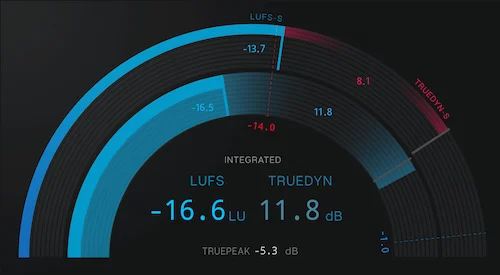 “Sounds good to me” is where most problems start.
Not because the mix is bad — but because you’ve heard it too many times.
After hours in the same session, your ears adapt. The balance feels normal, even if it isn’t stable. What felt slightly off at the beginning stops standing out.
We see this constantly. A mix sounds fine in isolation — but compared to a finished track at the same level, the gaps appear immediately. The low end shifts, the vocal sits differently, the energy doesn’t hold.
That’s the illusion of readiness.
Inside your environment, the mix works because you’ve adapted to it. Outside of it — especially under mastering conditions — the same mix behaves differently. Small imbalances scale into real problems.
If you're unsure, run an objective check — most issues become obvious immediately when you go through how to verify if your mix is ready for mastering.
Because “good enough” inside your session rarely survives outside of it.
When You Should Stop Fixing and Let Mastering Begin (The Line Most People Miss)
There’s a point where more mixing stops helping.
It doesn’t feel obvious. It feels like “one more tweak.” A slightly tighter low end. A cleaner vocal. A bit more brightness. Until the track starts losing energy.
We’ve seen mixes go through multiple revisions where nothing is technically wrong — but the punch disappears. Everything is controlled, but nothing feels alive.
A finished mix isn’t perfect — it’s stable. It holds together across systems and levels without breaking.
If your last changes don’t clearly improve translation, they’re unnecessary. At that point, you’re not improving the mix — you’re destabilizing it.
At this point, instability is no longer adjustable — it becomes part of the result.
If the balance holds when playback level increases, it’s ready. If it changes — the problem is already in the mix.
Practical Questions About Mix Preparation (Before Mastering)
How much headroom should I leave before mastering?
There’s no fixed number. Peaks below 0 dB (often around -6 dB) are fine — if the mix is stable. Headroom doesn’t fix problems. Balance does.
Should I use a limiter on my mix before sending it?
No. A limiter reduces transients and removes flexibility. If it’s only for loudness — remove it. If it’s part of the sound, send both versions.
Can I master my own track?
Yes — but objectivity is the problem. After hours in the mix, you lose perspective. That’s why self-mastered tracks often don’t translate well.
Should I normalize my mix before sending it?
No. Normalization changes peak structure without understanding your mix. Export the file as it is.
Is WAV better than MP3 for mastering?
Yes. MP3 removes audio data permanently. WAV or AIFF preserves full detail and gives mastering something to work with.