
Fix Muddy Master — Why It Happens and Why Mastering Isn’t the Cause
Your master sounds muddy after processing?
Here’s the uncomfortable part:
Mastering rarely creates muddiness — but it often reveals and amplifies it.
If your master sounds muddy, it almost always comes down to one of two things:
— the mix already had low-mid buildup
— or your mastering chain is pushing that buildup forward
The fix depends on which one you’re dealing with.
If you want to fix it, start here: check if the problem is in the mix — or in how hard the master is being pushed.
Most muddy masters come from one thing — too much low-mid energy building up in the mix.
What “Muddy” Really Means — It’s Not Dirt, It’s Overlap
 “Muddy” gets thrown around like it’s a tone problem. It’s not. It’s a separation problem.
In a finished master, muddiness shows up as a loss of definition in the low-mid range — typically somewhere between 200 and 500 Hz. Not because that range is “too loud,” but because too many elements are competing there at the same time.
Kick, bass harmonics, lower synth layers, guitars, even vocals — they all start stacking in the same space. Individually, each one sounds fine. Together, they blur into a single mass. You stop hearing parts. You hear a block.
That’s what masking sounds like in practice. One sound partially covering another, not by volume alone, but by occupying the same frequency area with similar energy. You’re not hearing distortion — you’re hearing a loss of separation. It’s a lack of clarity. Notes lose edge. Transients feel softened. The mix feels “closer,” but not in a good way.
A quick example. Two tracks come in for mastering — same genre, similar loudness targets. One feels tight and open. The other feels cloudy, even before heavy processing. The difference isn’t EQ. It’s arrangement density and how low-mid information is distributed across elements.
By the time the track reaches mastering, that structure is already locked in. The master just makes the conflict more audible.
Most muddy masters don’t actually start at mastering — they become obvious there. They start earlier — during balance decisions, layering, and frequency placement in the mix. This usually starts earlier in the process — here’s what’s actually happening: what actually matters before a track even reaches the mastering stage.
Muddiness doesn’t destroy your track — it reduces clarity, which is exactly why it’s harder to fix at the mastering stage. We broke those down in detail here: why mastering sometimes makes a track sound worse than the mix.
Why Mastering Makes Mud Worse — It Doesn’t Add It, It Lifts It
Mastering doesn’t randomly create muddiness. It changes how balance and perception interact — and that’s enough to bring hidden problems forward.
Start with limiting. When you push a limiter, you’re not just controlling peaks. You’re raising everything sitting below them. Low-level energy — the stuff that wasn’t obvious before — comes up. If your low-mid range is already crowded, the limiter doesn’t fix it. It turns it up. In real mastering sessions, this is exactly the point where a mix that felt open suddenly turns dense once it’s pushed to release-level loudness.
Compression behaves differently, but leads to the same place. It reduces dynamic contrast between elements. The gap between foreground and background shrinks. That sense of separation you had in the mix? It tightens. Sometimes it feels tighter. Other times, everything collapses into the same space.
Now add saturation. Even subtle harmonic processing introduces extra density, especially in the low-mid region. It can make a clean mix feel fuller. But if there’s already buildup, saturation reinforces it. More harmonics, more overlap, less definition.
Stereo processing complicates things further. Widening can smear elements that were originally centered and controlled. The center loses focus. Low-mid information spreads sideways, and instead of clarity, you get a softer, less anchored image.
Once you hear it this way, you stop mistaking it for something else. Mastering doesn’t repair structural conflicts — it magnifies them under level, density, and spatial pressure.
If you want a deeper breakdown of how these processes interact as a system, this becomes clear when you look at how a full mastering chain behaves in real tracks: how a mastering chain actually behaves in real tracks.
Is It the Master or the Mix? — Run These Checks Before You Guess
Muddy masters get misdiagnosed because the problem doesn’t feel obvious at first.
Listen to how your track changes when you push it to final loudness compared to the original mix. Don’t rely on limiter adjustments — listen to how the track changes once it’s pushed to final loudness. If the mix already feels cloudy, you’ve got your answer. Mastering didn’t introduce the problem. It just made it obvious.
Next — listen specifically to the low-mid area. Not with an EQ, just by attention. Do instruments blur together when they hit at the same time? Does the vocal lose edge when the arrangement fills up? That’s buildup, not a mastering artifact.
Now collapse to mono. This is where the problem becomes obvious. If the mix suddenly feels tighter and clearer, your stereo field is masking issues. If it gets worse, you’re stacking too much similar energy in the same range. Either way, it points back to the mix structure.
Reference comparison is the final check. Drop in a professionally mastered track at the same loudness. Not for tone — for separation. If theirs holds shape and yours turns into a block, the difference isn’t the limiter. It’s how elements are distributed before mastering even starts.
We see this constantly in real sessions. Two tracks at the same LUFS. One translates clean, the other collapses. Same processing, different source.
If you want a deeper diagnostic breakdown across different types of mastering issues, this breaks it down further: how to identify what’s really wrong with your master before trying to fix it.
Symptom vs Cause — Don’t Treat the Wrong Problem
Most muddy masters get misdiagnosed because the symptom feels obvious. It isn’t. What you hear at the end is rarely where the issue starts.
Use this as a quick reality check before you touch anything:
| What You Hear | What’s Actually Causing It |
|---|---|
| Muddy after limiting | Low-mid buildup being pushed forward |
| Muddy in chorus | Arrangement overlap when more elements enter |
| Muddy bass | Phase issues or frequency masking in low-end |
| Muddy stereo image | Over-widening smearing low-mid information |
The key point — what you hear is rarely where the problem starts. If you go after the symptom directly, you’ll either make it worse or just shift the problem somewhere else.
Quick Checks That Can Reduce Mud Immediately
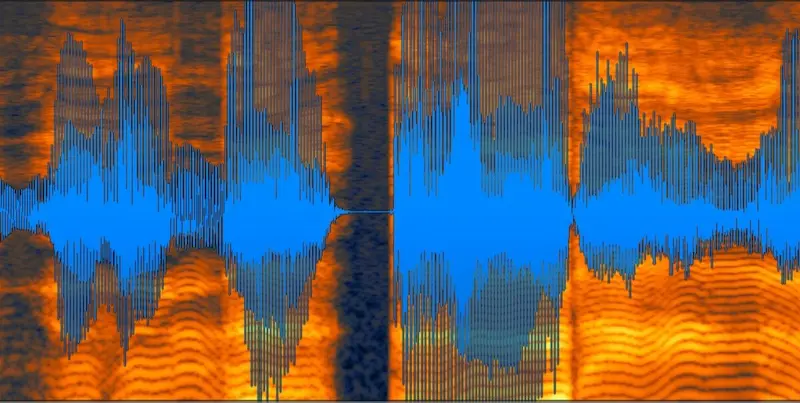 If you need to reduce mud immediately without reopening the mix, start here:
— Reduce limiter gain (even 1–2 dB can clean up low-mid buildup)
— Slightly reduce low-mid energy before the limiter (even 1–2 dB here can noticeably improve clarity)
— Check the track in mono (mud becomes obvious immediately)
— Match loudness with a reference before judging clarity (otherwise louder will always sound “better”)
These won’t fix the root problem — but they will immediately show you whether mastering is making it worse. If even small changes here improve clarity, the issue isn’t the master — it’s what the master is revealing. That’s your signal to stop tweaking the master and go back to the mix — that’s where the real fix happens.
Cutting 300 Hz Won’t Save It — Why EQ Fails on Muddy Masters
The most common move? Pull out a bell around 250–350 Hz and hope the mix “cleans up.”
At first, it can feel like it works. The track gets thinner, a bit more open. But give it a minute. The body disappears. The vocal loses weight. The groove feels weaker. You didn’t fix the problem — you just shaved off part of the sound that was holding everything together.
Here’s the issue. Muddiness at the mastering stage isn’t a single frequency spike. It’s interaction. Multiple elements sharing the same range, stepping on each other. EQ can reduce energy, but it can’t separate sources that are already blended.
So when you cut that area, you’re not isolating the conflict. You’re lowering everything in that range — including the parts that actually need to stay. The masking remains. The definition doesn’t come back. You end up with a mix that feels hollow instead of muddy. Different problem, same root.
We see this a lot in revisions. A client sends a “fixed” version — less mud, but also less impact. Kick loses weight, chords feel disconnected, vocal sits oddly on top. It sounds cleaner at first glance, but it doesn’t translate better.
And once limiting comes back in, the situation often resets. The energy you tried to remove gets perceived again under loudness pressure. That shift in perception is why the problem suddenly becomes obvious at the mastering stage — and why loudness processing plays a bigger role than most expect: how level and clipping shape what you actually hear in a master.
EQ isn’t broken. It’s just the wrong tool for this level of the problem.
What Actually Fixes It — The Work Happens Before Mastering
If the master sounds muddy, the fix doesn’t start at the master.
It starts with balance. Not volume in isolation, but how elements sit against each other. When low-end and low-mids are competing for attention, no amount of final processing will separate them cleanly. You need space — not just less level, but better placement.
Arrangement plays a bigger role than most expect. A dense chorus with stacked layers might feel powerful in isolation, but once everything hits together, the low-mid range collapses. Sometimes the cleanest solution isn’t EQ — it’s removing or simplifying what doesn’t need to be there at the same moment.
Separation is the real target. That can come from contrast — different textures, different timing, even subtle changes in articulation. When elements stop fighting for the same space, clarity returns naturally. No surgical cuts required.
We’ve had projects where nothing changed in the mastering chain, but a small adjustment in the mix — shifting a synth layer, tightening a bass envelope, slightly rebalancing the vocal — completely removed the muddy feel. Same limiter, same level. Different result.
That’s the shift. Mastering is not where you repair structure. It’s where you confirm that the structure holds under pressure.
Once the mix is resolved, mastering stops fighting the material and starts enhancing it. If you want to make sure everything is actually ready before that stage, this final pass helps catch what usually slips through: what to check before sending your track to mastering.
Still muddy after multiple attempts?
At some point, tweaking stops helping. If your master keeps collapsing no matter what you try, it usually means the issue isn’t obvious from inside your session. Send us your track — we’ll do a free 30-second demo master and show you exactly what’s going on. No presets. A real engineer listening for the actual problem.
No commitment. Just a clear reference point for your track.
What Mastering Can’t Do — It Won’t Rebuild What’s Already Blended
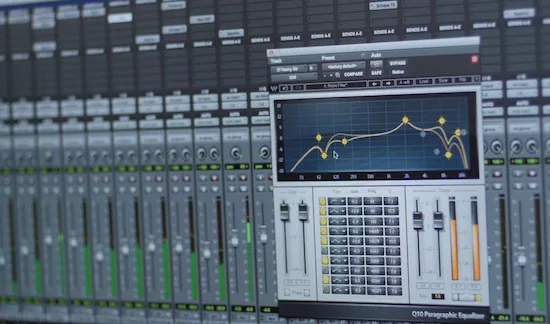 There’s a hard limit most people run into without realizing it.
If elements are already fused together in the mix, mastering can’t pull them apart. Not cleanly. Not transparently. Once multiple sounds share the same space and behave like one block, you’re no longer dealing with separate sources — you’re dealing with a combined signal.
That’s why clarity can’t be “restored” at this stage. You can reshape tone, adjust balance, control dynamics — but you can’t extract definition that was never preserved. It’s like trying to unmix paint after it’s already blended. You can shift the color, but you can’t recover the original layers.
This is where expectations go off track. A lot of producers treat mastering as a final repair stage. Something that can fix density, clean up overlap, sharpen everything. In reality, mastering amplifies what’s there. If the structure holds, it enhances it. If it doesn’t, it exposes it.
We’ve had cases where clients expected a “cleaner” version of a muddy mix without touching the mix itself. The result? Either the same problem, just louder — or a thinner version that lost impact. Neither one solves the actual issue.
Mastering works like an amplifier, not a surgeon. It increases clarity when clarity already exists. It doesn’t create it from scratch.
If you want to understand how responsibilities are actually divided between stages, this breaks it down in more detail: what each stage really controls in a finished track.
Common Questions — What Most Producers Get Wrong About Muddy Masters
Can mastering remove muddiness completely?
No. It can reduce how obvious it feels, but it can’t fully remove it if the issue comes from overlapping elements in the mix. At best, you’re reshaping the symptom — not eliminating the cause.
Why does my track sound clean before mastering but muddy after?
Because mastering changes perception. Once you add limiting and compression, low-level information becomes more audible. What felt controlled in the mix gets pushed forward, especially in the low-mid range.
Is muddy bass a mastering issue?
Rarely. Most of the time it’s phase interaction, layering, or poor separation between kick and bass. Mastering can highlight it, but it almost never creates it.
Should I fix mud before sending to mastering?
Yes. If the mix isn’t clear, mastering won’t make it clear — it will just make the problem louder. Clean structure going in is what allows mastering to actually improve the track.
At this point, it’s not about another tweak
If your master keeps coming out muddy, you’re not missing a plugin — you’re missing perspective. We analyze the track as a whole, identify where clarity breaks, and apply mastering decisions based on what’s actually happening in your mix. No presets. No guesswork. Just real diagnosis from a working engineer.
Know the cost upfront. Hear the difference before committing.