
In New York City, tracks are rarely created in just one environment. Many songs start as live multitrack recordings from club performances in Brooklyn or Manhattan, continue through short day-rate studio sessions, and are finished later in home setups across Queens, Harlem, or the Bronx. This fast, hybrid workflow is part of what makes NYC’s music scene so productive — but it’s also the reason many mixing projects slow down before they even begin.
Most problems engineers face in online mixing for New York artists don’t come from creative choices. They come from poorly prepared stems. Misaligned files, clipped vocals, missing effects decisions, and chaotic folder structures add hours of technical cleanup and lead to extra revisions that increase both timeline and cost.
This guide shows New York musicians exactly how to deliver stems so online mixing starts immediately, revisions stay minimal, and budgets remain predictable.
Use this NYC stem delivery guide before sending files for online mixing.
What Engineers Actually Mean by “Stems” for Online Mixing
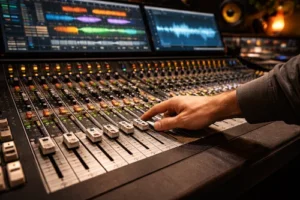 In professional online workflows, stems are not raw DAW session files and not scattered exports from random timeline positions. Engineers expect consolidated audio files where each track starts from the same point — usually bar one or time zero — so everything lines up instantly when imported.
In practice, this means one audio file per track, exported at the original session sample rate and bit depth, typically in WAV or AIFF format. This structure allows immediate balancing, processing, and automation without rebuilding the song from scratch.
Many New York artists unintentionally send chopped clips, half-length files, or DAW project folders instead of clean multitrack stems. This is where delays begin.
The Most Common Stem Problems NYC Engineers See
Because of how music is recorded across the city, several issues appear again and again. Live multitrack recordings often arrive with phase conflicts between drum mics or uncontrolled bleed between instruments. Short studio sessions sometimes include clipped vocal takes or half-finished edits rushed before session time expired. Home demos frequently contain heavy master-bus processing or inconsistent gain levels.
Another major issue is misaligned exports where each file starts at a different point in the timeline. Even if every sound is present, rebuilding the arrangement wastes time that should be spent mixing.
The reality is simple: most delays in New York online mixing projects come from file preparation, not from the mix itself.
Standard Stem Export Setup That Works in Any DAW
 Before exporting, every track should be consolidated so all files run from the exact same start point to the end of the song. Master-bus processing such as limiters, maximizers, or loudness plugins should be disabled, since these restrict headroom and distort mixing decisions.
Creative effects that define the sound — such as vocal throws, guitar delays, or printed sound design — can remain if they are intentional. Corrective processing designed only to make rough mixes louder should be removed.
Files should be clearly named with simple, readable titles like LeadVocal, Kick, SnareTop, BassDI, GuitarLeft, and so on. Consistency here saves engineers hours and directly speeds up turnaround.
NYC Live Multitrack Sessions: Special Preparation Rules
New York is one of the few cities where live performance recording is routine rather than occasional. Many projects come from club shows, rehearsal spaces, or quick capture sessions between tours.
For these sessions, room microphones should always be exported separately instead of baked into instrument tracks. Phase relationships between drum mics should be checked before export, since even small misalignments can destroy low-end clarity in the mix.
Bleed is normal in live recordings, but labeling channels properly — especially drum kits — makes a massive difference in how fast an engineer can organize and mix the session. When stems are grouped logically, the mix can start immediately instead of turning into a detective project.
— See also: What is aliasing in audio: a complex problem explained in simple terms —
Studio Day-Rate Sessions: How to Avoid Paying Twice
 Short studio sessions are common in NYC due to high hourly costs. Artists often rush edits, comps, and bounces to stay within budget — then end up paying later when problems appear in mixing.
Before exporting stems, vocals should be properly comped, obvious pops or noise removed, and takes aligned rhythmically where needed. Bounce consistency is critical; mismatched levels between chorus and verse tracks create unnecessary revisions.
When stem prep is handled cleanly after studio sessions, artists avoid paying extra hours later just to fix rushed work.
Home Studio Demos: What to Fix Before Sending
Home recordings dominate the New York indie scene. Before exporting, tracks should be free of clipping, recorded at reasonable levels, and stripped of unnecessary plugins that were only used to make rough mixes loud.
Basic alignment of doubled vocals and layered instruments helps the engineer work creatively instead of technically. Unused tracks should be removed entirely to keep sessions clean and efficient.
File Naming and Folder Structure That Engineers Prefer
Professional delivery isn’t about complexity — it’s about clarity. Most engineers prefer a main project folder containing subfolders such as DRUMS, BASS, MUSIC, VOCALS, FX, and PRINTS.
Within each folder, files should follow a consistent naming style that immediately explains what the track is. Clear naming removes confusion, speeds up revisions, and ensures nothing gets lost across version updates.
Packing and Delivery for Remote Mixing
Once stems are organized, they should be compressed into a single ZIP file to prevent corruption and simplify uploads. Cloud services like Google Drive and WeTransfer work best when uploads are verified after completion to avoid missing files.
For large NYC live sessions, stable wired connections dramatically reduce failed transfers compared to mobile hotspots.
Pre-Send Quality Check That Prevents Revisions
Before uploading, every stem should be the same length, free of clipping, and clearly labeled. Tempo information should be included in a short note, along with reference tracks that show the desired sound direction.
This small step alone eliminates most first-round technical revisions.
How Proper Stem Prep Speeds Up Turnaround in NYC Projects
When stems arrive clean and organized, engineers can focus immediately on balance, tone, and creative decisions. First mixes arrive faster, revision rounds are more precise, and timelines become predictable — which is critical in New York’s fast release cycles.
If you want professional results without studio-hour pressure, online mixing and mastering workflows depend entirely on solid file preparation.
AREFYEV Studio works with NYC artists daily, turning prepared stems into release-ready mixes without delays.
How AREFYEV Studio Works With NYC Stems
Every project begins with a quick file review to catch technical issues before mixing starts. If prep adjustments are needed, you’ll receive clear feedback immediately. Once stems are approved, mixing moves forward efficiently with structured revisions and predictable turnaround. Send your stems for a quick prep check before starting your NYC mix.
Conclusion
 In New York City’s fast-moving music scene, stem preparation is the difference between smooth online mixing and expensive delays. Clean exports lead to faster turnaround, fewer revisions, and better sound — every time. When artists follow this process, online mixing becomes just as professional as studio sessions, without hourly pressure.
Order professional online mixing and mastering for your New York release at AREFYEV Studio.
Mini-FAQ
What are stems in music production?
– Stems are consolidated audio tracks exported from the same start point so sessions line up instantly in mixing.
How do I prepare stems for online mixing?
– Consolidate from the beginning, remove master processing, export in WAV or AIFF, and label clearly.
Should I include effects in stems?
– Keep creative effects that define the sound, but remove loudness and corrective master chains.
What format should stems be in?
– Lossless formats like WAV or AIFF at the original session sample rate and bit depth.
How long should stems be exported?
– All stems should run the full length of the song from start to finish.
Can I send live multitrack recordings?
– Yes — live sessions are common in NYC and mix perfectly when prepared correctly.