
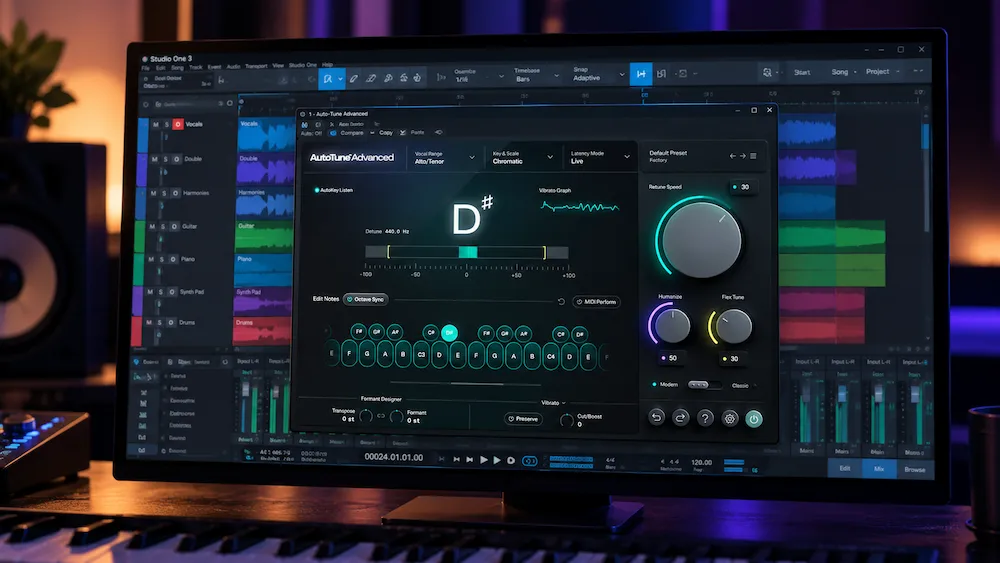
Automatic pitch correction has always had a trade-off: the harder you correct a vocal, the greater the risk of removing the pitch movement that gives the performance its character. Antares AutoTune Advanced tackles that problem with a rebuilt Auto-Mode engine and DVA, a new system designed to distinguish natural vibrato from unwanted pitch movement. It also adds a low-latency Live mode, deeper formant control, and note-level editing through a 78-note visual keyboard.
The important question is what those changes mean in an actual vocal session. If DVA can preserve expressive pitch movement while the correction remains tight, Advanced could reduce one of the more tedious parts of vocal editing: backing off automatic tuning, repairing the result manually, and repeatedly balancing pitch accuracy against the character of the performance.
Advanced also needs to be understood in the context of Antares’ current lineup. It is not a replacement for every function in Auto-Tune Pro 11. Pro 11 remains the choice for engineers who rely on Graph Mode and detailed manual correction, while Advanced is aimed more directly at automatic tuning, real-time tracking, and controlled vocal processing.
AutoTune Advanced at a glance
AutoTune Advanced is Antares’ flagship automatic pitch-correction plugin, built around the new DVA™ vibrato engine, three latency modes and a 78-note Visual Keyboard. It is designed primarily for real-time and automatic vocal tuning rather than detailed manual pitch editing.
The current perpetual license is $450 USD. Advanced is also available through Antares’ subscription options, while Graph Mode and the Harmony Player remain part of AutoTune Pro 11.
Why Natural Vocal Tuning Is Difficult at High Correction Settings
 Modern vocal production demands two things that can work against each other: tight pitch control and a performance that still retains its natural movement. This is especially apparent in pop, hip-hop, R&B and electronic production, where vocals may be tuned aggressively while the final result is still expected to preserve phrasing, vibrato and pitch expression.
Automatic pitch correction does more than move an out-of-tune note toward its target. The processor continuously tracks changes in the detected fundamental frequency and determines how quickly those changes should follow the target pitch. With fast correction settings, intentional vibrato, slides, scoops and sustained pitch modulation can become part of the material being corrected. The result can be a vocal that is technically tighter but noticeably less expressive.
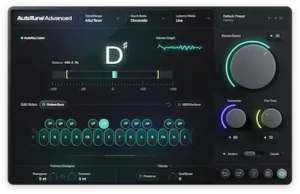
AutoTune Advanced addresses this problem with DVA, an engine designed to distinguish natural vibrato from unwanted pitch deviation. Its controls allow the detected vibrato to be preserved, reduced or enhanced, while a real-time display provides visual feedback on the movement being identified by the processor.
That approach is more significant than a conventional interface update because it targets one of the central limitations of automatic vocal tuning: deciding which pitch movement belongs to the performance and which movement should be corrected. DVA’s practical value ultimately depends on how reliably it makes that distinction across different voices, recording conditions and correction settings. At launch, there is not yet enough independent testing to establish how it compares with competing pitch-detection algorithms.
What AutoTune Advanced Changes in a Vocal Tuning Workflow
AutoTune Advanced is positioned as Antares’ flagship automatic pitch-correction plugin, with a rebuilt Auto-Mode engine rather than a conventional feature update. It retains the familiar controls used for automatic tuning, including Retune Speed, Humanize, Flex-Tune, Key & Scale and Vocal Range, while adding more detailed control over vibrato, formants, note behavior and real-time operation.
Modern vs Classic: two different correction behaviors
AutoTune Advanced does not use a single correction character. Modern Mode is the main option for transparent vocal tuning and provides access to Flex Tune, Formant Designer, Live and High Quality latency modes. Classic Mode recreates the more aggressive character associated with earlier generations of Auto-Tune and is limited to Low Latency processing.
That distinction matters when choosing Advanced for a production workflow. Modern Mode is the more relevant starting point when the goal is to correct pitch while retaining vocal timbre and expressive movement; Classic Mode becomes more relevant when the recognizable Auto-Tune character itself is part of the production decision.
The difference becomes more apparent when working with a vocal that is musically strong but contains inconsistent pitch. A typical session may begin with automatic correction, followed by slower Retune settings when the singer’s vibrato starts to sound flattened or artificial. Individual phrases may then need additional editing, including timing alignment between layered vocal performances, either manually or with a dedicated editing tool. Advanced is designed to keep more of that pitch-correction decision-making within the automatic tuning stage.
DVA is central to that approach. Rather than treating every detected pitch fluctuation as an error to be corrected, the system is designed to identify natural vibrato and separate it from unwanted pitch deviation. The detected movement can then be preserved, reduced or enhanced without requiring the engineer to abandon the automatic correction workflow.
For a mixing engineer, the potential benefit is therefore less about replacing another processor and more about reducing corrective work after tuning. If the automatic stage can maintain a singer’s intentional pitch modulation while applying tighter correction, there is less need to compromise between pitch accuracy and vocal character or manually repair the result afterward.
Give Your Tuned Vocal the Final Translation Check
Precise vocal tuning is only one part of a finished record. Once pitch accuracy, expression and vocal balance are established, mastering determines how the complete mix translates across playback systems while preserving clarity, depth, dynamics and stereo detail. If you want to hear how your finished mix holds up at the mastering stage, you can submit up to 40 seconds for a free mastering demo. Upload Your Mix for a Free Mastering Demo →
DVA and the Trade-Off Between Pitch Accuracy and Expression
The most technically interesting part of AutoTune Advanced is also the part that deserves the closest scrutiny.
Antares designed DVA to identify a singer’s natural vibrato and preserve it during pitch correction, including at fast Retune Speeds. The underlying problem is well defined: vibrato is structured pitch modulation rather than random intonation error. Treating every deviation from the target pitch in the same way can therefore make a corrected vocal more accurate while simultaneously making it less expressive.
In a working vocal chain, that distinction can change how aggressively an engineer approaches automatic correction. Instead of slowing Retune Speed whenever a sustained note starts to lose its movement, the engineer can keep tighter pitch correction and adjust the detected vibrato separately. The potential advantage is greater control over the relationship between pitch accuracy and the original performance.
DVA should not, however, be treated as a direct measurement of musical intent. It is an analysis system making decisions from the characteristics of the incoming audio. A real vocal can contain vibrato, scoops, unstable intonation, breath noise, consonant transitions and rapid melodic movement within the same phrase. Those elements can overlap in ways that make the distinction between intentional expression and pitch error considerably less obvious than it is in a clean demonstration example.
That makes real-world behavior more important than the feature description itself. DVA’s value will depend on how consistently it handles different singers, recording conditions and degrees of correction, particularly when the vocal contains ambiguous or rapidly changing pitch movement. At launch, there is not enough independent comparative testing to establish whether it consistently outperforms competing approaches across those conditions.
Vibrato Threshold: How DVA Interprets Pitch Movement
The Vibrato Threshold determines how AutoTune distinguishes vibrato from other forms of pitch movement. The Wide setting identifies a broader range of pitch movement as vibrato, while Narrow is more selective and allows slides, scoops and subtle transitions to retain more of their original character.
This matters because Preserve Vibrato, Cut and Boost all depend on what the DVA engine identifies as vibrato. The threshold therefore affects how aggressively the plugin separates expressive pitch movement from unwanted deviation.
A Practical Vocal-Correction Scenario
Consider a lead vocal with several slightly flat sustained notes but clearly audible natural vibrato. A fast correction approach can bring the notes into tune while making sustained sections sound more static. AutoTune Advanced approaches this differently by allowing the engineer to combine Retune Speed, Preserve Vibrato and Vibrato Threshold so that pitch correction can be applied without automatically treating every expressive movement as an error.
The practical decision is therefore not simply how fast to tune, but which pitch movement should remain untouched. Retune Speed controls the correction response, while Preserve Vibrato and Vibrato Threshold determine how the detected modulation is treated.
Live Mode and the Real-World Vocal Monitoring Chain
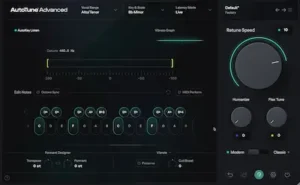 AutoTune Advanced includes a dedicated Live mode designed to minimize plugin processing latency, with Antares specifying sub-1 ms operation across sample rates from 44.1 kHz to 192 kHz. Low Latency and High Quality modes provide alternative processing configurations when real-time response is less critical than processing quality.
The distinction matters most during vocal tracking. When a singer monitors through a DAW session with a large buffer or several latency-heavy processors, the delay between producing a note and hearing the processed signal can become noticeable. With pitch correction in the monitoring path, even a small increase in latency can affect how naturally a vocalist responds to the corrected signal.
Live mode addresses only the processing latency introduced by AutoTune Advanced itself. It does not make the entire monitoring path sub-1 ms. Audio-interface conversion, driver architecture, buffer size, DAW processing and other plugins all contribute to the actual round-trip latency experienced by the performer.
That limitation does not make the feature less useful. In a tracking session, low plugin latency can make it practical to keep AutoTune Advanced directly in the monitored vocal path instead of maintaining a separate low-latency tuning setup. The same principle applies to live performance, where the available latency budget is determined by the complete signal chain rather than by the pitch-correction plugin alone.
The 78-Note Keyboard and Selective Pitch Correction
The 78-note visual keyboard is less significant than DVA from a signal-processing perspective, but it may have a more immediate effect on everyday editing. Its value comes from giving the engineer more granular control over the notes used by the automatic correction system without forcing the entire vocal into a manual editing workflow.
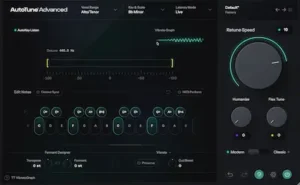
AutoTune Advanced adds per-note bypass, Octave Sync and MIDI Perform alongside the 78-note Visual Keyboard. Per-note control is particularly useful when a vocal contains notes that are technically outside the expected key but are intentional parts of the performance. MIDI Perform extends that idea beyond static note selection by allowing supported AutoTune controls to be manipulated from a MIDI controller during performance or automation.
That situation is common in modern vocal production. Passing tones, slides, blues inflections and deliberately altered pitches do not always conform to a simple major or minor scale, yet they can be essential to the phrasing. A rigid key map can interpret those choices as errors even when they are musically deliberate.
The more efficient approach is to let automatic correction handle the majority of the performance and restrict its behavior only where the musical context requires it. This keeps the speed advantage of Auto-Mode while reducing the number of phrases that need separate manual intervention.
That is where the keyboard becomes useful: not because a larger visual interface is inherently better, but because selective note control can reduce repetitive editing while keeping the automatic tuning process intact.
AutoTune Advanced also integrates with AutoKey 2. AutoKey 2 can detect the key, scale and tempo of a track and send that tonal information to AutoTune Advanced instances, reducing repetitive Key & Scale setup when working across multiple vocal tracks.
Formant Designer, Vibrato FX and Creative Vocal Processing
AutoTune Advanced extends beyond pitch correction into creative vocal processing. Formant Designer provides independent Transpose and Formant controls, along with a linked mode that moves both together. Vibrato FX can also introduce controlled vibrato to a vocal that does not contain enough natural pitch modulation.
These features expand the plugin’s range, but they are secondary to the core pitch-correction technology. Formant processing is already established in professional vocal production, and adding it to the tuning environment does not fundamentally change the underlying technique.
The practical advantage is workflow integration. An engineer can correct pitch, reshape the perceived vocal register and shape the vocal’s harmonic content without moving the signal through several separate processors. For more selective tonal shaping after pitch correction, key-aware harmonic EQ represents a different approach to controlling frequency relationships. The same broader processing context can also be useful when building deliberately stylized vocals, doubling parts, creating character variations or pushing a performance toward a more synthetic sound.
Vibrato FX should also be distinguished from DVA. Vibrato FX creates or modifies an effect for creative purposes, while DVA is concerned with analyzing pitch modulation that already exists in the performance and determining how automatic correction should treat it. Those are different jobs, even though both operate on the same aspect of the vocal.
For electronic production, pop and vocal sound design, the additional processing can make AutoTune Advanced a more self-contained tool. For a natural lead vocal where the priority is transparent correction, however, DVA and the automatic tuning engine remain considerably more important than the creative effects section.
AutoTune Advanced vs AutoTune vs Auto-Tune Pro 11
The three AutoTune editions are not simply different feature tiers. They support different vocal-production workflows. AutoTune Advanced is focused on sophisticated automatic pitch correction, DVA vibrato control and real-time performance. AutoTune provides a more streamlined automatic correction workflow, while Auto-Tune Pro 11 remains the relevant option when detailed Graph Mode editing and Harmony Player functionality are required.
The practical difference is therefore less about the number of features and more about how the vocal is being edited. Advanced is built around automatic correction with greater control over expressive pitch movement; Pro 11 remains the deeper manual-editing environment.
| Workflow / Feature | AutoTune | AutoTune Advanced | Auto-Tune Pro 11 |
|---|---|---|---|
| Automatic pitch correction | Yes | Yes | Yes |
| DVA vibrato detection and control | No | Yes | No equivalent DVA workflow |
| Live mode | No | Sub-1 ms plugin processing | No equivalent Advanced mode |
| 78-note Visual Keyboard | No | Yes | Different interface and editing workflow |
| Graph Mode | No | No | Yes |
| Detailed manual pitch editing | Limited | Automatic-focused workflow | Graph Mode workflow |
| Formant processing | Basic / product-dependent | Formant Designer | Available within Pro workflow |
Advanced therefore occupies a distinct position in the lineup. Pro 11 remains the more relevant workflow when detailed manual editing and Graph Mode are central to the session. Advanced is built around automatic correction, vibrato analysis and control, selective note behavior, formant processing and low-latency operation.
For an engineer already working extensively in Graph Mode, the arrival of Advanced does not remove the need for that workflow. The two products address different stages of vocal correction: Advanced is optimized around automatic processing with additional control, while Pro 11 provides deeper manual intervention when individual pitch contours need to be edited directly.
Advanced becomes particularly relevant when most of the work is performed in Auto Mode and the recurring problem is maintaining the character of a vocal under stronger correction. In that situation, DVA and the additional automatic-control features address a different part of the workflow than Graph Mode does.
How AutoTune Advanced Fits Into Mixing and Mastering Workflows
 AutoTune Advanced is primarily a recording, editing and mixing tool, not a mastering processor. Pitch correction belongs upstream in the production chain, where the engineer can work directly with the vocal performance rather than trying to correct a problem after the mix has already been printed to stereo.
The mastering relevance is therefore indirect but important. A well-controlled vocal gives the mix engineer more predictable material to work with before the final bus processing, limiting and delivery encoding. This becomes particularly relevant when the vocal remains a dominant element of the finished production, where vocal mastering ultimately depends on the balance and condition of the vocal already established in the mix. Once a vocal has been printed with excessive pitch correction, unstable tuning or flattened expression, mastering cannot selectively reconstruct the original performance from the finished stereo mix.
This matters particularly in dense arrangements where the vocal has to remain intelligible without dominating the instrumental. Uncontrolled pitch movement does not automatically require more EQ or compression, but problematic vocal dynamics, resonance and pitch behavior can lead to additional automation or corrective processing during mixing. Those decisions become part of the final stereo balance that the mastering engineer receives.
AutoTune Advanced does not directly improve loudness, streaming normalization or codec performance. Its role is earlier in the signal chain: providing a more controlled vocal source so that subsequent compression, EQ, saturation, automation and mix-bus limiting can be used for artistic and tonal decisions rather than compensating for avoidable problems in the recorded performance. The same principle applies when preparing the finished mix for mastering: preparing a mix for mastering starts with resolving production and balance issues before the final stereo file leaves the mixing stage.
CPU Load, Compatibility and Session Reliability
AutoTune Advanced supports VST3, AU and AAX formats and is designed for macOS and Windows systems across sample rates from 44.1 kHz to 192 kHz. For production work, however, format and operating-system compatibility are only part of the practical picture. CPU load, buffer size, sample rate, DAW architecture and the number of active processors in a session can all affect real-time performance.
AutoTune Advanced requires macOS 14 or later or Windows 10 or 11 and supports VST3, AU and AAX. The published compatibility information does not establish a universal maximum instance count, so session capacity should be evaluated against the actual DAW, buffer configuration and processing mode rather than a fixed plugin-count claim.
There is not yet enough independent benchmarking to establish a reliable instance-count comparison for AutoTune Advanced. A fixed claim such as “X instances per core” would have limited value without controlling the DAW, sample rate, buffer configuration, processing mode and surrounding plugin chain.
The same caution applies to long-term stability. AutoTune Advanced uses a rebuilt automatic tuning architecture, so its behavior across different DAWs, sessions and rendering conditions will become clearer as the plugin receives more maintenance releases and accumulates wider production use. Early reports or isolated compatibility issues should not automatically be treated as evidence of a systemic problem, but they are worth separating from the manufacturer’s launch specifications.
For commercial sessions, the usual engineering precautions still apply. Once a critical vocal has been tuned and approved, printing or freezing the processed track can protect the session from later plugin-version changes, parameter differences or compatibility problems. That is normal session management rather than a criticism of AutoTune Advanced specifically.
Where the Marketing Stops and the Evidence Begins
Antares positions AutoTune Advanced as its most advanced automatic pitch-correction system and presents DVA as a solution to one of the persistent problems in automatic tuning: preserving natural vibrato while applying tighter pitch correction. The underlying engineering objective is credible. The more difficult question is how consistently the system achieves that result across real-world vocals.
At the time of publication, the size of the improvement has not been established independently.
There is not yet enough publicly available independent data from blind vocal comparisons, controlled vibrato-detection tests or repeatable measurements to establish how consistently DVA separates intentional vibrato from unwanted pitch deviation across different voices and recording conditions. That is the specific claim that needs longer-term independent evidence.
That does not make the new technology insignificant. A pitch-correction system does not need to outperform every competing tool in every situation to be useful in professional production. The more relevant test is narrower: whether Advanced can reduce manual intervention while maintaining the intended pitch movement and character of the performance in the sessions where automatic tuning is the preferred workflow.
That is also the standard by which DVA should be evaluated over time. Wider production use, repeatable comparisons and independent testing will provide a more meaningful picture of how reliably it distinguishes intentional vibrato from pitch deviation than launch demonstrations or feature specifications alone.
Who Is AutoTune Advanced Designed For?
AutoTune Advanced is primarily aimed at producers, vocal editors, recording engineers and artists who rely on automatic pitch correction but need more control over expressive vocal movement than a basic real-time tuner provides.
It is particularly relevant for workflows that require fast correction during recording, controlled aggressive tuning, preservation or manipulation of vibrato, per-note scale control, formant processing or real-time vocal monitoring.
It is less relevant as a replacement for a detailed manual pitch editor. Auto-Tune Pro 11 retains Graph Mode for surgical pitch and timing work, so Advanced is better understood as a more sophisticated automatic correction environment rather than a replacement for every type of vocal editing.
Overall Rating
This rating is based on the documented feature set, published technical specifications, workflow design and product positioning at launch. It is not presented as the result of a long-term independent benchmark or controlled A/B test against competing pitch-correction systems.
| Category | Rating |
|---|---|
| Automatic Pitch Correction | 9.0/10 |
| Vibrato Detection & Control | 9.0/10 |
| Pitch Expression Preservation | 8.5/10 |
| Real-Time Performance | 9.0/10 |
| Note-Level Control | 8.5/10 |
| Manual Editing Depth | 7.0/10 |
| Overall | 8.5/10 |
The rebuilt automatic engine earns a strong score because Advanced is specifically designed to maintain tight pitch correction while giving the engineer more control over how pitch movement is treated.
DVA receives the highest rating because it addresses the most important technical problem identified on the page: separating natural vibrato from unwanted pitch deviation during aggressive correction.
The slightly lower expression score reflects an important limitation: the system still has to interpret complex combinations of vibrato, scoops, consonants and unstable intonation, and independent comparative evidence is not yet sufficient to establish consistent behavior in every vocal.
Live mode is particularly strong for tracking and real-time applications because the specified plugin processing latency is below 1 ms, although the actual performer experience remains dependent on the complete monitoring path.
Per-note control adds useful selectivity to automatic tuning, especially for intentional notes outside a defined scale, but it does not provide the same depth of direct pitch editing available through Graph Mode.
Manual editing receives a lower score because Advanced is intentionally centered on automatic correction; engineers who need detailed manipulation of individual pitch contours still require a more specialized editing workflow.
AutoTune Advanced is most compelling when automatic vocal tuning is the primary requirement and preserving expressive pitch movement matters as much as correction speed. Its main compromise is specialization: the deeper the need for direct manual pitch editing, the less complete Advanced becomes as a standalone solution.
The Professional Production Verdict
AutoTune Advanced is a substantial development of Antares’ automatic tuning workflow because it addresses a practical limitation of aggressive pitch correction: maintaining control over the performance while increasing pitch accuracy.
DVA is the central technical development. If the system can reliably distinguish intentional vibrato from unwanted pitch deviation, an engineer can approach faster Retune Speeds without automatically treating every pitch movement as an error. The potential production benefit is straightforward: less manual correction and more control over how much of the original vocal movement survives the tuning process.
Live mode is the other feature with immediate practical value. Antares’ sub-1 ms plugin-processing specification makes Advanced suitable for tracking and real-time applications, although the latency experienced by the performer will always depend on the complete monitoring path, including the interface, buffer configuration, DAW and other processors.
The remaining additions reinforce the same automatic workflow rather than creating a separate editing environment. The 78-note keyboard handles selective note behavior, MIDI Perform adds external control, and the Formant Designer extends the vocal-shaping stage without introducing Graph Mode-style manual pitch editing. Their value is therefore highest when the goal is to keep correction, note selection and vocal shaping inside one automatic-tuning workflow.
Advanced also does not eliminate the need for more specialized vocal-editing tools. Melodyne remains relevant when detailed manual pitch editing is required, while Auto-Tune Pro 11 retains a distinct workflow for engineers who depend on Graph Mode. The products overlap in automatic correction, but their strengths are organized around different methods of controlling the vocal.
The most accurate way to describe AutoTune Advanced is therefore not as a replacement for professional vocal editing, but as a more controlled automatic-tuning environment: fast pitch correction with additional control over vibrato, note behavior, formants and real-time performance. Whether that difference justifies adding it to a particular studio workflow depends primarily on how often automatic tuning is used and how much manual correction is required after it.
Hear What Your Vocal Processing Does to the Finished Mix
Tighter pitch correction and controlled vocal expression are only useful if the finished mix still maintains the right balance, dynamics, depth and translation. Not every remaining problem calls for another processor; sometimes the more useful step is to hear how the complete mix responds to professional mastering. Upload up to 40 seconds of your mix and receive a free mastering demo prepared by a real mastering engineer, giving you a direct before-and-after reference for the finished result. Upload Your Mix and Get the Free Mastering Demo →
FAQ: AutoTune Advanced in Professional Vocal Production
How much does AutoTune Advanced cost?
At launch, AutoTune Advanced is available as a $450 USD perpetual license. Antares also offers subscription access through AutoTune Unlimited. For a buyer deciding between the two, the important distinction is ownership versus access to the wider Antares catalog: the perpetual license is specifically for Advanced, while AutoTune Unlimited includes Advanced alongside the rest of the subscription library. Pricing can change, so the current Antares purchase page should be checked before buying.
Is there a free trial of AutoTune Advanced?
Yes. Antares currently offers a free trial through AutoTune Unlimited, allowing users to try AutoTune Advanced before committing to a purchase.
What is the difference between Modern and Classic Mode in AutoTune Advanced?
Modern Mode provides the broader Advanced feature set, including Flex Tune, Formant Designer, Live and High Quality processing modes. Classic Mode is designed around the character associated with earlier Auto-Tune processing and is limited to Low Latency mode.
Does AutoTune Advanced replace Auto-Tune Pro 11?
No. The two plugins are built around different vocal-editing workflows. Advanced focuses on automatic pitch correction with additional control over vibrato, note behavior, formants and real-time operation, while Pro 11 retains Graph Mode for detailed manual pitch editing.
Does AutoTune Advanced preserve natural vibrato?
DVA is designed to detect natural vibrato separately from unwanted pitch deviation and allows the detected movement to be preserved, reduced or enhanced. How effectively it does this depends on the vocal performance, recording quality and correction settings.
Can AutoTune Advanced be used while recording vocals?
Yes. Its Live mode is designed for low-latency operation, with Antares specifying sub-1 ms plugin processing. That figure applies to the plugin itself, not the complete monitoring path. Interface conversion, driver behavior, buffer size, DAW processing and other plugins still contribute to total round-trip latency.
Can AutoTune Advanced tune multiple voices on the same track?
AutoTune Advanced is intended for an isolated monophonic source, such as a single vocal or monophonic instrument. Multiple simultaneous voices and polyphonic material are outside the conditions for which conventional automatic vocal pitch correction is designed.
Can AutoTune Advanced replace Melodyne?
Not in every workflow. Advanced is centered on automatic and real-time pitch correction, while Melodyne is suited to detailed manual editing of individual notes and their pitch or timing characteristics. The two tools can overlap, but they serve different approaches to vocal editing.
Is AutoTune Advanced useful for mastering?
Not directly. AutoTune Advanced is a vocal production and mixing tool, and pitch correction should normally be completed before the final mix is delivered to mastering. Its relevance to mastering is limited to the condition of the vocal already established in the mix.
Does AutoTune Advanced use more CPU than AutoTune?
There is not enough independent benchmarking to establish a reliable instance-count comparison. CPU behavior depends on sample rate, DAW, buffer configuration, processing mode and the rest of the session, so manufacturer specifications should not be treated as universal performance benchmarks.
What is the main technical difference in AutoTune Advanced?
DVA is the central technical addition because it addresses the interaction between automatic pitch correction and natural vibrato. Live mode is the other major workflow addition, particularly for tracking and real-time vocal processing.
Should a Pro 11 user switch to AutoTune Advanced?
The answer depends on which editing workflow dominates the session. Engineers who rely on Graph Mode for detailed manual correction are using a capability that Advanced does not replace. Engineers who primarily work in Auto Mode and need more control over vibrato and real-time operation are addressing a different set of requirements.
Who is AutoTune Advanced best suited to?
Its workflow is most relevant to vocal producers, mixing engineers, recording engineers and live engineers who use automatic pitch correction regularly. Its direct role is smaller for mastering engineers and for workflows centered on detailed manual pitch editing.

Yurii Ariefiev approaches vocal tuning from the perspective of pitch accuracy, natural expression and reliable correction behavior. For AutoTune Advanced, the important technical questions are how automatic pitch correction handles vibrato, pitch deviation and fast Retune settings without treating every movement in the vocal as an error. DVA and its approach to natural vibrato are therefore central to evaluating the plugin beyond its feature set.
Enjoyed this review? If you found it useful, you can support independent audio research with a coffee.
☕ Buy me a coffee