Best Mastering Plugins in 2026: Tools That Actually Translate on Streaming Platforms
Mastering isn’t about stacking plugins — it’s about making decisions that hold up outside your DAW. We’ve worked on thousands of tracks across different genres, from home productions to commercial releases, and the outcome is never defined by the tools alone.
This guide focuses on mastering plugins that are consistently used in real workflows — not because they’re new or trendy, but because they deliver controlled, predictable results under real playback conditions.
Best Mastering Plugins (Quick List)
- FabFilter Pro-Q 3 — EQ
- Shadow Hills — compression
- Pro-L2 — limiting
- Soothe2 — harshness control
- bx_digital — stereo
Mastering Chain: Order Matters More Than Plugins
There is no fixed mastering chain, but processing order defines how each stage behaves. EQ shapes what the compressor reacts to. Compression changes how saturation responds. Saturation affects how the limiter handles peaks.
In practice, engineers often use multiple EQs and compressors across the chain — each handling a specific task instead of forcing a single plugin to do everything.
Best EQ Plugins for Mastering
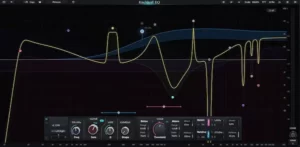 Mastering EQ is used for small, precise adjustments that affect the entire mix. At this stage, even a 0.5–1 dB move can change how the track translates across different playback systems.
Linear-phase and transparent EQs are preferred because they allow surgical corrections without introducing phase shift or unwanted coloration — especially when working on the full stereo signal.
- FabFilter Pro-Q 3
- DMG Audio EQuilibrium
- Weiss EQ1 (Softube)
- Brainworx bx_digital
- Sonnox Oxford EQ
Different plugins solve similar tasks in different ways. For example, Pro-Q 3 is often preferred for speed and flexibility, while Weiss EQ1 is used for extremely transparent, surgical mastering moves.
In practice, these tools are used to remove low-end rumble, control harsh upper mids, and rebalance the spectrum so the track feels consistent on headphones, speakers, and streaming platforms.
Best Mastering Compressors
Compression in mastering is about control, not loudness. The goal is to stabilize the mix and add cohesion without flattening transients or reducing impact.
In most cases, gain reduction stays within 1–2 dB. Anything beyond that starts to collapse depth and reduce the natural movement of the track.
- Shadow Hills Mastering Compressor
- Weiss Compressor
- TDR Kotelnikov GE
- Pulsar Mu
- Vertigo VSC-3
These compressors are used for their transparency and predictable response. They allow subtle control over dynamics, tightening the mix while preserving punch and low-end stability.
In practice, mastering compression is often applied in stages — light control early in the chain, followed by final shaping before limiting.
Analog-Style EQ and Coloration
 Once the tonal balance is under control, analog-style EQs are used to shape tone and depth rather than fix problems. At this stage, the goal is not precision — it’s musicality.
Unlike transparent EQs, these tools introduce harmonic coloration and broader curves, which can make a track feel fuller, more open, or more forward without aggressive processing.
- Pultec-style EQs (PuigTec, Tube-Tech)
- Manley Massive Passive
- Chandler Curve Bender
- Maag EQ4
In practice, they are often used to add top-end air, enhance low-end weight, or subtly shift the tonal character of the mix. These are not corrective moves — they define how the track feels to the listener.
At a certain point, adding more plugins stops improving the result. If the track still feels unbalanced, harsh, or flat after processing, the issue is usually not the tools — it’s how the mix behaves under real playback conditions. You can test this directly by hearing how your track translates after mastering. Request a free demo mastering and compare the difference on streaming platforms and real systems.
De-Essers and High-Frequency Control
High-frequency harshness often becomes more pronounced at the final stage of mastering — especially after limiting. Elements like vocals, hi-hats, and bright synths can turn aggressive once the overall level is pushed.
De-essers and dynamic high-frequency processors allow targeted control over these areas without affecting the entire mix. Instead of cutting highs globally, they react only when problematic frequencies exceed a certain threshold.
- FabFilter Pro-DS
- Soothe2
- Weiss DS1
- Oxford SuprEsser
In practice, these tools are used to tame sibilance and harsh peaks while preserving clarity and brightness — which is critical for maintaining a clean, controlled top end on streaming platforms.
Dynamic EQ and Multiband Compression
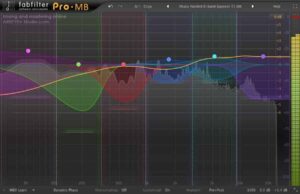 Dynamic EQ and multiband compression are used when certain frequency ranges behave inconsistently throughout the track. Static EQ cannot solve this — it either overcorrects or misses the problem entirely.
These processors react in real time, controlling specific bands only when needed. This allows precise correction without affecting the rest of the mix.
- FabFilter Pro-MB
- Ozone Dynamic EQ
- Waves C6
- DMG Multiplicity
In mastering, they are often used to control low-end build-up, tame harsh upper mids, or stabilize vocals and instruments that change level across sections.
Used carefully, they solve problems that traditional EQ and compression cannot — without introducing artifacts or flattening the mix.
Saturation and Harmonic Enhancement
Saturation in mastering is used to add harmonic content, perceived density, and subtle energy — not distortion. At low levels, it can make a track feel fuller and more present without increasing peak level.
Unlike compression, saturation changes the character of the signal by introducing harmonics, which can enhance midrange presence and improve perceived loudness without pushing the limiter harder.
- True Iron
- Kelvin Tone Shaper
- Black Box Analog Design
- Kramer Master Tape
In practice, saturation is applied very lightly — often in parallel or at low drive settings — to avoid smearing transients or overloading the low end.
Used correctly, it adds weight and cohesion. Used aggressively, it quickly destroys clarity and reduces headroom.
Stereo Imaging and Width
Stereo imaging in mastering is used to control perceived width and depth without compromising balance. Small adjustments can make a track feel wider and more open, but excessive processing quickly leads to phase issues and unstable playback.
The key is maintaining mono compatibility, especially in the low end. Frequencies below ~120–150 Hz are typically kept centered to avoid translation problems on club systems and streaming playback.
- bx_digital
- Leapwing StageOne
- Waves S1
In practice, stereo tools are used to subtly enhance side information, improve spatial separation, and add depth — not to artificially widen the entire mix.
Overuse often results in a mix that sounds impressive in stereo but collapses in mono or loses focus on real-world systems.
Limiters: Final Stage of Mastering
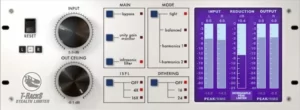 The limiter defines the final loudness, impact, and overall perception of the track. At this stage, even small adjustments can significantly change how the mix feels on streaming platforms.
Modern platforms like Spotify, Apple Music, and YouTube normalize loudness, which makes balance and dynamics more important than raw level.
Unlike compression, limiting directly controls peaks and pushes the track to its final level. The challenge is increasing loudness without introducing distortion, pumping, or loss of transients.
- FabFilter Pro-L2
- Ozone Maximizer
- DMG Limitless
- Elevate
These limiters are designed for transparency and precise control, allowing you to achieve competitive loudness while preserving clarity and punch.
In practice, limiting is not about pushing as hard as possible — it’s about finding the point where the track sounds loud, but still open and balanced.
Metering and Analysis Tools
Accurate metering is essential in mastering because decisions are made not only by ear, but also by measurable targets. Loudness, peak levels, and tonal balance directly affect how a track translates on streaming platforms.
LUFS defines perceived loudness, true peak prevents clipping during encoding, and spectrum analysis helps maintain a balanced frequency response.
- Youlean Loudness Meter
- iZotope Insight
- SPAN
- Mastering The Mix Reference
In practice, these tools are used to verify decisions — not replace listening. They help ensure consistency between tracks, avoid technical issues, and match modern loudness standards.
Without proper metering, it’s easy to misjudge balance, push levels too far, or create masters that fall apart after streaming normalization.
Example Mastering Chain
 A typical mastering chain might look like this:
- Corrective EQ — remove problematic frequencies
- Compression — control dynamics and add cohesion
- Tonal EQ — shape character and balance
- Saturation — add density and harmonic content
- Limiter — achieve final loudness
- Metering — verify levels and translation
Each stage prepares the signal for the next, which is why order and subtle adjustments matter more than the plugins themselves.
In real mastering sessions, most issues are not solved by adding more plugins, but by simplifying the chain and making more precise adjustments.
Plugins Don’t Guarantee a Professional Master
You can have the best tools available — and still end up with a weak, unbalanced master. The difference is not the plugins themselves, but how they are used in context.
Every decision in the chain affects the next stage. Small EQ moves change how compression reacts. Compression affects how saturation builds. Limiting exposes every imbalance in the mix.
This is where most tracks fall apart — not because of missing tools, but because of poor balance, overprocessing, or lack of control at the final stage.
In real mastering work, we regularly hear mixes processed with top-tier plugins that still don’t translate on streaming platforms. The issue is never the gear — it’s the decisions behind it.
Test Your Track With Free Demo Mastering
If your track sounds good in your DAW but doesn’t translate on streaming platforms — the issue is not the plugins.
Send your mix and hear the difference with a free demo mastering.
FAQ
What plugins are used in mastering?
Mastering typically relies on a combination of EQ, compression, saturation, stereo imaging, limiting, and metering tools. Each stage serves a specific purpose — from correcting tonal balance and controlling dynamics to shaping depth and achieving competitive loudness.
The exact plugin choice matters less than how these tools interact. In real-world mastering, even high-end plugins will fail if the chain is unbalanced or overprocessed.
What is the best mastering chain?
There is no single “best” mastering chain, but a typical workflow includes corrective EQ → compression → tonal shaping → saturation → limiting → metering.
The key is not the order itself, but how each stage prepares the signal for the next. Small adjustments early in the chain have a significant impact on how the limiter behaves at the final stage.
Do plugins make a track sound professional?
No. Plugins are tools, not a guarantee of quality. Professional results come from accurate decisions, balance, and how well the track translates across playback systems.
In mastering, the difference between an amateur and a professional result is rarely the plugin — it’s how precisely it is used.
How loud should a mastered track be?
Most modern tracks are mastered to around -8 to -12 LUFS depending on genre and platform. However, loudness alone does not define quality — pushing levels too far can reduce dynamics and introduce distortion.
The goal is to achieve competitive loudness while preserving clarity, punch, and balance after streaming normalization.