
Loudness vs Clipping in Mastering — Why “Louder” Often Means Worse
The track gets louder. The meters agree. But the sound gets worse.
Loudness is how your track feels. Clipping is what happens when you push it too far.
Only one translates across systems — the other breaks the moment it leaves your DAW.
The sound changes — punch disappears, clarity drops, and depth collapses.
Clipping can feel louder — but it collapses fast.
Loudness is the goal. Clipping is usually the mistake.
If you’re choosing between the two — build loudness, don’t rely on clipping.
Loudness in Mastering Is Not Just Volume — It’s Perception
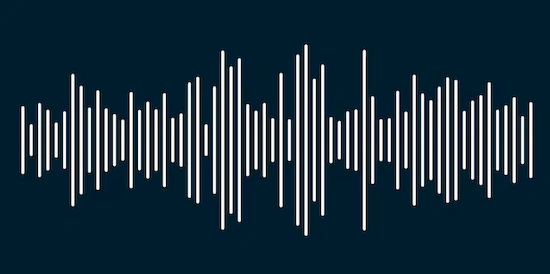 Two tracks can hit the same numbers and still feel completely different. One feels open, punchy, alive. The other? Flat. Tired. Even if the meter says they’re equally loud.
That’s because loudness isn’t just about level — it’s about how the ear interprets energy over time. Peaks tell you how high the signal goes. Loudness tells you how it feels. And those are not the same thing.
This is where things start to fall apart. You push the signal, peaks go up, everything looks hotter — so it must be louder, right? Not necessarily. If transients get crushed in the process, the track can actually feel smaller, not bigger.
Perceived loudness lives in the balance between transient impact and sustained energy. Kill the attack of a kick or snare, and you lose the very thing that makes the track feel loud in the first place. What’s left is density without definition.
LUFS tries to measure that perception, but it’s still just a reference point. It doesn’t understand groove. It doesn’t hear contrast. It doesn’t know when a drop hits harder because there’s space before it. LUFS can describe loudness — but it doesn’t explain how clipping changes perception.
This isn’t about LUFS targets — it’s about why two tracks with similar loudness behave differently.
If you want to go deeper into how LUFS works as a measurement — and where it starts to mislead — we’ve broken that down separately in our LUFS Mastering Guide. Here, the focus is different: why chasing numbers alone doesn’t create real loudness.
Real loudness comes from how the track moves — not how hard it’s pushed. From shaping dynamics, not flattening them. From letting transients breathe just enough to define the track — without losing density where it matters.
What Clipping Actually Does to Your Audio Signal
Clipping rarely stays invisible. Even when it seems fine at first, it shows up later. It’s the moment your signal runs out of space and the waveform gets cut off. Literally.
Instead of smooth peaks rising and falling, you get flattened tops. Imagine taking the highest points of your audio and slicing them clean off. That’s what clipping does to the waveform. The shape of the waveform changes — and with it, the sound.
At first, it can feel like an upgrade. The track gets denser. More aggressive. But that comes from added distortion, not true loudness. You’re not increasing energy — you’re reshaping it in a way that introduces harmonics that weren’t there before.
There are two main forms you’ll run into: hard clipping and soft clipping. Hard clipping is abrupt — once the signal hits a ceiling, it just stops. That’s where harsh, digital distortion comes from. Soft clipping is more gradual. It rounds off peaks instead of chopping them, which can sound more musical in controlled situations. But both still alter the original signal.
The key problem isn’t just distortion — it’s what gets lost. Peaks carry transient information. Attack. Punch. Definition. When you clip them, you’re not just limiting level — you’re removing detail that helps the ear understand the shape of the sound.
That’s why clipped tracks often start to feel smaller over time. The initial hit might seem louder, but without intact transients, the track loses depth and impact, especially on different playback systems.
Clipping can happen at multiple points — during mixing, inside plugins, or in the final stage when pushing level too far. If you want to see how it fits into the full signal path, we’ve broken that down in our Mastering Chain Explained page. Here, the focus is simpler: once clipping happens, you’re no longer shaping sound — you’re damaging it.
Loudness vs Clipping — The Real Difference (Not What You Think)
These two get mixed up all the time. Same goal, right? Make the track louder. But they don’t operate on the same level — not even close.
Loudness is something you build. It comes from balance, from how energy is distributed across the track. It’s controlled, intentional, and tied to how the listener actually experiences the music.
Clipping doesn’t increase loudness — it removes peak information to artificially raise average level.
Both happen near the same limit — 0 dB. When you push loudness, you approach that ceiling. With proper limiting, you control how the signal behaves near it. With clipping, you simply exceed it and lose information.
Here’s where things go wrong. Clipping feels like progress because the track gets more aggressive. But it’s a false signal. You’re not improving loudness — you’re replacing it with distortion.
Here’s the difference in practical terms:
| Aspect | Loudness | Clipping |
|---|---|---|
| Purpose | Shape perceived level and impact | Force signal beyond its limits |
| Effect on Sound | Maintains punch, balance, and clarity | Adds distortion, removes transient detail |
| Control | Precise and adjustable | Binary — once it happens, damage is done |
| Risks | Over-compression if misused | Harshness, loss of depth, poor translation |
| Use Case | Final shaping of a master | Controlled creative effect (rarely uncontrolled) |
Loudness is controlled. Clipping is loss of control. One preserves your track. The other degrades it.
One builds loudness. The other breaks the signal.
Most problems come from treating clipping as a loudness tool. It isn’t.
That’s what happens in real masters — not in tutorials. Loudness is something you design. Clipping is something that happens when control is lost — or used very deliberately in small, specific amounts.
Treating them as the same tool is where tracks start falling apart.
Why Clipping Feels Louder — The Psychoacoustic Trap
This is what tricks most people: clipping can feel louder. Not on a meter — in your ears.
Push a track into clipping and it gets denser. The quiet spaces shrink. The body of the sound fills up. At first, that reads as “more energy.” More presence. More power.
But look closer at what’s actually happening. Transients — the sharp, defining edges of kicks, snares, plucks — start getting shaved down. Those fast peaks are what give a track punch. When they’re reduced, the signal becomes more uniform. Less contrast. More constant pressure.
And that constant pressure is what the ear interprets as loudness.
Short term, it works. You hit play, and the clipped version feels more aggressive. It jumps out. In a quick A/B test, it often wins. That’s the trap.
Stay with it longer, and the picture changes. The track starts to feel flat. The high end gets edgy. Low-end definition softens. What felt exciting turns into fatigue.
We’ve seen this play out in real sessions. A producer pushes their mix hard, clips a few dB off the peaks, and loves the result for the first 30 seconds. Then we level-match it against a clean master — same perceived loudness, intact transients — and suddenly the clipped version feels smaller. Narrower. Less alive.
When everything is pushed equally, the track loses its impact.
Clipping removes that contrast. It replaces movement with pressure. And while that can feel powerful in short bursts, it doesn’t hold up — not across a full track, and definitely not across different playback systems.
So the ear isn’t lying. It’s reacting to what’s in front of it. The problem is what clipping puts there: a simplified, flattened version of loudness that feels strong at first — and collapses over time.
Clipping doesn’t create real loudness — it creates the illusion of loudness.
It sounds bigger at first — but it doesn’t stay that way.
How Clipping Destroys Translation Across Systems
A clipped track might survive your studio monitors. That doesn’t mean it survives the real world.
Switch to headphones — suddenly the highs feel sharper than they should. Take it into a car — the low end loses shape, kicks blur into the bass. Push it on a club system — what felt tight in the studio turns into harsh, brittle noise at higher volumes.
That’s what translation really means. And clipping breaks it fast.
When peaks are flattened, the signal loses definition. Systems that rely on transient detail — especially smaller speakers and consumer headphones — start exaggerating what’s left. Instead of controlled impact, you get smeared energy. The track stops adapting and starts collapsing under different playback conditions.
Then there’s another layer most people don’t see: intersample peaks.
We often fix masters that looked clean in the DAW but distort after upload. In most cases, clipping and intersample peaks are the cause — not the mix itself.
Even if your DAW shows a safe ceiling, clipped audio can create peaks between digital samples that go over 0 dB once converted. That’s when distortion shows up in playback — not in your session, but after export, inside DACs or streaming encoders. It’s unpredictable. And once it’s baked in, you can’t control where it hits.
Streaming platforms make it worse. They normalize loudness, not peaks. So if your track is aggressively clipped to feel louder, the platform simply turns it down. The distortion stays. The advantage disappears.
Now you’re left with a quieter track that still carries all the damage.
We’ve broken down how normalization affects masters across platforms in more detail here: Mastering for Streaming Platforms. The short version is simple — clipping doesn’t survive translation. It exposes itself the moment your track leaves your control.
A master that holds together across systems isn’t just loud. It’s stable. And clipping is the fastest way to lose that stability.
When Clipping Is Actually Used in Professional Mastering
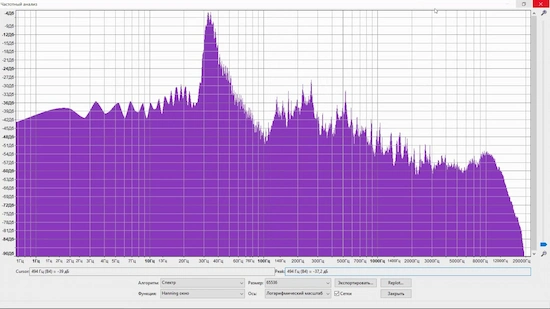 Clipping isn’t automatically wrong. The problem is how it’s used.
In controlled situations, it can be a tool — not a shortcut. A mastering engineer might shave off a fraction of a dB from fast, aggressive peaks to tighten the feel of a track. Not to make it louder, but to control how energy is distributed.
The difference is intent.
Intentional clipping is subtle. Measured. You’re not flattening the signal — you’re shaping micro-transients that would otherwise trigger a limiter too early. Done right, it can help preserve punch while allowing a slightly higher overall level.
Accidental clipping is the opposite. It happens when the signal is pushed without control — peaks slam into the ceiling, distortion builds up, and the engineer doesn’t even realize how much information is being lost.
In genres like EDM or hip-hop, controlled clipping is more common. Not as a default, but as part of a broader strategy. For example, a kick might be clipped slightly to make it feel tighter against an 808, while the rest of the mix stays intact. It’s targeted, not global.
You can hear this approach in modern hip-hop masters where the low end feels dense but still defined. That balance doesn’t come from pushing everything into clipping — it comes from knowing exactly where to apply pressure and where to leave space. We break that down further in our Hip-Hop Mastering work.
The key is restraint. Professional clipping happens in fractions, not in chunks. If you can hear it clearly, it’s probably already too much.
So yes — clipping can exist in a clean master. But only when it’s controlled, intentional, and used as one small part of a much larger process.
The Most Common Loudness Mistakes That Lead to Clipping
Clipping rarely shows up by accident. It’s usually the result of a few predictable decisions — small on their own, but destructive when combined.
The first one is pushing the limiter too hard.
It starts innocently. You add a limiter, increase the input gain, and the track gets louder. So you push it a bit more. Then a bit more. At some point, the limiter stops controlling peaks cleanly and starts flattening them. That’s where clipping begins to creep in — not as an obvious crackle, but as a gradual loss of punch.
Another common mistake is ignoring headroom before mastering even begins.
If your mix is already sitting close to 0 dB, there’s no space left to work. Any attempt to increase loudness forces the signal into clipping territory immediately. We see this all the time — mixes that look “finished” but leave zero room for proper mastering decisions.
Then there’s the obsession with LUFS numbers.
Chasing a specific loudness target without listening to what’s happening to the signal is one of the fastest ways to destroy a track. You hit the number — but at the cost of dynamics, clarity, and long-term listenability. The meter says “success,” the track says otherwise.
And finally, clipping before the mastering stage.
This one is harder to fix because the damage is already baked in. Once peaks are clipped in the mix or during export, no amount of mastering can fully restore what’s been lost. You’re working with a compromised signal from the start.
These mistakes don’t just reduce quality — they stack. Push the limiter on a mix with no headroom, chase LUFS on top of that, and you’re not mastering anymore. You’re trying to manage damage.
If you want a structured way to catch these issues before they turn into bigger problems, we’ve outlined the key checkpoints in our Mastering Checklist. The idea isn’t complexity — it’s control.
Because once clipping becomes part of the process instead of a controlled choice, the result is almost always the same: louder on paper, worse in reality.
If your track gets louder but loses punch — something’s off
That “louder” version might actually be clipped. It feels stronger at first — then falls apart on real systems. Send your track and we’ll show you the difference with a free demo master (up to 30 seconds), done by an engineer — not a preset.
No guesswork. No presets. Just a clear before/after you can actually hear.
Loudness Without Clipping — What Actually Works
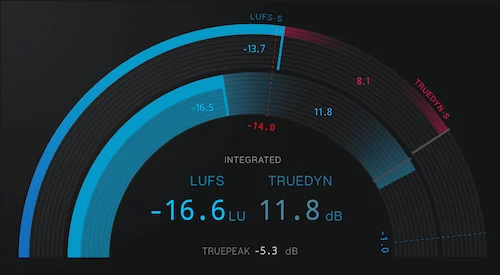 You don’t need clipping to get a loud master. You need control.
Control creates loudness. Clipping destroys it.
That’s exactly what we focus on in our mastering approach — controlling loudness instead of forcing it.
The difference comes down to how energy is handled across the track. Not forced — controlled.
Start with dynamics. If everything is already dense and flat, there’s nothing left to shape. Real loudness comes from contrast — the difference between space and impact. When that contrast is intact, the track can feel louder without actually being pushed harder.
Then comes transient control.
Instead of cutting peaks off, you guide them. A well-shaped transient lets a limiter react more musically. The attack stays defined, the body stays full, and you don’t need to crush the signal to gain level. This is where a lot of “invisible” work happens — the kind you don’t notice unless it’s missing.
Limiting itself isn’t the problem. It’s how it’s used.
A limiter should control peaks, not erase them. When set correctly, it allows you to raise overall level while preserving the character of the track. When pushed too far, it turns into a blunt tool — flattening everything and pushing you closer to clipping anyway.
And none of this works without proper gain staging.
If levels aren’t balanced before the final stage, you’re constantly fighting the signal. Too hot, and you lose headroom instantly. Too low, and you overcompensate later. Clean gain staging keeps the entire process predictable — which is the only way to build loudness without breaking the track.
In practice, it’s a sequence of small, controlled moves. Not one big push.
That’s the part most people miss. Loudness comes from movement — not pressure. If you want to see how this works in a full mastering workflow, we’ve broken that down separately.
Because once everything is working together — dynamics, transients, gain structure — you don’t need clipping to make a track feel loud. It already is.
Should You Use Clipping or Avoid It Completely?
It’s not a yes-or-no tool. It’s a precision move — or a mistake.
Clipping can make sense when it’s controlled, minimal, and intentional. Usually on very fast peaks that don’t define the groove — shaving a fraction to stabilize how a limiter reacts. In dense, aggressive material, that can tighten the feel without obvious damage.
But that’s a narrow use case.
If you’re using clipping to “get louder,” you’re already on the wrong path. If you can hear the distortion clearly, it’s too much. If the track loses punch, depth, or starts to feel tiring after a minute — that’s not loudness, that’s damage.
There are situations where clipping should be avoided entirely. Acoustic material. Dynamic mixes. Anything where transient detail carries emotion — vocals, live instruments, sparse arrangements. In those cases, clipping doesn’t add character. It removes it.
A simple rule we follow in the studio: if clipping solves a problem, it might be useful. If it creates the result, it’s probably the wrong approach.
Because real loudness doesn’t come from forcing the signal. It comes from shaping it. And once clipping becomes the main tool instead of a small adjustment, the result stops translating — even if it feels impressive at first.
If your goal is loudness that translates — clipping should never be the main tool.
Loudness is something you build. Clipping is something you recover from.
Stop guessing loudness — hear what your track should actually sound like
If your master only sounds good when pushed — it’s not under control. We’ll show you what happens when loudness is built properly, without clipping, distortion, or loss of punch. Send your track and get a free demo master (up to 30 seconds) — real processing, real translation across systems.
No presets. No guesswork. Just a master that holds up everywhere.
FAQ
Is clipping always bad in mastering?
No — but it’s rarely the right solution. Controlled clipping can be used in very small amounts to shape fast peaks, especially in aggressive genres. The problem is that most clipping isn’t controlled. Once it starts affecting transients, depth, or clarity, it stops being a tool and becomes damage.
Can clipping increase loudness?
It can make a track feel louder at first, but that’s not real loudness. It’s density and distortion creating the illusion of more energy. In the long run, clipped tracks often feel smaller, harsher, and less stable across different systems — especially after streaming normalization.
Limiter vs clipper — what’s the difference?
A limiter controls peaks by reducing their level smoothly. A clipper cuts them off once they pass a threshold. Limiters preserve more of the signal’s shape when used correctly, while clippers reshape it more aggressively. In mastering, a limiter is usually the primary tool — clipping, if used at all, is subtle and secondary.
Why does my track distort after mastering?
Most of the time, it’s either too much limiting or hidden clipping. It can also come from intersample peaks — where the signal exceeds 0 dB after conversion, even if it looked safe in your DAW. The result shows up as distortion on streaming platforms, headphones, or consumer systems.
Should I clip before the limiter?
Only in very controlled cases. Some engineers use light clipping before a limiter to reduce extreme peaks and help the limiter work more transparently. But if you’re using clipping to push loudness, you’re solving the wrong problem. In most cases, it’s better to fix dynamics and gain structure first.