refX Nexus 2 — a synthesizer known for its polished sound and customizable interface.
refX Nexus 2 is widely used in electronic music production because it sounds “finished” right out of the box. Bright leads, wide pads, punchy plucks — everything feels ready for release when you play it solo.
At the same time, many producers customize Nexus with skins — changing the visual interface for better workflow and comfort during long sessions.
But neither presets nor skins solve the real problem.
Why Your Track Still Doesn’t Sound Professional
Nexus presets are already processed, saturated, and spatially enhanced. They sound impressive instantly. Skins improve how you interact with the plugin.
But once you place these sounds into a full mix, they begin to conflict with everything else.
- Low-end overlaps with kick and bass
- Mids become crowded and lose definition
- High frequencies turn harsh after limiting
- The track loses punch at streaming loudness levels
What feels powerful in isolation often breaks down inside a real arrangement.
The Illusion of “Finished Sound”
Nexus gives you polished sounds — not a finished track.
Skins make the workflow more comfortable — not the result more competitive.
Layering multiple presets only increases density, not clarity. The mix becomes louder, but not stronger.
At this stage, most producers try to fix the problem with EQ, saturation, or stereo tweaks — but the real issue appears later.
Where Tracks Actually Fall Apart
The real problems appear at the final stage — when the track is pushed to real-world playback conditions.
- weak low-end control
- unbalanced midrange
- lack of depth and separation
- loss of impact after limiting
This is why a track that sounds good in your DAW can feel flat, small, or aggressive after export.
Test Your Track With Free Demo Mastering
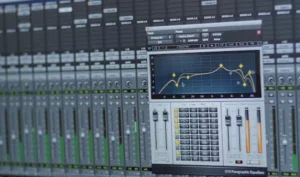 If your Nexus-based track sounds good in your DAW but falls apart after export — the issue is not the preset or the skin. The final stage defines how your track translates on streaming platforms, headphones, and real systems.
Send your track and hear the difference with a free demo mastering.
refX Nexus 2 Skins (GUI Themes)
Nexus also supports custom skins — visual themes that change the appearance of the plugin interface.
These skins do not affect sound quality, but they improve usability, especially during long production sessions.
- custom interface styles
- better visual contrast
- optimized layouts for workflow
If you spend a lot of time working inside Nexus, interface clarity directly affects your speed and comfort.
Download a collection of Nexus skins below. These are visual enhancements only — your sound remains unchanged. Access Nexus skins collection.