Best Glitch Plugins VST (2026): Free, Paid & Pro-Level Picks
Quick answer: there is no single best glitch plugin VST. If you need instant results — go with simple tools. If you need control — use granular or modular systems. The choice is always between speed and precision.
Glitch plugins don’t enhance audio — they break and reorganize it. Buffer slicing, granular resynthesis, and spectral processing reshape the signal in real time, creating controlled instability instead of polish.
This guide breaks down the best glitch plugins VST from a practical perspective: how they behave in a mix, where they fail, and which ones are actually usable in production.
Quick Picks (2026)
- Best Overall: Output Portal — deep granular engine with usable modulation
- Best Free: Glitchmachines Fracture — solid entry-level granular glitch
- Best for Sound Design: BYOME — modular routing and advanced control
- Best for Vocals: Stutter Edit 2 — precise, tempo-locked manipulation
- Best Budget: Particle Pie — fast results with minimal setup
Note: each of these solves a different problem. There is no universal glitch plugin — only the right tool for a specific workflow.
What Is a Glitch Plugin?
A glitch plugin VST manipulates the structure of an audio signal — time, pitch, and spectrum — instead of enhancing it. It uses techniques like buffer slicing, granular resynthesis, and spectral processing to rearrange audio in real time.
The goal is controlled disruption. Used correctly, it adds variation and texture. Used poorly, it destroys transients, phase relationships, and overall mix clarity.
If you’re unsure how this differs from final processing, see what audio mastering actually does. Glitch effects change the signal — mastering stabilizes it.
Best Glitch Plugins VST (Detailed Breakdown)
These are not “top by hype” picks. Each plugin below solves a specific problem in production. Choose based on workflow, not presets.
Output Portal
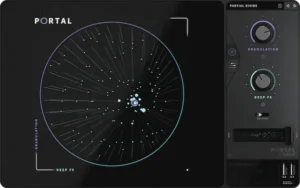 What it does: granular resynthesis engine with macro-based modulation. Transforms audio into evolving textures.
Who it’s for: sound designers and producers working with ambient, cinematic, or experimental material.
- Pros: deep modulation, wide tonal range, high-quality processing
- Cons: easy to overprocess, can blur transients and mix clarity
Stutter Edit 2
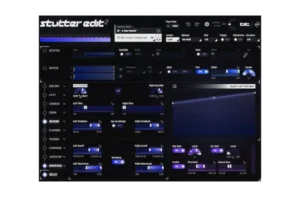 What it does: MIDI-triggered glitch engine for rhythmic slicing and real-time performance effects.
Who it’s for: EDM, trap, and live performance workflows.
- Pros: precise timing, strong rhythmic control, performance-ready
- Cons: requires MIDI setup, limited outside performance context
Effectrix
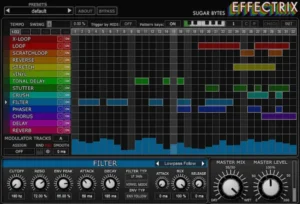 What it does: step-based multi-effect sequencer for repeatable glitch patterns.
Who it’s for: producers who want predictable, grid-based manipulation.
- Pros: clear workflow, fast pattern creation, stable results
- Cons: limited flexibility, tied to step grid
BYOME
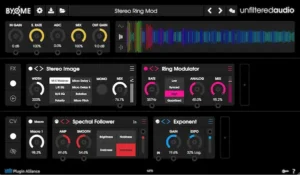 What it does: modular FX environment with custom routing and complex chains.
Who it’s for: advanced users building custom glitch systems.
- Pros: unlimited routing, deep control, scalable complexity
- Cons: steep learning curve, easy to overload signal
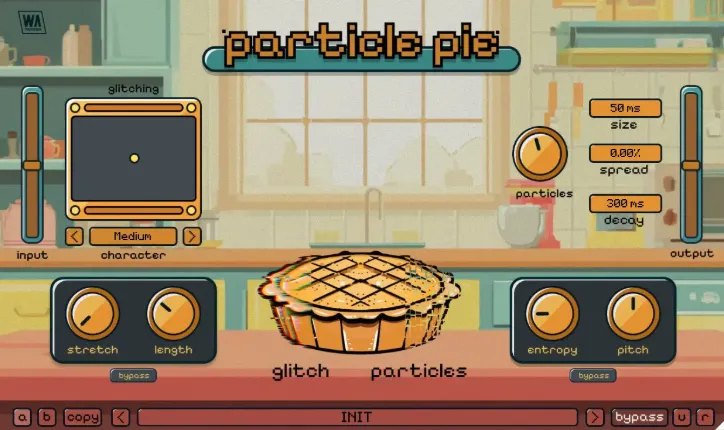
Particle Pie
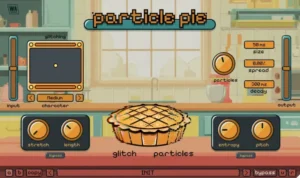 What it does: hybrid spectral + granular processor focused on fast results.
Who it’s for: beginners and producers needing quick glitch FX without setup.
- Pros: instant results, simple interface, low CPU usage
- Cons: limited control, repetitive output, shallow modulation
Glitch 2 (Illformed)
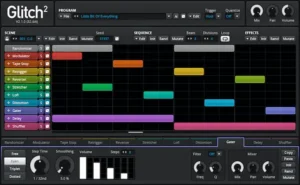 What it does: classic multi-effect glitch processor with step sequencer control.
Who it’s for: producers looking for old-school glitch workflows.
- Pros: wide effect set, flexible sequencing, proven workflow
- Cons: dated interface, less precise than modern tools
dBlue TapeStop (Bonus Utility)
What it does: pitch/time slowdown effect simulating tape stop behavior.
Who it’s for: transitions, drops, and simple glitch-style effects.
- Pros: lightweight, easy to use, effective for transitions
- Cons: limited scope, not a full glitch system
Takeaway: no plugin here replaces another. Portal is depth, Stutter Edit is rhythm, Effectrix is control, BYOME is flexibility, Particle Pie is speed.
Glitch Plugin Comparison
| Plugin | Type | Best For | Difficulty | Price |
| Output Portal | Granular | Sound design, textures | Medium | $149 |
| Stutter Edit 2 | MIDI / Buffer | Rhythmic effects, live use | Medium | $199 |
| Effectrix | Step Sequencer | Pattern-based glitch | Easy | $119 |
| BYOME | Modular FX | Advanced sound design | Hard | $129 |
| Particle Pie | Hybrid | Quick FX, beginners | Easy | $39.90 |
| Glitch 2 | Multi-FX Sequencer | Classic glitch workflow | Medium | $49 |
| Fracture (Free) | Granular | Free experimentation | Easy | Free |
Tip: if you need control — go granular or modular. If you need speed — use step-based or hybrid tools.
Best Glitch Plugins by Use Case
There is no “best glitch plugin” in general — only the right tool for a specific job. Here’s how the top options break down in real-world workflows.
- Best for Beginners: Particle Pie
Fast results, minimal setup, low CPU. Ideal if you just need glitch FX. - Best for Sound Design: Output Portal / BYOME
Portal delivers granular depth, BYOME offers full modular routing and control. - Best for Vocals: Stutter Edit 2
Precise timing and MIDI control make it usable without destroying intelligibility. - Best for EDM / Trap: Effectrix
Step-based workflow allows tight, tempo-locked glitch patterns. - Best Budget Option: Glitch 2
Affordable and flexible with enough depth for real use.
Key point: choosing the wrong category is the fastest way to ruin a mix. Match the plugin to the task, not the hype.
Free Glitch Plugins (What’s Actually Worth Using)
Free glitch plugins exist, but they come with clear limitations. They’re useful for experimentation and basic FX — not for controlled, repeatable results in professional mixes.
Glitchmachines Fracture
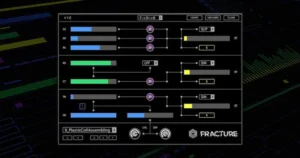 What it does: granular buffer processor with randomization.
- Strengths: lightweight, good for textures and chaotic FX
- Weaknesses: limited control over grains, quickly becomes predictable
Hysteresis
What it does: glitch delay with unstable feedback behavior.
- Strengths: great for transitions, feedback-based FX, and noise textures
- Weaknesses: hard to control, can overload the mix fast
Glitch (Illformed)
What it does: step-based multi-effect glitch processor.
- Strengths: structured patterns, usable sequencing, classic workflow
- Weaknesses: outdated engine, limited precision compared to modern tools
Reality check: free glitch plugins are good for learning and quick ideas, but they lack the control needed for consistent, mix-ready results.
How to Use Glitch Plugins (Practical Setup)
Step 1: choose a short section — loop, transition, or vocal tail. Avoid applying glitch processing to full tracks.
Step 2: apply the effect with low intensity (10–30% mix). Focus on controlled variation, not maximum chaos.
Step 3: bounce or print the result to audio. This locks the effect and prevents unpredictable changes during playback.
Rule: glitch is an accent, not a base layer. Overuse will destroy transients, stereo balance, and mix clarity.
This approach works with most glitch effects VST, regardless of complexity.
Limitations of Glitch Plugins
Every glitch plugin VST rewrites timing and phase relationships. That’s the effect — and the problem. If you don’t control it, the mix falls apart.
- Destroys transients — buffer slicing and retriggering smear attack, reducing punch and clarity
- Creates phase issues — stereo widening and granular layers introduce phase inconsistencies and mono problems
- Overloads the mix — added density without dynamic control leads to masking and loss of definition
Bottom line: glitch processing is high-impact. Use it in short, controlled sections — not as a continuous effect.
These issues are often confused with mixing mistakes. In reality, they sit between mixing and mastering — see mixing vs mastering explained for the difference.
Why Glitch Plugins Ruin Your Mix
Glitch processing breaks structure. It disrupts timing, phase alignment, and transient integrity — the exact elements that hold a mix together.
What sounds exciting in isolation often collapses in context: kick loses punch, stereo becomes unstable, and important elements disappear under random artifacts.
This is not a mistake — it’s how glitch works. You’re trading stability for effect.
That’s why glitch-heavy material requires mastering. After processing, the mix needs restoration: transient control, stereo correction, and level consistency across playback systems.
If you skip this step, your track will sound different — and worse — outside your DAW.
Fixing a Glitch-Damaged Mix
If your track sounds unstable after using glitch plugins, that’s expected. Timing is fragmented, transients are softened, and stereo relationships are no longer consistent.
At this stage, adding more effects won’t fix it. The problem is structural — not creative.
What’s needed is controlled restoration:
- rebuilding transient clarity without killing the effect
- correcting stereo phase and width
- balancing loudness for real-world playback (not just inside your DAW)
This is where mastering becomes critical. Not as a “final polish”, but as a corrective stage. If you want to understand the actual process, see how professional mastering works. It stabilizes the result without removing the character created by glitch processing.
Professional track mastering ensures your mix translates correctly across streaming platforms and playback systems.
FAQ
What is the best glitch plugin VST?
There isn’t one. Granular tools offer depth, step-based plugins give control, and hybrid tools focus on speed. The right choice depends on your workflow and how much control you need.
Are free glitch plugins any good?
They’re useful for learning and quick effects, but limited in control and consistency. For production work, paid plugins provide more precise and repeatable results.
Can you use glitch plugins on vocals?
Yes, but only in small amounts. Short sections like tails, fills, or transitions work best. Overuse will destroy intelligibility and center focus.
Can you use glitch plugins on the master channel?
No. Glitch processing breaks transients and phase relationships, which makes the entire mix unstable. It’s not designed for full-track processing.
Why do glitch effects sound good at first but worse over time?
Because most plugins rely on limited algorithms. Without deep modulation, patterns repeat and become predictable or chaotic.
Do glitch plugins affect loudness and streaming quality?
Yes. They can create peaks, imbalance LUFS, and cause stereo issues, which leads to inconsistent playback on streaming platforms.
Do you always need mastering after using glitch effects?
In most cases, yes. Glitch processing alters the structure of the mix, and mastering is required to restore balance and translation.
Final Verdict
There is no universal glitch plugin. Each tool is built for a specific purpose — rhythm, texture, or fast FX.
- Choose by task — not by presets or popularity
- Speed vs control — fast results mean less precision, deep tools require more setup
If you understand this trade-off, you’ll choose the right plugin every time.