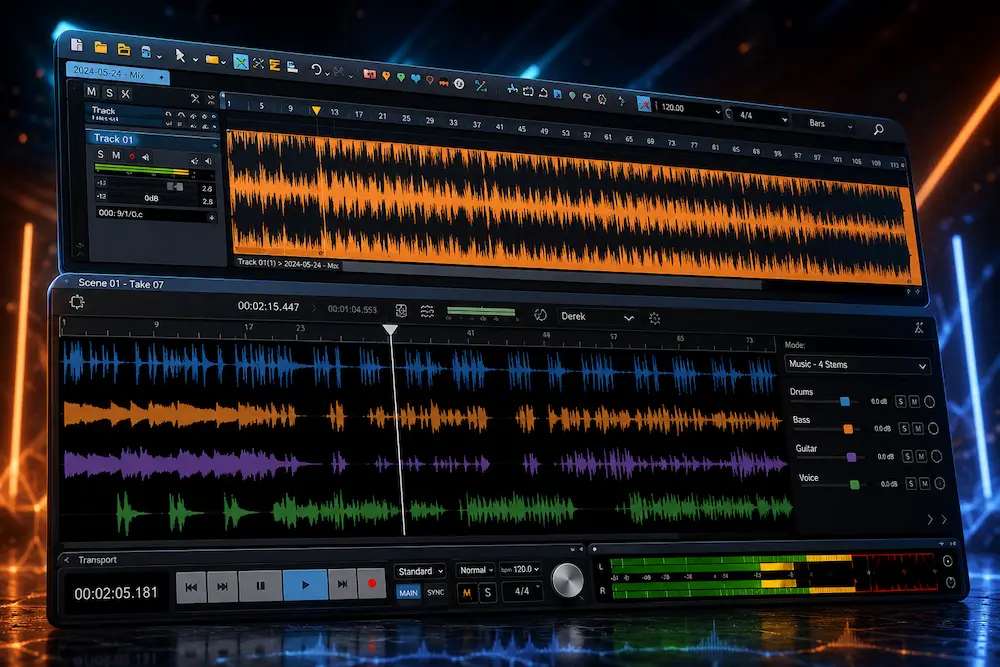
Sequoia has never been a conventional music-production DAW. Its strengths are precision editing, mastering, multichannel work, broadcast, classical and live recording, and post-production—workflows where the ability to manage audio efficiently matters as much as the processing itself. Sequoia 2026.5 extends that focus with a new Spatial Panner for handling stereo, surround, and immersive formats from a single interface.
The real question is not how many features Boris FX added, but whether Sequoia 2026.5 removes enough repetitive engineering work to matter in a professional session. For stereo-only production, the update changes relatively little. For engineers handling multiple spatial deliverables, complex routing, album mastering, or broadcast projects, the new workflow is considerably more relevant.
This Sequoia DAW review evaluates the software from that practical angle: where Sequoia genuinely improves mixing and mastering workflows, where its advantages are specific to professional production, what its limitations are, and whether the cost makes sense compared with competing DAWs.
Sequoia 2026.5 at a Glance
| Category | Sequoia 2026.5 |
|---|---|
| Primary Focus | Mastering, precision editing, broadcast, post-production and immersive audio |
| Operating System | Windows |
| Immersive Audio | Spatial Panner, multichannel workflows, ADM and Dolby Atmos production tools |
| Spatial & Multichannel | 3D surround workflows up to 22.2, with support for up to 32 channels per track |
| Video | GPU-accelerated video engine with AVC, HEVC, AV1 and ProRes support |
| Plugin Integration | VST3 and expanded ARA2 support |
| AI Audio Tools | CrumplePop SoundApp ARA for stem separation and audio cleanup |
| Pricing | $95/month or $595/year |
| Best Fit | Mastering engineers, editors, classical and live recording, broadcast, post and immersive production |
Sequoia 2026.5 is best understood as a specialist professional workstation rather than a conventional music-production DAW. Its strongest advantages appear when editing, mastering, multichannel routing, immersive delivery, and technical production have to coexist in the same project.
How We Evaluated Sequoia 2026.5 for This Review
This review focuses on Sequoia as a professional audio workstation rather than judging it by feature count alone. The analysis looks at mastering workflow, precision editing, object-based processing, multichannel routing, immersive delivery, CPU behavior, technical preparation, and the practical problems the software is designed to solve.
Particular attention was given to the areas that distinguish Sequoia from conventional production DAWs: album-scale editing, object-level corrections, crossfade work, multi-format spatial management, and the relationship between mastering and final technical delivery.
Why Sequoia Is Different From Mainstream DAWs
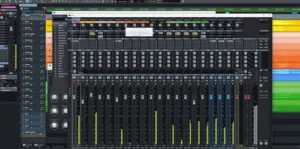 Most modern DAWs are built around the front half of production: recording, MIDI, arrangement, sound design, and mixing. Sequoia has always put more weight on what happens after those stages—precision editing, mastering, multichannel work, classical and live recording, broadcast, and technical delivery. That focus changes what the software is good at and, just as importantly, who can justify using it.
That is why comparing Sequoia directly with Logic Pro, Ableton Live, or FL Studio misses the point. Even Pro Tools is a different proposition when the job is centered on mastering and technical delivery. The closer comparisons are specialist platforms such as WaveLab and Pyramix, where the workflow is built around detailed editing, album assembly, multichannel processing, verification, and delivery rather than music production alone.
Sequoia’s advantage becomes easier to see once a project stops being a single stereo mix. A mastering engineer may need to edit individual passages, sequence an album, manage metadata, check loudness, prepare different delivery formats, and revisit the same material repeatedly. A broadcast or post-production engineer may be working with synchronized audio and video, multiple channel configurations, and several versions of the same program. In those environments, small workflow decisions compound quickly.
Immersive production adds another layer. The same source material may have to support stereo, surround, and immersive deliverables, with spatial decisions that need to remain consistent while still allowing format-specific changes. Maintaining those versions independently is manageable on a small project; across a complex session, it creates unnecessary duplication and more opportunities for inconsistencies.
That is the context in which the Spatial Panner in Sequoia 2026.5 makes sense. Its significance is less about introducing another way to move a sound around a room and more about reducing the engineering overhead involved in managing multiple spatial targets from the same production.
Professional Mastering Can Reveal What Your DAW Can’t
A powerful mastering DAW gives you control, but it cannot replace a critical second set of ears. If you want to hear how your mix holds up after professional processing, upload up to 35 seconds and get a free mastering demo. Compare the result before deciding whether the track needs a full mastering pass.
Request your free mastering demo →
Sequoia 2026.5 Spatial Panner: What It Actually Changes
The defining addition in Sequoia 2026.5 is the Spatial Panner, a unified environment for positioning mono, stereo, surround, and immersive sources in formats up to 22.2. The visual interface is the obvious part. The more consequential change is what happens behind it: spatial moves can be linked across multiple target buses.
A 3D panner by itself is hardly new. Professional DAWs and dedicated immersive tools have offered spatial positioning for years. What matters here is the relationship between one source and several delivery formats. Instead of treating each spatial version as an entirely separate panning exercise, Sequoia can use a shared positioning decision as the starting point and then allow individual formats to be refined where necessary.
Consider a production that has to leave the studio as stereo, surround, and immersive versions. If the position of an object changes, the engineer normally has to verify that change against each destination. On a small project, that is trivial. On a large session with dozens of objects, automation, and format-specific routing, repeated spatial edits become another source of technical overhead—and another opportunity for versions to drift apart.
The linked-target approach changes that workflow. A movement can propagate to multiple target buses, while each format remains independently adjustable when the mix calls for a different spatial treatment. The useful concept here is not automatic conversion between formats; it is maintaining a common spatial intent while preserving format-specific control.
That is a meaningful engineering improvement, but it should not be oversold. The Spatial Panner does not inherently improve imaging, depth, phase coherence, or translation simply because the interface is more sophisticated. Its value is operational: fewer repeated adjustments, fewer places to maintain the same decision, and a more manageable relationship between one production and its downstream deliverables.
For stereo-only mixing or mastering, that distinction makes the feature relatively unimportant. For engineers routinely delivering multiple spatial formats, it addresses a problem that becomes more expensive as sessions get larger and delivery requirements become more complex.
Who Should Upgrade to Sequoia 2026.5?
For existing Sequoia users, the upgrade decision depends largely on whether the new spatial workflow intersects with their actual projects. The Spatial Panner is the clearest reason to move forward, particularly for sessions that have to maintain stereo, surround, and immersive versions from the same source material.
If your projects are primarily stereo mastering, the upgrade is less urgent. The broader Sequoia 2026 changes—including the revised video engine, improved audio-engine performance, expanded ARA2 support, and updated editing workflow—still matter for certain professional workloads, but they are not equally valuable to every engineer.
The calculation is different for a mastering room than for a general music-production studio. An engineer delivering immersive projects, broadcast material, or heavily edited albums can recover the cost through workflow efficiency. Someone using Sequoia mainly as a stereo mix-and-master environment has fewer reasons to upgrade immediately.
Bottom line: upgrade for the workflow problems you actually have, not because 2026.5 is a newer number.
Where Sequoia 2026.5 Saves Time in Professional Workflows
Sequoia 2026.5 is built on a broader 2026 update that modernized several parts of the DAW, including its video engine, Crossfade Editor, ARA2 integration, routing, and plug-in handling. Those changes matter mainly because they reduce friction in workflows that involve a lot of editing and technical management rather than simply adding more production features.
Object-Based Editing Is Still Sequoia’s Core Advantage
Sequoia’s object-based workflow remains one of its most useful distinctions. An individual audio object can carry its own processing, level changes, fades, and automation, allowing an engineer to correct a specific passage without restructuring the processing on the entire track.
That is particularly valuable in mastering and detailed editing. If one word, transient, edit point, or short section needs treatment, the correction can stay local to that object instead of forcing another full-track bounce or a separate processing chain. On an album with dozens of small interventions, that difference adds up.
The same architecture makes sense for classical and live recording, where the work often consists of a large number of precise edits rather than a conventional linear mix pass. Sequoia’s object handles also expose frequently used parameters directly in the arranger, which reduces the need to open separate editors for routine adjustments.
The Crossfade Editor Targets One of the Most Repetitive Parts of Audio Editing
Crossfades are easy to underestimate until a session contains hundreds of them. Sequoia 2026 reworked the Crossfade Editor around faster auditioning and editing, with real-time previews, direct access to fade shapes, and a workflow that keeps more of the surrounding application available while the fade is being adjusted.
That matters far more in classical, live, restoration, and dialogue editing than it does in a typical four-minute mix. When the job involves assembling performances from multiple takes, the time saved is not in one spectacular operation; it comes from removing small interruptions from every edit.
Sequoia’s source/destination editing follows the same philosophy. Material can be selected from a source area and placed into a destination project while preserving the surrounding editing workflow. Combined with take-based editing and precise crossfades, this becomes particularly useful when assembling classical performances, live recordings, broadcast material, or other sessions where the final production is built from many source takes rather than one continuous recording.
ARA2 and SoundApp Reduce Round-Tripping
Expanded ARA2 support brings compatible analysis and processing closer to the actual clips in the arranger. The practical advantage is straightforward: an engineer can work on supported audio without repeatedly exporting a file to a separate application, processing it, and importing the result back into the session.
Sequoia’s ARA workflow becomes more interesting with the addition of CrumplePop SoundApp. The 2026.5 SoundApp ARA plug-in brings AI-assisted stem separation and cleanup directly into Sequoia, including music, voice, and cinema separation alongside tools for noise, wind, traffic, echo, and pop removal. The processing is performed by SoundApp rather than by Sequoia’s own audio engine, so this is best understood as tighter DAW integration rather than a new AI processing system inside Sequoia.
That distinction matters. The benefit is not that Sequoia suddenly replaces a restoration suite. It is that a cleanup or separation pass can happen in the context of the existing project, reducing the export, re-import, and version-management work that otherwise accumulates around restoration tasks.
Does Sequoia Actually Sound Better? The More Useful Question Is Workflow
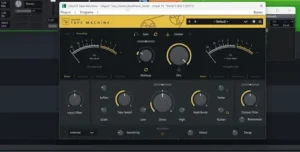 Claims that one DAW inherently sounds better than another deserve a hard look, particularly when the difference is being attributed to the application rather than to its processing, routing, plug-ins, or export settings. A DAW can affect the final result through its audio engine, resampling, automation, delay compensation, processing precision, and signal path. That does not make the software itself a sonic upgrade.
Sequoia’s case is stronger when it is judged by what happens around the audio. Its value lies in the amount of control it gives an engineer over editing, object-level processing, routing, sequencing, verification, and delivery. Those are the areas where a specialized mastering DAW can change the result indirectly: not by adding a proprietary “sound,” but by making precise decisions easier to execute and repeat.
This is also why the more useful comparisons often move below the DAW level. A mastering environment can organize the work, but the final result still depends on decisions about EQ, dynamics, peak control, clipping, and level-matched evaluation. Our TBProAudio LAxLimit V review, for example, looks at the limiter from that perspective—how staged peak control, clipping, and loudness management actually behave in a mastering chain rather than treating a feature list as evidence of better sound.
The same distinction applies to the Spatial Panner. Its 3D interface does not inherently improve imaging, phase response, or translation. The advantage is operational: when a project has multiple spatial deliverables, Sequoia gives the engineer a more consistent way to manage those versions while retaining format-specific control.
Sequoia 2026 Performance: CPU, Video and Real-World Limits
Sequoia 2026 introduced meaningful changes to the audio and video architecture rather than simply adding another layer of interface polish. The updated VST3 implementation supports silence skipping for compatible plug-ins, while the Economy engine can now use more than 16 CPU cores and has a revised thread-assignment system. The practical target is straightforward: reduce unnecessary processing and distribute workload more effectively in large sessions.
CPU scaling still depends heavily on how a session is built. Boris FX notes that Sequoia benefits most from multicore processing when DSP is spread across multiple tracks, while sessions that concentrate a large plug-in chain on a single track or bus remain more dependent on strong single-core performance. In other words, buying a high-core-count CPU does not automatically solve every Sequoia performance problem.
Boris FX’s current hardware guidance reflects that distinction. For moderate sessions, the company recommends 4–8 cores with strong single-core performance and 8 GB of RAM minimum, with 16 GB recommended. Its professional configuration moves to 8–16 cores and at least 32 GB of RAM, while large post-production and broadcast systems can justify 16–24 or more cores and 64–128 GB of memory. Those figures are recommendations rather than independent benchmarks, but they give a useful indication of how quickly hardware requirements rise with session complexity.
The video engine is a separate performance story. Sequoia 2026 moves video decoding and display work onto the GPU for supported formats, including AVC, HEVC, AV1, and ProRes, with support for video up to 4K at 60 fps. That matters when audio and video are sharing the same workstation: GPU acceleration can reduce the CPU load associated with video playback and leave more processing headroom for the audio engine.
For a stereo mastering room that never opens a video file, this is largely irrelevant. For broadcast, post-production, ADR, or scoring, it is a more consequential change because the workstation is handling two demanding workloads at once.
There are also limits that are easy to miss in performance marketing. Boris FX documents delayed playback in projects containing an extremely large number of takes and has issued improvements for new projects, along with cleanup options for older sessions.
That is the more useful way to judge Sequoia’s performance claims. The 2026 engine changes are credible workflow and efficiency improvements, but there is no independent 2026.5 benchmark here that justifies a specific percentage claim. Sequoia is built for heavy professional sessions, and its architecture scales well when the workload can be distributed—but project structure, plug-in behavior, buffer settings, drivers, and hardware still determine where the ceiling actually sits.
What Experienced Engineers Like—and Dislike—About Sequoia
The strongest case for Sequoia in professional discussions is remarkably consistent: fast editing, object-based processing, mastering-oriented tools, and the ability to keep technical operations inside one environment. Long-time users tend to value the software less as a general-purpose music-production DAW and more as a workstation that becomes increasingly efficient once its editing and mastering workflow is learned.
The criticism is equally consistent. Sequoia is expensive, Windows-only, and not universally preferred for deep multitrack mixing. Some engineers use it heavily for mastering or classical editing while keeping another DAW for tracking and large-scale music production. WaveLab also remains a serious alternative for engineers who prioritize a dedicated mastering workflow, particularly on macOS.
That split is important when evaluating the software. Sequoia’s reputation is not based on being the easiest DAW or the best DAW for every job. Its strongest use case is narrower: professional engineers who value speed, precision, and control across editing, mastering, multichannel production, and technical delivery.
Sequoia for Mastering: Where the Workflow Pays Off
Sequoia makes the strongest case for itself after the mix is finished. A professional mastering session is not just a chain of EQ, compression, clipping, and limiting. The work also includes critical editing, track sequencing, level relationships between songs, spacing, metadata, loudness verification, format preparation, QC, and final delivery. Sequoia is designed to keep those operations in the same environment.
That matters most on albums and other multi-track releases. A single stereo master does not expose much of Sequoia’s advantage; a twelve-track album with edits, transitions, multiple versions, and delivery requirements does. The more often an engineer has to move between processing, editing, and technical preparation, the more valuable an integrated mastering workflow becomes.
Object-based processing is particularly useful here. A correction can remain attached to a specific audio object rather than becoming another destructive edit or another version of the entire source. That is a small distinction on one track and a significant one across an album.
Sequoia also makes sense when mastering is connected to immersive or broadcast delivery. The same session can involve stereo masters, multichannel material, picture synchronization, loudness verification, and format-specific exports. In that environment, the DAW is functioning less like a mixing canvas and more like a technical mastering workstation.
That is also where Sequoia separates itself from a conventional production DAW. A general-purpose application can perform the individual processing tasks, but the engineer may rely on additional editors, delivery tools, workarounds, or manual version management as the project becomes more complicated. Sequoia’s advantage is keeping more of those decisions inside one project.
The limitation is straightforward: none of this makes Sequoia a better-sounding DAW by default. Its advantage is control over the work surrounding the processing. That is why the software can be worth its price to a professional mastering facility while being excessive for someone mastering an occasional stereo single.
For a closer look at the broader engineering process behind a finished master, see our guide to how professional mastering works.
Sequoia vs. WaveLab vs. Pro Tools: Which DAW Fits the Workflow?
Sequoia’s closest competition depends on the job. For mastering, WaveLab is the most direct alternative. For recording, mixing, and post-production, Pro Tools has the stronger industry ecosystem. Pyramix remains a serious option for high-end classical recording, multichannel work, and mastering. The choice is less about which DAW has the longest feature list and more about which one removes the most friction from the work you actually do.
| DAW | Best Fit | Where It Stands Out | Main Trade-Off |
|---|---|---|---|
| Sequoia | Mastering, detailed editing, classical, broadcast, immersive | Object-based editing, multichannel workflows, technical delivery | Windows-only and relatively expensive |
| WaveLab Pro 13 | Stereo and immersive mastering | Dedicated mastering workflow, Montage, Dolby Atmos support, cross-platform operation | Different editing model and less focused on Sequoia-style object workflows |
| Pro Tools | Recording, mixing, post-production | Industry-standard session exchange and broad studio ecosystem | Mastering and delivery workflows can require more external organization |
| Pyramix | Classical, high-end recording, multichannel production | Deep professional recording and editing architecture | Specialized workflow and smaller ecosystem |
WaveLab is the comparison that deserves the closest attention for mastering. WaveLab Pro 13 combines its Montage-based mastering workflow with Dolby Atmos support, ADM handling, loudness and True Peak tools, multichannel processing, and multi-format rendering. Steinberg currently lists the full US version at $499.99, putting it below Sequoia’s $595 annual subscription while offering a substantially overlapping mastering feature set.
WaveLab also has one practical advantage that can outweigh almost every feature comparison: it runs on both Windows and macOS, with native Apple silicon support alongside Windows 10 and 11 compatibility. Sequoia remains Windows-only, with Boris FX recommending Windows 11 for optimal performance on current CPUs.
For a Mac-based mastering engineer, that makes WaveLab the more practical choice before workflow preferences even enter the discussion. For a Windows facility already built around Sequoia’s object-based editing, multichannel routing, and mastering workflow, the lower price of WaveLab alone is not a compelling reason to switch.
Choose Sequoia If the Editing Is Part of the Mastering
The clearest reason to choose Sequoia over WaveLab is not a longer feature list. It is the way the two applications organize the work. Sequoia becomes particularly attractive when mastering includes substantial object-level editing, take assembly, multichannel routing, synchronized audio and video, or repeated corrections inside a larger production session.
WaveLab is arguably the cleaner choice when the source material is already finished and the main task is montage-based mastering, sequencing, loudness control, immersive mastering, and delivery. Sequoia becomes more compelling when the boundary between editing, production, and mastering is less clearly defined.
Pro Tools is a different proposition. Its advantage is not that it is a better mastering environment; it is the sheer compatibility of its session format, hardware ecosystem, post-production infrastructure, and installed user base. If a studio regularly exchanges sessions with clients, editors, mixers, and post facilities, that interoperability can be worth more than Sequoia’s specialized mastering features.
Pyramix is the more specialized alternative. It makes particular sense in facilities where large-scale classical recording, multichannel capture, editing, and high-end delivery are central to the business. For those users, Sequoia and Pyramix are much closer competitors than either is to a mainstream music-production DAW.
Sequoia vs. WaveLab for Immersive Mastering: The Workflow Matters More Than the Feature List
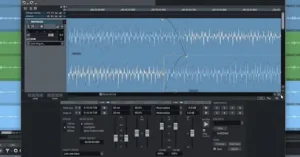 Immersive audio is where Sequoia 2026.5 has its clearest reason to exist, but it is also where a simple feature-count comparison becomes misleading. Both Sequoia and WaveLab now cover serious immersive mastering workflows. The difference is how each application expects the engineer to build, edit, manage, and deliver the project.
WaveLab Pro 13 has a mature Dolby Atmos workflow built around its Montage environment, with ADM handling, object and channel management, loudness and True Peak tools, 3D visualization, and album-level mastering. That makes it a credible alternative for engineers whose primary task is taking an existing immersive production and preparing it for final delivery.
Sequoia approaches the problem from a more integrated editing and routing perspective. Its new Spatial Panner can link spatial movements across multiple target buses, allowing an engineer to establish a common positioning decision and then make format-specific adjustments when necessary.
That distinction becomes important in a project that has to produce several spatial versions from the same source material. If the workflow involves repeatedly adjusting objects and maintaining consistency between stereo, surround, and immersive targets, Sequoia’s linked-target approach can reduce duplicated work. If the job is primarily to receive a finished ADM mix, perform album-level mastering, verify technical requirements, and deliver the final package, WaveLab’s Montage-based workflow may be the more natural fit.
Neither approach is inherently superior. They optimize different parts of the immersive mastering process. Sequoia has the stronger argument when spatial editing and multi-format management are part of the engineering work; WaveLab becomes especially attractive when the project is already assembled and the focus is mastering, QC, sequencing, and delivery. For the final verification side of an immersive release, see our guide to Dolby Atmos mastering.
What Sequoia Cannot Fix for You
Sequoia can give an engineer a more capable mastering environment, but it cannot compensate for weaknesses elsewhere in the monitoring and delivery chain.
A better DAW will not make an inaccurate monitoring room translate accurately. It will not make a poorly chosen limiter transparent, correct an overworked stereo image, or eliminate phase problems that were already present in the source. Those decisions still depend on the engineer, the monitoring chain, and the quality of the material going into the session.
The same applies to final verification. A professional master still needs to be checked for loudness and True Peak behavior, mono compatibility, stereo image, low-end translation, and artifacts introduced by processing or encoding. Sequoia provides tools that can support that work; it does not replace the work itself.
Streaming introduces another variable. A technically clean master can behave differently after lossy encoding, loudness normalization, sample-rate conversion, and playback through consumer DSP. The DAW can help prepare and verify the source, but it has no control over the playback chain once the file leaves the studio. For a broader look at how those variables affect final delivery, see our guide to mastering for streaming platforms.
That is the practical limitation behind the term mastering DAW. Sequoia provides an environment built around precision editing, processing, verification, and delivery. It does not make the engineering decisions, and it cannot turn a weak monitoring system or inexperienced operator into a reliable mastering chain.
Who Uses Sequoia? From Mastering to Broadcast
Sequoia is primarily used for professional mastering, precision audio editing, classical and live recording, broadcast, post-production, multichannel work, and immersive audio. It can also handle conventional recording, mixing, and music production, but its strongest advantages appear when projects become technically demanding.
Mastering engineers are the clearest fit. Sequoia makes the most sense when mastering involves album sequencing, detailed editing, object-level processing, technical QC, multiple delivery formats, or immersive work. If the job is simply inserting a stereo file and running it through a familiar processing chain, its additional depth is harder to justify.
Mixing engineers can make good use of Sequoia, but the case is less compelling unless mixing is closely tied to editing, multichannel routing, broadcast, immersive production, or mastering. For conventional music mixing, an established Pro Tools, Cubase, Logic Pro, or Studio One workflow may be faster simply because the engineer already knows it.
Classical and live-recording engineers are much closer to Sequoia’s natural territory. Large take counts, detailed editing, crossfades, synchronization, multichannel recording, and post-production all play to the application’s strengths.
Broadcast and post-production engineers also have a strong reason to consider it, particularly when audio and video need to remain in the same project. The 2026 video-engine changes make Sequoia more credible for workflows where picture playback and audio processing share the same workstation.
Immersive engineers are another strong target, especially when one production has to support several spatial deliverables. The Spatial Panner is considerably more useful when stereo, surround, and immersive versions need to stay coordinated than when the engineer is working on a single immersive master.
Electronic producers and beatmakers are unlikely to get enough from Sequoia to justify its cost or complexity. If the core workload is MIDI programming, synthesis, sample-based production, arrangement, and stereo mixing, a mainstream production DAW is generally the more efficient tool.
Beginners should also look elsewhere. Sequoia’s learning curve is justified by the depth of its professional workflows, not by its usefulness as a first DAW.
Mac-based engineers have a more fundamental problem: Sequoia is Windows-only. That is not a minor workflow preference but a platform requirement, and it can eliminate the software from consideration before its feature set even enters the discussion.
Sequoia 2026.5 Pricing: Expensive for Producers, Easier to Justify in a Professional Facility
Sequoia 2026.5 is priced at $595 per year or $95 per month. Existing users covered by an active Sequoia or Boris FX subscription, or an eligible Sequoia upgrade and support plan, receive the update as part of their existing entitlement.
That puts Sequoia firmly in the professional-software category. It is expensive compared with mainstream DAWs, and the price is significant even against specialist mastering applications. WaveLab Pro 13, for example, is currently listed at $499.99 in the US, making it a less expensive alternative for engineers whose requirements are centered primarily on mastering.
The more useful way to evaluate Sequoia’s price is by labor saved rather than by feature count. A mastering engineer who repeatedly edits albums, manages multiple delivery formats, performs technical QC, or works with immersive sessions can justify a higher software cost if the workflow removes enough repetitive operations.
That calculation is highly individual. If Sequoia saves meaningful time across every album or broadcast project, the annual license can become a relatively small operating expense. If you mainly mix stereo songs and already have a DAW that handles the job efficiently, the additional cost is difficult to defend.
In other words, Sequoia is not good value because it contains more professional features. It is good value only when those features are part of the work you actually bill for.
Overall Rating
| Category | Rating |
|---|---|
| Professional Workflow | 9.5/10 |
| Mastering & Editing | 9.5/10 |
| Immersive & Multichannel | 9/10 |
| Performance & Stability | 8/10 |
| Ease of Use | 7/10 |
| Value for Money | 7.5/10 |
| Platform Flexibility | 6.5/10 |
| Overall | 8.7/10 |
Professional Workflow — 9.5/10: This is where Sequoia earns its reputation. Object-based editing, source/destination editing, album sequencing, technical delivery, multichannel routing, and integrated audio/video work address the repetitive tasks that become expensive in professional sessions.
Mastering & Editing — 9.5/10: Sequoia is exceptionally well matched to detailed mastering and editing work. Its object-based architecture is particularly useful when corrections need to remain local to individual passages, while the broader workflow keeps sequencing, verification, and delivery in the same environment.
Immersive & Multichannel — 9/10: Sequoia is particularly strong when spatial editing and multi-format management happen inside the same project. The Spatial Panner addresses a real coordination problem by linking positioning across target buses while retaining format-specific control. The score is not higher because WaveLab now offers a mature competing Dolby Atmos mastering workflow.
Performance & Stability — 8/10: The 2026 architecture brings credible improvements to CPU distribution, plug-in processing, and video handling. The score stops short of the top tier because independent 2026.5 benchmark data is limited, and complex projects can still expose workload-specific bottlenecks.
Ease of Use — 7/10: Sequoia’s depth is also its barrier to entry. Engineers working with mastering, classical, broadcast, or post-production workflows can justify the complexity, but producers coming from conventional music-production DAWs may find the environment unnecessarily demanding for routine stereo work.
Value for Money — 7.5/10: The annual subscription is difficult to justify for users who only need a conventional stereo DAW. For a professional facility that repeatedly uses Sequoia’s specialized editing, mastering, multichannel, and delivery tools, the calculation improves because the value comes from reducing engineering time rather than from the number of included features.
Platform Flexibility — 6.5/10: Windows-only operation is a genuine limitation. It has little impact on a Windows-based professional facility but can immediately eliminate Sequoia from consideration for a Mac-based mastering studio. That restriction is more consequential than most individual missing features.
Overall — 8.7/10: Sequoia 2026.5 is a highly capable specialist DAW whose value rises sharply with session complexity. It is not the obvious choice for conventional music production, but for mastering, precision editing, classical and live work, broadcast, multichannel production, and immersive delivery, its workflow can justify both the learning curve and the price.
Sequoia 2026.5: The Short Version
What it does well: Sequoia combines detailed object-based editing, mastering, multichannel routing, immersive workflows, and technical delivery in a single professional environment. The Spatial Panner is a meaningful addition for engineers maintaining multiple spatial deliverables, while expanded ARA2 support and the updated video engine reduce friction in editing and post-production workflows.
Where it falls short: The software is expensive, Windows-only, and unnecessarily complex for conventional stereo production. Its biggest new feature has limited value if you never work outside stereo, and independent performance testing of the 2026.5 release is still too limited to support strong claims about measurable speed improvements.
The competitive problem: Sequoia no longer has immersive mastering to itself. WaveLab offers a mature competing workflow, while Pro Tools retains a major advantage in session compatibility and post-production adoption. Sequoia’s strongest case is therefore its combination of object-based editing, mastering, multichannel production, and technical delivery—not any single feature.
Verdict: Is Sequoia 2026.5 Worth It?
Sequoia 2026.5 is not a fundamental rewrite of what a professional DAW can do. Its value is more specific: it removes friction from workflows where editing, mastering, multichannel routing, spatial formats, and technical delivery all have to coexist.
The Spatial Panner is the clearest example. The underlying concept of spatial panning is not new, and the 3D interface alone is not a reason to upgrade. The useful part is the ability to link spatial moves across multiple target buses while retaining the option to make format-specific corrections. On a complex immersive project, that can eliminate a significant amount of repetitive checking and adjustment.
That kind of improvement rarely looks impressive in a feature demonstration. Its value appears later, when the same engineering decision has to be maintained across a large session and several delivery formats.
The broader Sequoia platform follows the same philosophy. Its strongest tools are aimed at precision editing, object-based processing, mastering, multichannel routing, technical delivery, classical and live production, broadcast, and post-production. Those are specialized workloads, and Sequoia is unusually well equipped for them.
For a professional Windows-based facility doing that kind of work, Sequoia remains one of the more capable specialist DAWs available. For conventional stereo production, its price, complexity, and Windows-only restriction make the proposition much harder to justify.
If you are a mastering engineer: Sequoia is worth serious consideration when your work includes album-scale editing, detailed corrections, complex delivery requirements, multichannel projects, or immersive formats. If your workflow is limited to straightforward stereo mastering, the advantages are less decisive.
If you already use Sequoia: 2026.5 is a meaningful upgrade when you regularly work across multiple spatial formats. For a stereo-only workflow, there is little reason to upgrade solely for the new Spatial Panner.
If you are choosing between Sequoia and WaveLab: base the decision on editing architecture, operating system, delivery workflow, and the type of mastering you actually perform. There is no useful reason to choose between them based on vague claims that one DAW simply “sounds better.”
If you are choosing your first DAW: Sequoia is probably the wrong place to start. Its strengths become valuable after your workload becomes complex enough to require them.
That is Sequoia’s real position in the market. It is not a general-purpose DAW that happens to include professional mastering features. It is a specialist environment designed to reduce the technical overhead of demanding audio work. If your sessions do not create those problems, Sequoia has little to solve.
Your DAW Can Process the Track. It Can’t Judge the Master.
Sequoia, WaveLab, Pro Tools, and other professional DAWs can give you precise control over the signal. They cannot tell you whether the finished master actually translates, whether the low end is holding together, or whether pushing another dB is helping the record or damaging it. Those decisions still come down to experienced critical listening.
Before committing to a full mastering session, hear the difference on your own track. Upload up to 35 seconds of your mix and receive a free mastering demo prepared by a real mastering engineer. No guesswork—compare your mix with a professionally mastered version and decide from what you hear.
Get your free mastering demo →
Frequently Asked Questions About Sequoia 2026.5
Is Sequoia a good DAW for professional mastering?
Yes. Sequoia is particularly well suited to album mastering, detailed editing, object-level processing, technical QC, multichannel work, and complex delivery. If your workflow is limited to processing a single stereo file, a dedicated mastering application with a simpler interface may be more efficient.
What is Sequoia best for?
Sequoia is best suited to professional mastering, precision editing, classical and live recording, broadcast, post-production, multichannel work, and immersive audio. Its value increases when a project combines editing, processing, sequencing, technical QC, and delivery rather than stopping at a conventional stereo mix.
Is Sequoia better than WaveLab for mastering?
It depends on the workflow. Sequoia has an advantage in object-based editing, complex multichannel sessions, classical and live production, and integrated technical workflows. WaveLab is a strong alternative for mastering, with its Montage architecture and Dolby Atmos support, and it runs on both Windows and macOS.
Does Sequoia 2026.5 sound better than other DAWs?
There is no convincing independent evidence that Sequoia 2026.5 has an inherently superior sonic character compared with other modern DAWs. Its advantage is the precision of the editing, routing, processing, spatial, and delivery workflow—not a proprietary “Sequoia sound.”
Is Sequoia good for mixing?
Yes, but its strongest advantages appear when mixing is combined with detailed editing, multichannel routing, immersive work, broadcast, or mastering. For conventional music production, a mainstream DAW may offer a faster workflow and a larger ecosystem.
What does the Sequoia Spatial Panner actually do?
It provides a unified interface for mono, stereo, surround, and immersive positioning up to 22.2 and can link spatial movements across multiple target buses. Its main benefit is maintaining consistent spatial decisions across several delivery formats while still allowing format-specific adjustments.
Does Sequoia 2026.5 support Dolby Atmos?
Yes. Dolby Atmos and ADM workflows are already part of Sequoia’s professional immersive-audio environment. The 2026.5 Spatial Panner adds a broader spatial-control layer rather than replacing the existing ADM editing, rendering, and monitoring workflow.
How demanding is Sequoia on CPU?
Performance depends heavily on session structure, plug-in chains, routing, buffer settings, and hardware. Sequoia benefits from multicore processing when the workload is distributed across multiple tracks, while heavy processing concentrated on a single track or bus can still depend strongly on single-core performance.
Can Sequoia run on macOS?
No. Sequoia is Windows-only. For a Mac-based studio, that is a fundamental platform limitation rather than a minor compatibility issue.
Is Sequoia worth the subscription price?
It can be for engineers who regularly use its specialized mastering, editing, multichannel, broadcast, or immersive workflows. For stereo-only production, hobby use, or basic mixing, the additional cost is difficult to justify over a less specialized DAW.
Can Sequoia replace Pro Tools or WaveLab?
In some workflows, yes. Sequoia can cover professional recording, editing, mixing, mastering, multichannel, and post-production work, but Pro Tools has a major advantage in session compatibility and industry adoption, while WaveLab remains a strong specialist alternative for mastering. Switching makes sense only when Sequoia’s workflow solves a problem your current DAW does not.
Should I upgrade to Sequoia 2026.5 for the Spatial Panner?
If you regularly maintain stereo, surround, and immersive deliverables from the same production, the Spatial Panner is a meaningful upgrade. If you work exclusively in stereo, it is unlikely to justify an upgrade on its own.

Yurii Ariefiev is a mastering engineer and audio production editor focused on how DAWs, editing tools, and delivery workflows affect the decisions made before a finished master reaches the listener.
This Sequoia review evaluates the software through mastering, precision editing, multichannel routing, immersive delivery, and real-world studio workflow rather than feature count alone.
☕ Buy me a coffee