
Fix Harsh Highs in Mastering — Why Your Track Turns Sharp and Fatiguing After Processing
Harsh highs in mastering are usually caused by limiting and saturation changing transient behavior — not by too much treble.
Your master sounds fine at low volume… but turns aggressive when you turn it up?
That’s harshness — and it usually shows up only after the master is pushed hard enough to change transient behavior.
You press play. It sounds clean. Then you turn it up.
Vocals bite. Hi-hats feel sharp. After 30 seconds, fatigue sets in.
If this started after mastering, it’s not taste.
It’s a mastering processing problem — and once you identify the cause, it becomes predictable and fixable.
This isn’t caused by too much high end — it’s caused by how transients react when the master is pushed.
If your master turned harsh after processing, the fix isn’t cutting highs — it’s controlling transient behavior under limiting and saturation.
Why Harsh Highs Appear After Mastering — It’s Not About “Too Much Treble”
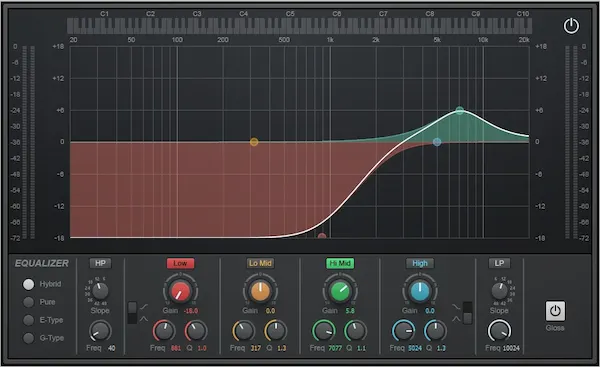 Most people assume harshness comes from boosting the top end too much. That’s rarely the real cause.
In mastering, harsh highs usually show up because the processing chain changes how peaks and upper detail react when the track gets loud.
Start with the limiter. When you push loudness, the limiter doesn’t just control peaks — it reshapes them.
Fast transients, especially in vocals and hi-hats, become more exposed — meaning the attack feels sharper and more forward than in the original mix.
What felt controlled in the mix can suddenly feel sharp, even aggressive.
Even a small increase in limiter gain can shift the top end from controlled to aggressive — without any EQ changes at all.
In real projects, harshness often appears only after pushing the limiter by 2–3 dB — even when the mix itself sounded smooth.
We’ve had masters where everything sounded clean — until the limiter was pushed just 2 dB further. That’s where harshness appeared instantly, without any EQ involved.
That’s the key signal: if harshness appears only after limiting, it’s not an EQ problem — it’s how the limiter is reshaping transients.
We see this constantly in mastering sessions — the mix feels fine until loudness is pushed.
Then comes saturation. Even subtle harmonic enhancement can tilt the balance.
Instead of sounding “richer,” the top end can become edgy — not because it’s louder, but because it’s more complex and less controlled.
Here’s what most guides miss:
mastering doesn’t create harshness out of nowhere — it magnifies what’s already there.
A slightly forward vocal. A hi-hat with too much bite. A synth with a narrow peak.
None of these feel extreme in the mix. But once you add limiting and density, those elements start competing harder — and the top end is where it shows first.
That’s why EQ alone doesn’t solve the issue.
You can pull down 5 kHz or 8 kHz, but the sharpness often remains — just duller, not smoother.
Because the problem isn’t just frequency balance.
It’s how dynamics, transients, and harmonic content interact once the track is pushed to final loudness.
If you’ve already pushed your master and started hearing that edge, it’s worth understanding how pushing loudness changes perceived clarity. We break that down in detail here:
loudness vs clipping in mastering.
If your track only became harsh after pushing loudness, this is exactly that situation — the issue isn’t tone, it’s how transients behave under limiting.
Quick Fix — What to Try Before You Touch EQ
If your master sounds harsh right now, start here:
— lower the limiter input by 1–2 dB and listen again (in many cases, this immediately reduces harshness)
— don’t cut highs yet — control them dynamically instead
— check the track on earbuds, not just studio monitors
If harshness is still there, the issue isn’t EQ — it’s how your master reacts under load.
If lowering the limiter input immediately reduces harshness, that confirms the problem is dynamic — not tonal — and no EQ move will fix it.
That means you’re not fixing EQ — you’re fixing transient behavior under limiting.
Not All Harshness Is the Same — Four Different Problems Behind One Symptom
“Harsh highs” sounds like a single issue. In reality, it’s a label people use for completely different problems that just happen to feel similar.
That’s exactly where random fixes break down — you’re often solving the wrong thing.
In mastering, we consistently see four distinct types of harshness. They may sound alike at first, but they behave very differently once you start working on them.
Spectral harshness.
This is the closest to what people expect — a frequency imbalance. Usually a narrow area in the upper mids or highs pushes forward and feels sharp. It can come from vocals, cymbals, or synth peaks that weren’t fully controlled in the mix.
Dynamic harshness.
This one catches people off guard. The tone isn’t necessarily bright, but the transients hit too hard after limiting. The attack becomes exaggerated, and even balanced material starts to feel aggressive when the master is pushed.
Harmonic harshness.
This is where things start to break down. Added saturation, clipping, or even subtle distortion introduces upper harmonics that weren’t there before. Instead of sounding warm, the top end becomes brittle.
If this is your case, you’re not dealing with EQ anymore — you’re dealing with upper harmonic distortion artifacts. We break this down deeper here:
fix distorted master.
Codec harshness.
Everything sounds fine in your session. Then you upload it — and suddenly the highs feel sharper.
Lossy encoding (AAC, streaming platforms) can exaggerate certain frequency areas and make already dense material sound more brittle than intended.
Here’s the problem: all four types can feel like the same “harsh top end.”
But if you treat dynamic harshness with EQ, or try to fix harmonic distortion by cutting frequencies, you’ll only make the track weaker — not smoother.
Different cause. Different behavior. Different solution.
That’s the line most guides never draw — and that’s exactly why harsh masters keep happening.
How to Fix Harsh Highs Without Killing the Mix — Different Problems Need Different Moves
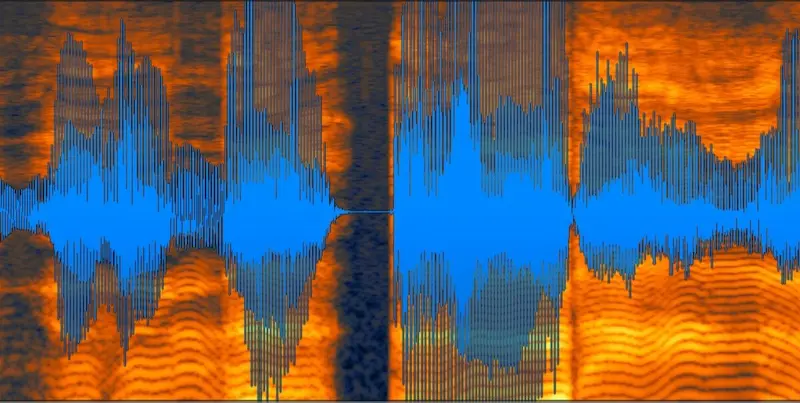 Once you identify the type of harshness, fix it at the source:
adjust how the top end behaves under limiting and saturation — don’t just reduce it.
Once you identify the type of harshness, fix it at the source:
adjust how the top end behaves under limiting and saturation — don’t just reduce it.
A correct fix removes harshness while keeping detail intact. If the track gets dull, you didn’t fix it — you just turned it down.
In many cases, the mix wasn’t harsh at all — the issue only appeared after loudness was pushed.
Spectral harshness.
At this stage, most people reach for EQ — and that’s where they often go too far.
A static cut might soften the problem, but it also removes clarity across the entire track.
A better approach is narrow dynamic control: target the exact range, and only when it becomes aggressive. That way the air stays intact, and only the spikes get controlled.
Dynamic harshness.
If the issue comes from transients being pushed too hard, cutting highs won’t fix it — it just makes everything dull.
The real move is to control how peaks hit the limiter. Slight adjustments to transient behavior before or during limiting can smooth the result without losing energy.
This is where most DIY mastering chains fall apart: they try to “EQ out” something that’s actually happening in the dynamics stage.
Harmonic harshness.
If saturation or clipping introduced brittle overtones, EQ is the wrong tool entirely.
You’re not fixing a frequency — you’re dealing with added distortion.
The only reliable fix is to reduce or remove the source of that saturation. Otherwise, you end up stacking processing that never really cleans the problem.
Codec harshness.
This one is easy to miss. The master sounds fine — until it’s encoded.
The fix isn’t guessing. It’s checking. Run your track through lossy formats and listen critically. If the top end collapses or sharpens, you’re pushing density too far for streaming translation.
The mistake most people make:
they apply one solution to all cases — usually an EQ cut — and wonder why the track loses life but still feels uncomfortable.
Each type of harshness behaves differently — and needs a different approach. If you apply the wrong fix, you’re not solving the issue — you’re just trading harshness for dullness.
If you’re unsure where exactly the problem is being introduced in your chain, it often comes down to how different stages in your mastering chain interact when loudness is pushed.
This becomes clear when you look at how a full mastering chain reacts under loudness:
mastering chain explained.
Why Harsh Highs Get Worse Outside the Studio — Translation Is Where the Problem Shows Up
One of the most confusing situations: everything feels controlled in the studio… and then the track falls apart everywhere else.
Sharper on earbuds. Edgy on streaming. Fatiguing in the car.
This isn’t random — it’s predictable. It’s translation.
We regularly hear masters that sound clean in the studio but become noticeably sharper after upload — even when nothing was changed in the file.
We see this constantly in real projects — a track feels fine in the studio, then turns sharp the moment it hits real playback.
It’s one of the issues clients usually notice only after release.
When your track is encoded for streaming platforms, the top end doesn’t stay untouched. Lossy formats like AAC reshape high-frequency detail. If your master is already dense or slightly aggressive, encoding can push it over the edge. What felt “clean” becomes brittle.
Now take earbuds. Most consumer headphones are not neutral — they boost presence in the 3–6 kHz range. That’s exactly where harshness lives.
So even a small imbalance in your master gets magnified instantly. What sounded balanced on monitors suddenly feels sharp and uncomfortable.
Cars make it worse in a different way. The environment itself is hostile to detail — reflections, speaker angles, and cabin resonance all affect perception.
Upper mids tend to build up, and anything even slightly aggressive becomes tiring fast, especially over longer listening.
Here’s the part most people miss:
your studio isn’t lying — it’s just incomplete.
Harshness doesn’t always show up in a controlled space. It reveals itself when the track leaves that space and hits real playback conditions.
If you want to understand how mastering adapts for these environments — not just technically, but perceptually — this becomes critical when working with streaming releases:
mastering for streaming platforms.
Why EQ Alone Doesn’t Fix Harsh Highs — It Changes Tone, Not Behavior
The default move is obvious: pull down the highs.
And yes — it makes the track feel softer. But that doesn’t mean it’s fixed.
EQ reduces brightness. It does not remove aggression.
If the harshness is coming from sharp transients or added distortion, you’re not solving the cause — you’re just masking it.
Here’s how the loop starts:
You cut a bit of 5 kHz — still harsh.
You cut more — now it’s dull, but somehow still uncomfortable.
The issue isn’t the level of those frequencies.
It’s how they behave when the track is pushed.
Fast transients hitting too hard. Harmonics stacking from saturation. Peaks being reshaped by limiting.
None of that disappears with EQ. It just becomes less obvious — and often less musical.
At this point, simple fixes stop working — they reduce brightness but leave the behavior unchanged.
That’s why some masters feel technically correct but still sound wrong — the issue isn’t isolated, it’s how the entire master responds.
And that trade-off is a warning sign:
if fixing harshness makes your track lifeless, you’re treating the symptom, not the problem.
If none of the patterns clearly match, the harshness is likely coming from multiple mastering stages reacting to the same range under limiting.
If your master still feels sharp, it’s not just EQ
If your master still feels sharp after EQ tweaks and limiter adjustments, the issue runs deeper than frequency balance. At this point, it’s about how the track reacts under pressure — transients, density, and harmonic behavior working together. That’s where most DIY fixes stop working.
Real engineer. Real processing. No presets.
When Harsh Highs Can’t Be Fixed in Mastering — Some Problems Start Too Early
 Not every harsh master can be repaired at the final stage.
Sometimes the issue is already baked into the material — and mastering can only work around it, not remove it.
One common case: an overly aggressive mix.
If vocals, cymbals, or synths are already pushing hard in the upper range, mastering will only bring that forward. Even careful processing can’t fully smooth something that’s fundamentally unbalanced.
Another scenario — clipped or damaged stems.
If peaks were already flattened during mixing or export, the high-frequency content becomes brittle by nature. At that point, you’re not shaping sound anymore — you’re dealing with artifacts that can’t be restored cleanly.
Overcompression is another trap.
When the top end is constantly “on,” with no dynamic movement left, it loses flexibility. Mastering relies on contrast — and if that’s gone, harshness becomes harder to control without dulling everything.
Sometimes harshness appears together with low-mid buildup, creating a mix that feels both aggressive and unclear at the same time. In that case, the issue isn’t just in the highs — it’s also in how the low-mids are masking clarity.
fix muddy master
This is where expectations need to be realistic.
Mastering can refine, balance, and enhance — but it can’t rebuild what isn’t there anymore.
In these situations, the best move isn’t to keep tweaking the master.
It’s to step back and address the source.
If you’re not sure whether your mix is limiting the final result, it’s worth checking what actually matters before mastering begins:
prepare mix for mastering.
How to Identify Your Type of Harshness — Quick Checks That Actually Tell You Something
Before you try to fix anything, you need to know what you’re dealing with.
Not in theory — in your actual track.
Start simple. Play your master at a moderate level, then turn it up slightly.
Pay attention to when the harshness appears.
When it jumps out only on hits — vocals getting sharp on certain words, hi-hats biting on impact — that’s usually dynamic.
The tone itself isn’t the issue. It’s how fast peaks are hitting and how they’re being controlled.
When it stays constant even at lower levels, sitting there even at lower volumes, you’re likely dealing with spectral imbalance.
It doesn’t come and go. It just feels “too forward” all the time, no matter what part of the track is playing.
Now do a quick real-world check.
Export your track, listen through earbuds, or upload a short test to a streaming platform.
When the top end suddenly feels sharper, more brittle, or slightly smeared after encoding — that’s codec-related.
What sounded controlled in your session is reacting differently once it’s compressed.
Here’s a practical shortcut we use in sessions:
loop a section with vocals and hi-hats, then drop the volume very low.
If the harshness disappears, it’s likely dynamic.
If it remains noticeable even at lower volume — just quieter — it’s spectral.
No plugins. No analyzers. Just listening with intent.
The goal isn’t to label the problem perfectly.
It’s to avoid guessing — because guessing leads to the wrong fix.
When multiple symptoms appear together, the harshness usually comes from multiple mastering stages interacting at once.
In that case, this shows how different mastering stages affect each other:
mastering problems guide.
If it still sounds harsh, it’s not the EQ — it’s the approach
If your track still sounds harsh after multiple adjustments, the issue isn’t just frequency balance — it’s how the entire master is reacting under load. Real mastering is about controlling dynamics, transients, and density together — not just pulling down highs and hoping for the best. That’s where the difference becomes obvious.
Free preview available. Clear decisions before you commit.
FAQ — Quick Answers About Harsh Highs in Mastering
Why does my master sound harsh after limiting?
Because limiting changes how peaks behave. Fast transients get pushed forward and become more exposed. What felt balanced in the mix can turn aggressive once the limiter starts reshaping those peaks under higher loudness.
What frequency causes harshness?
Most of the time it sits somewhere between 2 kHz and 8 kHz. But the exact number isn’t the point. Harshness often isn’t about a single frequency — it’s about how energy in that range reacts when the track is pushed.
Can a de-esser fix harsh highs?
Sometimes — but only in very specific cases, like vocal sibilance. A de-esser won’t solve dynamic or harmonic harshness across the whole mix. Used blindly, it can make the track softer without actually fixing the problem.
Why does harshness appear only on streaming platforms?
Because encoding changes the top end. Lossy formats can exaggerate dense high-frequency content, making a slightly aggressive master sound noticeably sharper after upload.