Arturia AstroLab 2.0 addresses a key limitation of the original stage keyboard: its extensive instrument library offered less hands-on editing than many producers expect from a hardware synthesizer. The update introduces Sound Edit, which brings selected instrument parameters to the front panel, along with new sampled sounds and performance refinements. The real question is whether these changes make AstroLab more useful in studio production—or simply make its preset-based workflow less restrictive.
A usable preset is not necessarily a finished production sound. Filter response, envelope timing, and release behavior can determine whether an instrument sits cleanly in an arrangement or competes with other parts. AstroLab 2.0 makes some of these adjustments possible without returning to a computer, but it does not provide unrestricted access to every underlying instrument engine. Its value comes down to how much control the hardware offers over the sounds a producer actually uses.
Why AstroLab’s Editing Model Matters in Modern Music Production
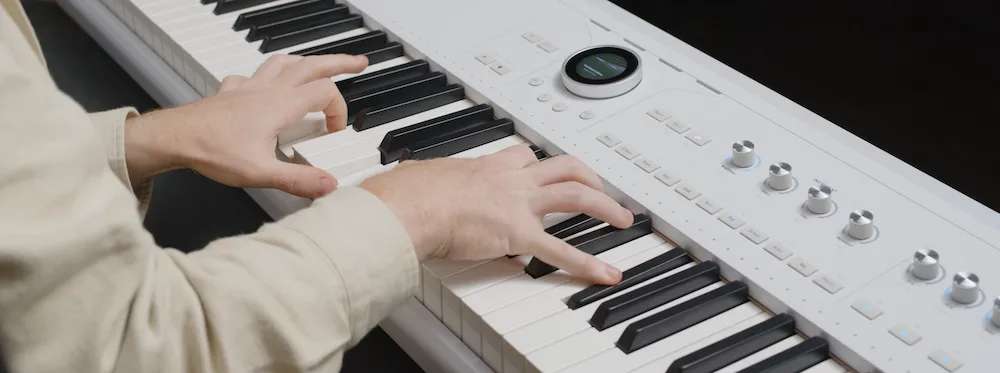
 AstroLab occupies a different position from a conventional workstation or a dedicated synthesizer. Available in 37-, 61-, and 88-key versions, it brings Arturia’s software-derived instruments into a standalone performance keyboard, combining preset browsing, hands-on controls, and integration with Analog Lab.
The appeal is straightforward: players can move between synthesizer tones, sampled instruments, pads, basses, and keyboards without assembling a complex hardware setup. The limitation is equally important. Access to a large instrument library does not necessarily mean deep control over the synthesis engines behind it.
Before firmware 2.0, more substantial sound editing often required switching to Arturia’s desktop software to adjust an instrument and transfer the result back to AstroLab. That workflow works in a studio, but it introduces friction during rehearsals, spontaneous writing sessions, and preparation for live performances.
Sound Edit reduces that friction by bringing selected, instrument-specific parameters to the keyboard’s front panel. Producers can move from browsing a preset to shaping its response without immediately returning to a computer. The extent of that control varies by instrument, however, and the update does not turn AstroLab into a fully open-ended synthesizer editor.
The distinction is central to evaluating AstroLab 2.0: it improves access to sound shaping within an existing performance-oriented system rather than introducing a new synthesis architecture.
AstroLab 2.0 Sound Edit: What You Can and Cannot Change
Sound Edit is the defining change in AstroLab 2.0. It brings selected, instrument-specific sound parameters to the keyboard’s front panel, reducing the need to return to desktop software for every adjustment. The available controls are organized into instrument-dependent pages and accessed through the hardware interface and four macro knobs.
The important distinction is that Sound Edit is not a universal editor with the same controls for every preset. A synthesizer patch, a sampled piano, and another instrument may expose different parameters because they rely on different sound-generation methods. The available editing depth therefore depends on the instrument, preset, and implementation.
| Editing task | What Sound Edit offers | What to keep in mind |
|---|---|---|
| Shape a synthesizer patch | Access to selected parameters supported by the instrument, potentially including filter, envelope, glide, modulation, or oscillator-related controls. | Do not assume that every parameter available in the original software instrument is exposed on AstroLab. |
| Adjust a sound for an arrangement | Make supported changes directly on the keyboard while auditioning a part. | The usefulness of an adjustment depends on the controls available for that particular preset. |
| Program a complex sound | Make selected adjustments without immediately opening a desktop editor. | Detailed engine-level programming and complex modulation work may still require desktop software. |
| Continue editing in Analog Lab | Use AstroLab as part of a hardware-and-software production workflow. | Sound Edit changes do not automatically modify the corresponding instruments inside Analog Lab. |
| Use Sound Edit in a Playlist | Sound Edit can be used in supported workflows outside Playlists. | Sound Edit is not supported in Playlists, so check the intended live workflow before relying on it. |
How Sound Edit Varies Between Instruments
Sound Edit is not simply a set of generic macro controls applied to every sound. The available parameters depend on the instrument behind the preset. A synthesizer patch may expose filter cutoff, resonance, envelope stages, or modulation settings, while a sampled instrument requires controls suited to its own sound-generation model. The exact options must be checked for the selected preset.
Sound Edit has documented compatibility exceptions. Arturia lists the legacy versions Wurli V2, SEM V2, and Mini V3 as unsupported by this editing feature. Some parameters may be unavailable or behave incorrectly with instruments including Clavinet, DX7, Farfisa, Matrix12, MiniFreak, Solina, Synclavier, and Vox v2. Modular V3, Korg MS20, and Synthi have additional restrictions related to their modular design.
Another practical detail is that changing a parameter in Sound Edit can alter the range of a macro if that parameter is already assigned to it. These restrictions matter when choosing presets for a live set or building a sound around specific controls.
Make Every Layer Work in the Final Mix
A well-shaped synthesizer patch is only one part of a production-ready mix. The final mastering stage is where overall tonal balance, low-end definition, transient impact, and stereo presentation need to work together without sacrificing musical dynamics. Submit up to 40 seconds of your mix for a free mastering demo to hear how a dedicated mastering perspective can inform the next stage of your production.
Request Your Free Mastering Demo →
New Sounds and Performance Improvements
AstroLab 2.0 adds 67 factory presets and expands its sampled-instrument selection. New sounds include Pure Grand Clean, an acoustic grand piano sampled across eight velocity layers, along with funk and orchestral brass, pop strings, and upright and electric basses.
Pure Grand Clean gives producers a conventional acoustic piano sound alongside AstroLab’s synthesizer engines. Its eight velocity layers provide different recorded responses to playing intensity, but layer count alone does not determine realism. Velocity transitions, sustain and decay behavior, pedal response, and the consistency of the instrument across its range all influence how convincingly a sampled piano performs in a mix.
The additional brass, strings, and bass sounds make AstroLab more useful for songwriting, arranging, and live performance. They allow players to sketch a wider range of parts without changing instruments or interrupting a session. However, convenient access is not the same as the depth of a dedicated sample library: detailed orchestral productions may still require more articulations, velocity transitions, and performance controls than a stage-oriented preset provides.
Arturia also reports improvements to sampler and Synthx polyphony and performance, including changes to sampler voice management. These refinements matter in dense passages and sustained arrangements, where voice allocation can affect whether notes continue as expected. The published update information does not establish the magnitude of these gains through comprehensive independent benchmarks, so they should be treated as reported performance improvements rather than quantified results.
Workflow refinements include improved preset browsing, more reliable computer connectivity and file transfers, and changes to the firmware update process. The AstroLab 37 also receives adjustments to aftertouch feel and octave LED feedback during transposition. These changes improve day-to-day operation, but they should not be confused with a new synthesis architecture or a documented redesign of the audio output stage.
How AstroLab 2.0 Fits Into a Studio Production Workflow
AstroLab is most useful when a producer needs to move quickly from playing an idea to adapting its sound for an arrangement. It supplies the musical material—synth lines, basses, chords, pads, and keyboard parts—which can then be recorded and processed in a DAW like any other audio source.
Recording and Arrangement
Sound Edit is most useful before recording when a preset is musically close to the required part but needs a supported parameter adjustment. The important limitation is that available controls vary by instrument, so the editing options should be checked on the actual preset rather than assumed from the underlying software instrument.
Judge the result in the full arrangement, not only in solo. Level, sustain, note transitions, and frequency overlap can affect how the part works alongside vocals and other instruments. These source-level decisions also matter when you prepare a mix for mastering, because problems left unresolved during production can limit the options available later.
Live Performance and Studio-to-Stage Continuity
AstroLab’s performance-oriented design is a central part of its appeal. A sound developed during studio writing can become part of a performance setup, allowing the same hardware instrument to serve during rehearsal and on stage. Sound Edit makes supported adjustments more accessible without requiring the full desktop editing workflow.
The limits of preset-level editing still matter in a live context. Before building a set around AstroLab 2.0, check which parameters are available for each sound, verify preset recall, and confirm that edits behave as expected in the intended performance setup. Test firmware updates and the complete set workflow well before a critical show rather than introducing changes immediately before going on stage.
AstroLab 2.0 Limitations: What Buyers Should Know
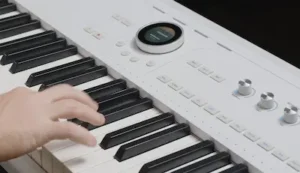 AstroLab 2.0 makes selected sound parameters easier to access, but it does not provide unrestricted control over every instrument engine. The available editing options depend on the instrument and its implementation, so users who rely on detailed synthesis programming should verify the supported controls before choosing AstroLab as their main sound-design instrument.
- Limited parameter access: Sound Edit exposes selected controls rather than the complete parameter set of every software instrument.
- Separate hardware and desktop editing: changes made through Sound Edit do not automatically modify the corresponding instruments inside Analog Lab.
- Workflow restrictions: Sound Edit is not supported in Playlists, which matters for users planning a performance workflow around that feature.
- No demonstrated global audio-quality improvement: the documented update features do not establish a measurable change in overall audio fidelity. Claims about lower distortion, reduced noise, improved phase behavior, or a changed frequency response would require suitable comparative evidence.
These limitations do not make the update unimportant. They define its actual value: quicker access to supported sound-shaping controls within a performance-oriented instrument, rather than a replacement for a fully featured desktop synthesis environment.
AstroLab 2.0 vs. Alternative Stage Keyboards and Software Instruments
AstroLab competes with stage keyboards, performance synthesizers, and computer-based instrument setups, but these options solve different problems. The right choice depends on whether the priority is a broad instrument library, hands-on synthesis, specialized stage sounds, or the flexibility of a DAW-based workflow.
| System | Main strength | Key trade-off | Best fit |
|---|---|---|---|
| Arturia AstroLab 2.0 | Broad instrument selection with on-device editing of selected parameters | Sound Edit does not provide unrestricted access to every instrument engine | Players and producers who want a versatile standalone instrument |
| Nord Electro | Stage-focused piano, organ, and electric-keyboard workflow | Different instrument priorities and sound-editing approach | Keyboardists focused on traditional stage sounds |
| Roland V-STAGE | Performance-oriented keyboard with multiple sound engines | Different engine architecture, controls, and editing workflow | Live players comparing complete stage-keyboard systems |
| Yamaha MODX+ | Multiple synthesis technologies and extensive performance capabilities | Different programming model and operating workflow | Players who prioritize synthesis depth and workstation-style features |
| MIDI controller plus software instruments | Extensive sound libraries, detailed editing, and flexible routing | Greater dependence on a computer and its software environment | Studio producers who work primarily in a DAW |
These systems should not be compared on preset count alone. Keybed feel, synthesis architecture, instrument coverage, polyphony, effects, connectivity, and performance controls all influence whether a keyboard suits a particular setup.
AstroLab 2.0 makes the most sense for users who want a wide range of sounds in one hardware instrument and enough front-panel control to adapt supported presets quickly. A dedicated synthesizer may be a better choice for deeper sound programming, while a MIDI controller and software instruments can offer greater flexibility for producers who already have a capable computer-based studio. The deciding factor is how much control is needed during performance and how much editing can comfortably remain on the desktop.
Pricing and Value: Is AstroLab Worth Buying?
Arturia’s listed US prices are $799 for AstroLab 37, $1,999 for AstroLab 61, and $2,999 for AstroLab 88. These are manufacturer-listed prices, not guaranteed current retail prices; actual offers may vary. Firmware 2.0 is available as a free update for owners of all three models.
The AstroLab 37 is the most compact and accessible option for smaller studios, mobile setups, and players whose parts rarely require a wider keyboard range. The 61-key version offers a more conventional format for general performance, while the 88-key model targets players who need a full-range weighted keyboard. The choice should reflect playing requirements and keybed preference, not just the size of the instrument library.
AstroLab’s value depends heavily on what it replaces. For a working keyboardist who needs a self-contained instrument with a broad selection of sounds, it can simplify setup and provide a consistent hardware workflow between studio sessions, rehearsals, and live performances. For a producer who already owns a capable MIDI controller, a DAW, and an established collection of software instruments, the additional cost is harder to justify if the main goal is deeper sound editing.
For existing owners, firmware 2.0 offers the clearest value proposition: additional presets, expanded on-device editing, and workflow refinements without purchasing a new keyboard. For prospective buyers, however, the update should be considered one part of the overall package. The key questions are whether the instrument library suits the music, whether the available editing controls meet practical needs, and whether standalone hardware provides enough benefit over an existing studio setup to justify the price.
Who Should Choose AstroLab 2.0?
- Live keyboardists: A good fit for performers who need a broad range of sounds in one hardware instrument and want quicker access to supported patch adjustments.
- Electronic music producers: Useful for shaping leads, basses, and pads without interrupting the playing workflow to open a desktop editor.
- Songwriters and composers: Well suited to sketching arrangements with synthesizers, keyboard sounds, and sampled instruments from a single instrument.
- Home-studio producers: Worth considering when standalone hardware, hands-on control, and a consistent studio-to-stage setup offer practical benefits over a MIDI controller and software instruments.
- Sound designers who need unrestricted control: A less suitable choice if the workflow depends on complete access to synthesis parameters, complex modulation routing, and detailed engine-level programming.
Verdict at a Glance
| Aspect | Assessment |
|---|---|
| Main benefit | More direct access to selected instrument parameters from the hardware. |
| Main limitation | Editing depth and parameter availability depend on the instrument and preset. |
| Best fit | Keyboardists and producers who value a broad standalone sound library and selected front-panel adjustments. |
| Less suitable for | Sound designers who need unrestricted engine-level programming or complete control over every parameter. |
Assessment basis: This review evaluates documented features, workflow implications, and stated limitations. It does not claim hands-on testing or independent measurements of audio performance.
Verdict: A Better Performance Instrument, Not a Fully Open Synthesizer
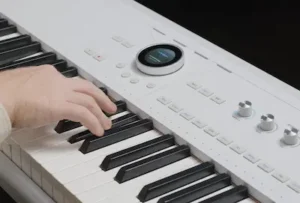 AstroLab 2.0 is a meaningful firmware update because it makes a broad instrument library easier to adapt from the hardware itself. Sound Edit reduces the need to switch to desktop software for supported adjustments, while the additional presets and performance refinements expand the keyboard’s usefulness for songwriting, production, and live performance.
The limitations are equally important. Editing depth varies by instrument, complex sound design still benefits from a desktop editor, and the available update information does not establish a measurable improvement in overall audio fidelity. AstroLab 2.0 should not be mistaken for unrestricted access to every underlying synthesis engine.
For existing owners, the free update is worth considering once compatibility and the intended performance workflow have been checked. For new buyers, AstroLab is a compelling option if a wide range of sounds, standalone operation, and hands-on access to selected parameters justify the hardware investment. Producers who prioritize deep synthesis programming or minimizing studio costs should compare it with dedicated synthesizers and software-based setups.
The bottom line: AstroLab 2.0 makes the transition from choosing a preset to adapting it more practical. It does not replace a full sound-design environment, and it cannot substitute for the arrangement, recording, and mixing decisions that determine the quality of a finished production.
Your Synth Presets Are Only Part of the Final Sound
AstroLab 2.0 makes it easier to shape selected parameters, but even a carefully adjusted patch can compete with other instruments once the full arrangement comes together. Adding another processor is not always the answer: the real question is how the complete mix translates in tonal balance, low-end definition, transient impact, and stereo image. Upload up to 40 seconds of your mix for a free mastering demo prepared by a real mastering engineer, then compare the original with the mastered version to hear what changes—and what should remain untouched.
Submit Your Mix for a Free Mastering Demo →
Arturia AstroLab 2.0 FAQ
Is Arturia AstroLab 2.0 a new keyboard or a firmware update?
AstroLab 2.0 is a firmware update for the AstroLab 37, 61, and 88. It introduces Sound Edit, adds 67 factory presets, expands the sampled-instrument selection, and includes performance and workflow refinements.
What can you edit with AstroLab 2.0 Sound Edit?
Sound Edit provides access to selected instrument-specific parameters through the keyboard’s front-panel interface. Available controls vary by instrument and preset, so the feature should not be treated as unrestricted access to every underlying synthesis engine.
Does Sound Edit work with every instrument and preset?
No. The available parameters depend on the instrument and its implementation. Some instruments or parameter mappings may not be supported, and the editing options are not identical across the entire sound library.
Do Sound Edit changes automatically update Analog Lab?
No. Changes made through Sound Edit do not automatically modify the corresponding instruments inside Analog Lab. Hardware editing and desktop instrument editing should be treated as separate workflows.
Can AstroLab 2.0 load custom SFZ samples?
The AstroLab 2.0 update does not introduce user SFZ loading. Producers who need to import and manage custom multisamples should not assume that AstroLab replaces a dedicated sampler or software instrument.
Is AstroLab 2.0 worth updating or buying?
For existing owners, the update adds editing and workflow features without requiring a new keyboard. For new buyers, the decision depends on whether the instrument library, standalone operation, performance controls, and available editing depth justify the cost compared with a dedicated synthesizer or a computer-based setup.

Yurii Ariefiev is a mastering engineer and audio-production editor at AREFYEV STUDIO. His product coverage focuses on documented capabilities, production workflow, and practical limitations, distinguishing manufacturer specifications from conclusions that require direct testing.
Enjoyed this review?
If you found it useful, you can support independent audio research with a coffee.
☕ Buy me a coffee