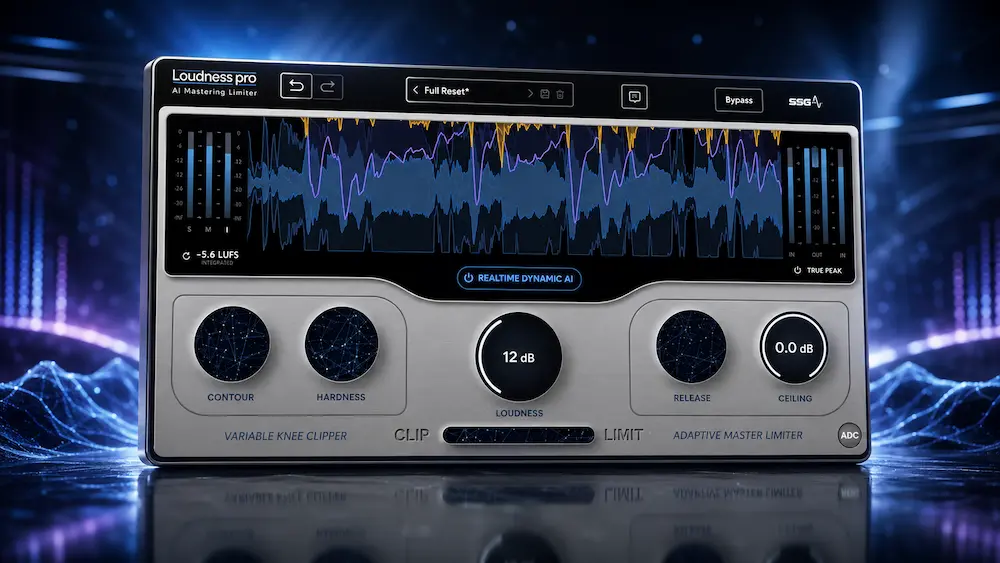
SSG Audio Loudness Pro is built around a specific mastering problem: how to divide peak reduction between clipping and limiting without forcing the same compromise across an entire song. Its Realtime Dynamic AI system continuously adjusts that relationship as the audio changes, rather than leaving the engineer with a fixed clipper/limiter balance. In practical terms, the goal is straightforward—push a master harder while retaining transient impact, low-end stability, and a sense of openness.
That makes Loudness Pro more than another one-knob loudness maximizer, but it does not automatically make it a better limiter. The real test is whether its adaptive processing can make better decisions on changing program material than a well-tuned conventional chain, and whether it can do so with less manual intervention. The more useful question is where its adaptive approach has a practical advantage over a conventional limiter chain.
SSG Audio Loudness Pro at a Glance
| Specification | Details |
|---|---|
| Plugin Type | AI-assisted mastering limiter / clipper |
| Core Technology | Realtime Dynamic AI with adaptive clipper/limiter processing |
| Current Version | 1.1.104 |
| Processing | Real-time, local processing inside the DAW |
| Key Controls | Loudness, Contour, Hardness, Release, Ceiling and clipper/limiter Mix |
| True Peak | Supported |
| Auto Dither | Auto Dither Control (ADC) |
| Plugin Formats | AU, VST2, VST3 and AAX, 64-bit |
| Operating Systems | macOS 10.13+ and Windows 10/11 |
| Memory | 8 GB RAM minimum |
| Reported Latency | Approximately 5 ms at 48 kHz |
| License | Lifetime license; two-system activation reported at launch |
| Regular Price | $150 |
| Free Trial | Yes |
Bottom line: Loudness Pro is not a general-purpose mastering suite. It is a specialist final-stage processor designed to automate the relationship between clipping and limiting as the dynamics of the program change. Its strongest potential use case is loud, dynamically complex material where a fixed clipper/limiter balance requires frequent adjustment.
On This Page
Why Loudness Pro Uses Adaptive Clipping and Limiting
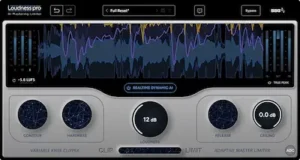
The difficult part of loudness processing is rarely finding a limiter that can make a track louder. The harder problem is deciding where that peak reduction should happen. The practical problem is that peak density is not constant across a song. A setting that behaves cleanly in a sparse verse can become the wrong compromise once the chorus or drop adds sustained low-frequency energy. A clipper can therefore remove peak energy efficiently, while a limiter handles the remaining level more gracefully. Push either stage too hard, though, and the tradeoff becomes audible as flattened transients, low-frequency distortion, or a loss of depth.
That tradeoff also changes from section to section. A verse with exposed vocals may need a different peak strategy from a dense chorus, while an EDM drop can present an entirely different combination of kick, sub-bass, and sustained energy. A fixed clipper-to-limiter balance is therefore always a compromise: it may be ideal for one part of the arrangement and less appropriate for another.
SSG Audio Loudness Pro is designed to address that problem by continuously adjusting the relationship between its clipping and limiting stages. Its Realtime Dynamic AI system works with a variable-knee clipper and adaptive limiter rather than treating the processing chain as a fixed set of parameters. In independent testing, this behavior has been associated with cleaner low-end handling and better preservation of transient definition at higher loudness levels.
The practical implication is more important than the AI terminology: Loudness Pro attempts to automate a decision that mastering engineers normally solve through careful parameter changes, automation, or a compromise setting. Whether that automation is actually better than manual control depends on the material, but the workflow problem it targets is legitimate.
How to Use Loudness Pro in a Mastering Chain
Loudness Pro belongs at the end of the dynamics section of a mastering chain, after the engineer has established the tonal balance and overall character of the master. Some of those decisions may begin much earlier in the signal path, including recording-stage gain, filtering, and analog processing before the audio reaches the DAW. Our Harrison Flex-10 review examines that front-end approach and the trade-off between committing processing early and keeping it reversible in the mix. Its job is narrower than a complete mastering suite: manage peak energy, distribute the workload between clipping and limiting, and push the finished signal toward the required loudness without making the final stage unnecessarily destructive. If you want to see how that final stage fits into the broader processing path, our mastering chain guide breaks down the role of each stage and why processing order matters.
The plugin can be operated manually, with control over clipping behavior, clip hardness, limiter release, ceiling, and the relationship between the clipping and limiting stages. In Realtime Dynamic AI mode, those parameters become part of an adaptive system. Instead of setting one clipper/limiter balance and leaving it unchanged, the processor continuously responds to the incoming signal while the engineer retains control over the overall Loudness target.
That changes the workflow more than the feature list suggests. With a conventional chain, an engineer may have to decide whether a transient should be clipped harder, whether the limiter should take more of the load, or whether a different release behavior is needed as the arrangement changes. Loudness Pro attempts to make those adjustments automatically, turning several low-level controls into a smaller number of higher-level decisions.
Consider a track with a sparse verse, a vocal-dense chorus, and a kick-heavy drop. A fixed clipper/limiter setup has to compromise between those sections. An adaptive processor can respond differently as the peak structure changes. The potential benefit is not simply more loudness; it is avoiding unnecessary limiting on sections that do not need it while shifting more peak reduction to the stage that can handle it with fewer audible consequences.
That makes Loudness Pro most useful when the mastering problem is changing peak behavior rather than simply insufficient level. If the existing chain already reaches the required loudness cleanly and consistently, there is less reason to replace it. The value appears when maintaining that result requires constant adjustment.
Hear What Professional Mastering Does to Your Mix
The right limiter can preserve a strong mix, but it cannot fix problems that are already built into the production. If you want to hear how a mastering engineer would approach your track, upload up to 35 seconds of your mix and get a free mastering demo. You can compare the processed result with your original before deciding whether a full master is justified.
Request your free mastering demo →
How Loudness Pro’s AI Works
The AI label matters less here than the job the system is actually performing. Loudness Pro uses the incoming signal to change the balance between clipping and limiting instead of leaving that balance fixed for the entire track.
SSG describes the system as a non-generative mathematical model related to human auditory perception rather than a model trained on a library of commercial masters. For the engineer, however, the more relevant point is operational: the analysis happens locally in real time inside the DAW rather than through a cloud service.
From a mastering perspective, the important distinction is the control layer. Clipping, limiting, release behavior, contour shaping, and True Peak management are all established techniques. Loudness Pro’s differentiator is the way its adaptive system can change the relationship between those processes as the incoming signal changes.
That is a meaningful workflow innovation even if it is not a fundamentally new form of dynamics processing. A conventional chain leaves the engineer with a fixed set of decisions unless those parameters are changed manually or automated in the DAW. Loudness Pro attempts to make those adjustments continuously, at a much finer timescale than practical manual automation would allow.
Whether that produces a better master is ultimately an output question. If the adaptive system preserves more transient definition or low-end stability at the same loudness, it has a practical advantage. If it simply arrives at a familiar result with fewer controls, the benefit is primarily convenience.
The most useful way to understand Loudness Pro is not to start with the word “AI,” but with the controls that the system is taking over. In manual mode, the plugin exposes a relatively small set of parameters that determine how much of the peak reduction is handled by clipping versus limiting.
| Control | What It Does | Why It Matters in Mastering |
|---|---|---|
| Loudness | Sets the overall amount of loudness processing. | Determines how aggressively the final stage is driven toward higher level. |
| Contour | Controls the spectral dynamics behavior before clipping. | Can influence how different frequency regions respond before peak reduction. |
| Hardness | Controls the clipper’s knee from softer to harder clipping behavior. | Changes the balance between transient retention, density and clipping character. |
| Release | Controls the limiter recovery behavior in manual operation. | Affects how quickly the limiter recovers after sustained gain reduction. |
| Ceiling | Sets the maximum output level, including True Peak operation when enabled. | Defines the final digital peak limit for delivery. |
| Mix | Controls the balance between clipping and limiting in manual mode. | This is the key parameter behind the plugin’s core design concept. |
| Realtime Dynamic AI | Continuously adjusts the relevant processing parameters in response to the incoming signal. | Reduces the need to automate or retune the clipper/limiter relationship throughout a track. |
| ADC | Automatically applies dithering when appropriate for 16-bit output. | Reduces the chance of treating dithering as an afterthought during final delivery. |
The important distinction is that Realtime Dynamic AI is not simply an automatic loudness button. Its purpose is to keep changing the internal relationship between clipping and limiting as the source changes. That is why the plugin can behave differently on a sparse vocal section, a dense chorus, and a kick-heavy drop without requiring the engineer to draw separate automation curves for every processing parameter.
In practical terms, the AI mode removes some of the low-level control that an experienced mastering engineer might normally use deliberately. That is both its advantage and its limitation. The workflow can require fewer parameter changes, but engineers who want complete manual control over clipping hardness, contour, release and clip/limit balance may still prefer a conventional chain.
How Loudness Pro Changes the Mastering Workflow
The clearest advantage of Loudness Pro is not that it can make a master louder. Established clippers and limiters can already do that. The potential gain is reducing the amount of parameter chasing required when the peak structure changes throughout a track.
Consider a master with a restrained verse, a vocal-heavy chorus, and a kick-and-808-driven drop. A fixed clipper/limiter chain has to be tuned for all three sections. The same principle starts earlier in the mix: vocal dynamics can change how hard the final limiter has to work, which is why streamlined vocal-processing workflows can matter downstream. Our Black Rooster Audio PS-VC1 review looks at that earlier-stage problem from the mixing side. If the clipper is doing too much work, sustained bass or vocals can expose the distortion. If the limiter carries too much of the load, short transients can lose impact. An engineer can solve those changes with automation or additional processing, but that adds decisions and revision time.
Loudness Pro approaches the problem at the processing level. Set the delivery ceiling, use Unity Gain for level-matched evaluation, select the adaptive mode, and establish the desired Loudness range. The system then handles the lower-level interaction between clipping and limiting while the engineer judges the result in context.
That can be useful during mastering revisions, where the limiting strategy often has to survive several different arrangements, edits, or loudness targets. Instead of rebuilding the clipper/limiter balance every time the peak profile changes, the engineer can spend more time evaluating the musical result and less time maintaining the processing chain.
The limitation is equally important: automation only saves time when its decisions are acceptable. If a particular section requires a deliberate amount of clipping, a specific transient contour, or a controlled amount of distortion, manual control remains faster than fighting an adaptive system. Loudness Pro is therefore most compelling when the repetitive part of the job is optimization rather than sound design.
Loudness Pro Manual vs AI: Which Mode Sounds Better?
Loudness Pro has two fundamentally different workflows. In manual mode, the engineer decides how clipping and limiting share the workload. In Realtime Dynamic AI mode, the plugin continuously makes those decisions from the incoming signal. The difference is therefore not simply between “automatic” and “manual” operation; it is between two different approaches to peak management.
| Workflow | Manual Mode | Realtime Dynamic AI |
|---|---|---|
| Clipper/Limiter Balance | Set by the engineer | Adjusted automatically |
| Release Behavior | Manually controlled | Adapted by the system |
| Hardness / Contour | Manually controlled | Adapted by the system |
| Section-to-Section Changes | Requires parameter changes or automation | Handled continuously |
| Precision of Creative Control | Higher | Lower |
| Workflow Speed | Slower on changing material | Faster on changing material |
| Best Use | Deliberate dynamics shaping | Fast adaptive peak management |
The practical advantage of AI mode becomes clearest when the peak structure changes repeatedly within the same track. A static setting can be excellent for one section and less appropriate for another. Manual automation can solve that problem, but the number of decisions increases quickly. Loudness Pro’s AI mode is designed to remove that repetitive optimization rather than remove the engineer from the mastering process.
For controlled coloration or highly deliberate transient shaping, however, manual operation remains useful. If the desired result depends on a specific amount of hard clipping, a particular release behavior, or a repeatable clipper/limiter balance, giving those decisions to an adaptive system may actually reduce control.
How Loudness Pro Should Be Evaluated
This review evaluates Loudness Pro from a mastering-engineering perspective rather than treating its maximum loudness as the primary performance metric. The important question is what happens to the musical signal while the processor is being pushed toward higher level.
The evaluation focuses on five areas: transient preservation, low-frequency stability, audible distortion, consistency as the arrangement changes, and the amount of manual intervention required to maintain the result. Comparisons should be made at matched output level wherever possible because an unlevelled loudness comparison can make the louder processor appear better even when its processing is less transparent.
| Test Area | What We Listen For |
|---|---|
| Transient Preservation | Kick and snare attack, vocal consonants and short peak events under increasing loudness. |
| Low-End Stability | Sub-bass distortion, kick definition, pumping and changes in perceived weight. |
| Midrange Clarity | Vocal presence, congestion and loss of openness as gain reduction increases. |
| Adaptive Behavior | Whether the processing remains appropriate when the arrangement moves between sparse and dense sections. |
| Level-Matched Comparison | Whether the sonic advantage remains after output level is matched. |
| Delivery Risk | True Peak behavior and potential problems introduced by aggressive clipping before final encoding. |
This approach deliberately avoids treating a higher LUFS reading as proof of better mastering. Loudness is a delivery characteristic; the quality of a limiter is determined by what happens to the signal while that loudness is achieved.
In practical use, the difference became most obvious when the same master was pushed beyond the point where a fixed clipper/limiter balance remained comfortable. With the manual balance left unchanged, increasing loudness made the low end the first thing I watched closely, particularly on sustained bass and kick-heavy sections. Switching to Realtime Dynamic AI changed the behavior rather than simply reducing more gain: the balance between clipping and limiting moved with the material, making the loudest sections easier to push without the same buildup of low-frequency stress.
The important part was not that the AI mode sounded “louder.” At matched output level, the more useful comparison was whether the kick attack, vocal presence and sustained bass remained stable as the arrangement became denser. That is where Loudness Pro’s adaptive approach proved more interesting than its headline AI label.
Independent Loudness Pro Tests and Listening Results
The most useful evidence so far comes from practical listening tests rather than laboratory measurements. That distinction matters because Loudness Pro’s main claim is behavioral: its adaptive system should make better clipping and limiting decisions as the program changes. The question is therefore not simply how loud it can get, but what happens to the mix while it gets there.
In its evaluation, Studio Magazin found that more aggressive manual settings could produce audible low-frequency distortion, while the Realtime Dynamic AI mode produced a more open result on the tested material, with clearer midrange and vocals and more stable low-end behavior. The review also found that the processor could maintain transient definition at high loudness levels. These are useful observations because they address the exact tradeoff Loudness Pro is designed to manage: how much peak energy can be removed before the master starts losing punch or accumulating distortion.
MixbusTV approached the plugin from a different angle, including a stress test and direct comparisons with FabFilter Pro-L 2 as well as manual and adaptive processing. That provides useful real-world context because the relevant question for an engineer is not whether Loudness Pro sounds good in isolation, but whether its adaptive approach offers an advantage over a limiter already trusted in professional workflows.
Neither test establishes universal superiority. There is still no substantial public body of blind ABX testing, standardized distortion measurements, aliasing analysis, or level-matched statistical comparison across a broad range of program material. The current evidence supports a narrower conclusion: Loudness Pro has demonstrated convincing behavior on demanding material, particularly where aggressive loudness processing creates a difficult balance between transient preservation and low-end control. Whether that advantage holds consistently against established mastering limiters remains something engineers need to verify on their own material.
Loudness Pro 1.1.104: What Changed in the Latest Version
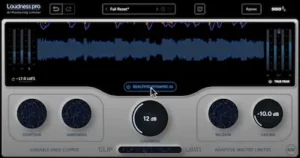 Loudness Pro 1.1.104 is the current version listed by SSG Audio. The update adds Unity Gain, Gain Reduction Readout, decimal Loudness values and corrected latency reporting across supported DAWs and sample rates, along with smaller workflow and stability fixes.
Unity Gain is the most important addition for critical evaluation. Loudness processors make level-matched comparison essential because a louder signal can sound more impressive even when the processing itself is not better. Automatic output compensation lets the engineer compare the processed and unprocessed signal at a more consistent level, making it easier to judge changes in punch, density, distortion, and low-end behavior rather than simply reacting to increased volume.
The new Gain Reduction Readout adds another useful reference point. It does not tell the engineer whether the processing sounds good, but it provides visibility into how hard the limiter is working. That becomes particularly useful when comparing different Loudness settings or checking whether a seemingly transparent result is being achieved with excessive dynamic reduction.
Version 1.1 also improves parameter resolution by displaying decimal values for the Loudness control and addresses incorrect latency reporting across supported DAWs and sample rates. The latter is particularly relevant in complex sessions where plugin delay compensation affects parallel routing, automation, or hardware inserts. SSG also lists additional parameter-reset improvements, optimizations, and bug fixes in the release history.
These changes do not alter the core concept of Loudness Pro, but they make the processor easier to evaluate and more predictable inside a professional DAW. For a mastering plugin, that is more important than adding another headline feature: reliable level matching, visible gain reduction, and accurate delay compensation directly affect how confidently an engineer can make processing decisions.
Loudness Pro vs. a Separate Clipper and Limiter Chain
The most relevant comparison is not another limiter. It is the conventional mastering workflow of using a dedicated clipper followed by a dedicated limiter. Loudness Pro is effectively trying to solve the same peak-management problem inside a single adaptive processor.
| Approach | Separate Clipper + Limiter | Loudness Pro |
|---|---|---|
| Peak Strategy | Engineer defines the division of work | AI continuously adjusts the division |
| Transient Control | Highly controllable | Adaptive |
| Low-End Management | Depends on detector and clipper settings | Adaptive processing is designed to respond to changing program material |
| Automation | Often useful on difficult material | Less parameter automation required |
| Creative Control | Maximum | More limited |
| Setup Time | Higher | Lower |
| Best Reason to Choose It | Precise, deliberate dynamics shaping | Fast adaptive loudness optimization |
The advantage of Loudness Pro is therefore not that it makes a clipper and limiter obsolete. A skilled engineer can still achieve excellent results with separate processors and may prefer that workflow. The advantage is that Loudness Pro can automate a difficult balancing act that otherwise has to be solved through parameter changes, automation, or compromise settings.
This distinction also explains why Loudness Pro is more interesting for dense electronic, hip-hop and modern pop material than for highly dynamic acoustic mastering. The more frequently the crest factor and transient structure change, the more useful adaptive peak management becomes.
SSG Audio Loudness Pro vs. Other Mastering Limiters
| Processor | Primary Strength | Control Philosophy | Clipping + Limiting Workflow | Best Fit |
|---|---|---|---|---|
| SSG Loudness Pro | Adaptive loudness optimization | High-level controls with automated parameter interaction | Integrated and adaptive | Engineers who want fast peak management with less parameter chasing |
| FabFilter Pro-L 2 | Deep control and versatile limiting | Highly manual | Separate clipping or external processing can be added as required | Engineers who want precise control over limiting behavior |
| DMG Audio Limitless | Advanced mastering dynamics | Highly configurable | Deep dynamics control rather than a simplified clipper/limiter workflow | Experienced mastering engineers working at a detailed level |
| iZotope Ozone Maximizer | Mastering integration and assisted processing | Manual controls combined with intelligent assistance | Part of a broader mastering environment | Producers and engineers who want an integrated mastering suite |
FabFilter Pro-L 2 remains a strong choice when the engineer wants detailed control over limiting behavior, multiple limiting styles, metering, channel linking, and oversampling. Its documentation exposes a much deeper set of parameters than Loudness Pro, which is an advantage when the desired result depends on deliberate, repeatable manual settings rather than adaptive processing.
DMG Audio Limitless takes the high-control approach even further. It is aimed at engineers who want to shape dynamics in considerable detail rather than reduce the number of decisions. For a mastering engineer who already has a defined approach to multistage loudness processing, that control can be more valuable than automation.
Ozone Maximizer makes sense for a different reason. It sits inside a broader mastering environment, so the value is not limited to the final limiter stage. Engineers who want EQ, dynamics, imaging, metering, and other mastering functions available within one ecosystem may have little reason to replace that workflow with a dedicated loudness processor.
Loudness Pro takes the opposite approach. Its strongest argument is not a larger feature set but a narrower problem definition: dynamically manage the interaction between clipping and limiting so the engineer does not have to maintain that balance manually throughout the track. That makes it particularly attractive when speed and consistency matter more than exhaustive parameter control.
For an engineer who already gets reliable results from Pro-L 2 or Limitless, Loudness Pro is therefore not an obvious replacement. Its case is stronger when the existing workflow involves frequent automation, repeated clipper/limiter adjustments, or compromises between transient preservation and sustained loudness.
When Should You Not Use Loudness Pro?
Loudness Pro makes the most sense when the engineering problem is optimizing peak reduction. When the goal is deliberate dynamic shaping or coloration, its adaptive approach can become a constraint rather than an advantage.
An experienced mastering engineer may already know exactly how a track should be clipped and limited. A particular kick might be intentionally allowed to develop a small amount of harmonic edge, a vocal transient may need to remain untouched, or a chorus may be deliberately pushed into a denser, more compressed texture. Those are artistic and technical decisions that depend on context. An adaptive processor can optimize its own parameters, but it cannot replace an engineer’s decision about which compromises are musically desirable.
The same limitation applies to material where loudness is not the primary objective. Classical recordings, acoustic music, film scores, and other dynamic productions often benefit more from preserving natural crest factor than from maximizing level. In those cases, a highly configurable limiter—or very little limiting at all—may be the more appropriate choice.
Loudness Pro also does not remove the need for proper mastering QC. The processor can control peaks and loudness, but it cannot tell you whether the mix is already too dense in the low end, whether a vocal is being masked, whether a reference master translates better at matched level, or whether aggressive clipping creates problems after lossy encoding. Those decisions still require accurate monitoring, level-matched references, loudness measurement, and codec-aware checking.
That is the dividing line between Loudness Pro and a general-purpose mastering limiter: it is strongest when automation removes repetitive optimization, and less compelling when the engineer needs the processing itself to become part of the creative decision.
Loudness Pro Stress Test: Transients, Low End and Loudness
A limiter earns its place in a mastering chain when the mix still holds together after the processor is pushed hard enough to expose its weaknesses. Peak reduction that looks impressive on a loudness meter is not useful if the kick loses definition, the low end becomes unstable, or vocal transients start sounding pinned to the mix.
Dense electronic material is a good stress test because kick and sustained sub-bass compete for the same headroom. If the limiter spends too much of its time reacting to the low end, increasing loudness can make the master feel smaller rather than bigger. Hip-hop exposes a similar problem through 808 sustain and vocal consonants, while pop reveals whether the vocal remains forward once the chorus reaches its highest density. On rock material, the snare and other short transients are useful indicators of whether continuous gain reduction is eroding the mix’s attack.
These checks are more revealing than comparing which processor reaches a particular LUFS value first. Two limiters can hit the same integrated loudness while producing very different crest factors, transient shapes, low-frequency behavior, and perceived density. Loudness is a delivery metric; it is not a description of the processing quality. For a deeper explanation of how LUFS should be interpreted during mastering—and where the number stops telling you what you actually need to hear—see our LUFS mastering guide.
Codec conversion adds another layer of risk. Aggressive clipping changes the waveform and can introduce additional high-frequency energy that becomes more obvious after lossy encoding. True Peak limiting helps control intersample peak levels, but it does not guarantee transparent codec behavior when the source has already been heavily clipped or limited. The finished master still needs to be checked through the relevant delivery codec when that translation matters.
Streaming normalization makes the distinction even more important. A louder master may simply be attenuated during playback, removing much of the practical advantage of additional level while leaving any distortion or loss of dynamics intact. Our mastering guide for streaming platforms looks at what happens to a master after upload and normalization, including the translation problems that a loudness meter cannot predict. For Loudness Pro, the more meaningful target is therefore not maximum LUFS but the highest useful loudness the mix can sustain without sacrificing the characteristics that make it work.
Loudness Pro Latency, CPU Usage and DAW Compatibility
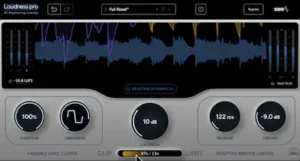 There is not yet enough independent benchmark data to put a reliable CPU figure on Loudness Pro or compare its processor load directly with Pro-L 2, Limitless, or other mastering limiters. The available evidence also does not establish a meaningful advantage in RAM use or offline rendering speed. Those are useful measurements for large sessions, but they should not be inferred from the plugin’s adaptive or AI-based architecture.
The more relevant documented issue is latency. SSG’s version 1.1 release addressed incorrect latency reporting across supported DAWs and sample rates, which matters because accurate plugin delay compensation is part of a predictable production environment. In a mastering chain, where the plugin normally sits on the final stereo path, latency is rarely a deciding factor. In a mix session with parallel routing, automation, or hardware inserts, accurate reporting becomes more important.
That also defines where Loudness Pro fits operationally. It is a sensible processor for mixing and mastering workflows where final-stage loudness is being evaluated inside the DAW, but it is not a tracking-oriented dynamics tool. Engineers monitoring performers through a low-latency path have little reason to put a mastering limiter with adaptive analysis in that signal path when simpler, lower-latency processing is available.
For large projects, test the plugin at the sample rate and buffer configuration used by the session rather than assuming its CPU behavior from the feature set. Until independent benchmarks are available, Loudness Pro’s strongest documented workflow advantage is adaptive peak management—not unusually low CPU usage.
Who Is Loudness Pro For?
Self-mastering producers are the most obvious fit. The plugin is aimed at a problem that sits directly between technical knowledge and repetitive parameter work: getting a dense mix to its target loudness without constantly retuning the clipper and limiter. For producers who understand gain staging and dynamics but do not want to spend every revision chasing limiter settings, that can be a meaningful workflow improvement.
Mixing engineers can use Loudness Pro on a mix bus or pre-master to evaluate how the production responds to final-stage peak reduction. It is particularly useful when the mix needs to survive a loudness-oriented mastering process without revealing problems in the kick, bass, or vocal transients.
Electronic and hip-hop producers have a particularly strong reason to test it. Kick-and-sub relationships, sustained 808s, and dense drops create rapidly changing peak structures that expose the limitations of a fixed clipper/limiter balance. That does not guarantee better results, but it gives the adaptive approach a technically relevant problem to solve.
Mastering engineers are a more demanding audience. An experienced engineer who already has a reliable clipper/limiter workflow may gain little from reducing parameter control. The worthwhile test is whether Loudness Pro produces a cleaner or faster result on difficult material that already requires automation or repeated adjustments.
Professional studios should evaluate it as a specialist addition rather than a replacement for an established mastering chain. Its value is highest when the studio regularly handles loud, dynamically complex material and wants another way to approach the final peak-management stage.
For conservative mastering, highly dynamic acoustic work, or engineers who deliberately shape limiter behavior by hand, the benefit is considerably smaller.
Loudness Pro Price, Trial and Value
Loudness Pro launched at an introductory price of $74 against a regular price of $150. The current purchase price should be checked with SSG Audio before buying because software promotions can change. The product is sold as a lifetime license rather than a recurring subscription.
SSG Audio also provides a free trial. The current trial inserts five seconds of silence every 60 seconds until the plugin is activated with a valid license, making it possible to evaluate the processor on your own material before purchasing.
For a mastering engineer, the most useful way to evaluate the trial is not to put Loudness Pro on an already easy mix. Use material that has previously exposed weaknesses in your existing loudness chain: sustained sub-bass, aggressive kick transients, dense vocal sections, or masters where achieving another 1–2 dB of level normally requires additional automation.
At the regular $150 price, Loudness Pro has to justify itself against established mastering limiters and clipper-plus-limiter workflows. Its strongest commercial argument is therefore workflow efficiency. If the adaptive system repeatedly produces an acceptable result with less manual intervention, the plugin can save engineering time. If your existing chain already reaches the required loudness cleanly and consistently, the case for purchasing another limiter is considerably weaker.
SSG Audio Loudness Pro Pros and Cons
| Pros | Cons |
|---|---|
| Adaptive clipper/limiter balance | Less manual control than a traditional mastering chain |
| Strong transient preservation at high loudness | Not automatically better than an established limiter |
| Useful low-end behavior on dense material | Limited independent benchmark data |
| Reduced parameter management | AI mode can reduce deliberate creative control |
| True Peak support and Auto Dither Control | Value depends heavily on existing limiter workflow |
| Free trial available | Full $150 price makes comparison with established limiters more important |
SSG Audio Loudness Pro Rating
| Category | Rating |
|---|---|
| Peak Management | 9.2/10 |
| Transient Preservation | 9.0/10 |
| Low-End Control | 9.0/10 |
| Adaptive Workflow | 9.4/10 |
| Manual Control | 8.0/10 |
| Translation & QC | 8.7/10 |
| Value for Money | 8.5/10 |
| Overall | 8.8/10 |
Peak Management — 9.2/10: Loudness Pro’s strongest technical area is the way it distributes peak reduction between clipping and limiting. The adaptive approach is particularly convincing when the transient structure changes throughout a track, although it is not automatically superior to a carefully tuned conventional chain.
Transient Preservation — 9.0/10: Independent listening tests indicate that the processor can maintain punch and definition at aggressive loudness levels. The result is most convincing on dense material where conventional limiting can begin to flatten short transients.
Low-End Control — 9.0/10: The adaptive processing shows a useful ability to prevent sustained bass energy from forcing the limiter into excessive gain reduction. This is a meaningful advantage on kick-heavy electronic material and mixes with sustained sub-bass or 808s.
Adaptive Workflow — 9.4/10: This is the plugin’s defining strength. Loudness Pro addresses a repetitive mastering task that would otherwise require parameter changes or automation. The benefit is not simply speed; it is the ability to maintain a more consistent peak-management strategy as the program material changes.
Manual Control — 8.0/10: The plugin provides meaningful control over clipping and limiting, but its design intentionally moves some decisions away from the engineer. That is an advantage for speed, but a limitation for mastering engineers who want extremely precise, repeatable control over every stage of the dynamics process.
Translation & QC — 8.7/10: Loudness Pro provides useful tools for level-matched evaluation and True Peak control, but the plugin cannot replace final mastering QC. Codec behavior, streaming normalization, tonal balance, and mix translation still have to be evaluated outside the processor.
Value for Money — 8.5/10: The value is strongest for engineers who regularly spend time retuning clipper/limiter chains or automating peak control. For users who already achieve reliable results with an established limiter, Loudness Pro is a compelling alternative to audition rather than an essential replacement.
Overall — 8.8/10: Loudness Pro is a strong specialist processor built around a genuinely useful mastering workflow idea. Its adaptive clipping and limiting can produce convincing results on difficult material, but the evidence does not yet justify treating it as a universal replacement for established mastering limiters. Its biggest advantage is not maximum loudness—it is reducing the amount of manual optimization required to achieve controlled loudness without unnecessarily sacrificing transient impact or low-end stability.
SSG Audio Loudness Pro Verdict: A Useful Specialist, Not a Universal Limiter
SSG Audio Loudness Pro solves a real mastering problem: the optimal balance between clipping and limiting can change repeatedly within the same track, while a conventional chain often leaves the engineer with a fixed compromise or requires manual automation. Its adaptive system is designed to handle that interaction continuously.
That approach has produced credible results in independent listening tests, particularly on dense material where low-end stability and transient preservation become difficult as loudness increases. The current version also addresses several practical workflow concerns, including level-matched evaluation through Unity Gain, visible gain reduction, and corrected latency reporting.
It is not, however, a replacement for every mastering limiter. Pro-L 2, Limitless, Ozone, and other established processors still make more sense when the engineer needs extensive manual control or an integrated mastering environment. Loudness Pro’s advantage is narrower: it reduces the amount of manual optimization required between clipping and limiting.
At the regular $150 price, the decision comes down to workflow. If your current limiter already delivers the results you want with minimal intervention, Loudness Pro is a useful alternative to audition rather than an essential upgrade. If you regularly automate or retune a clipper/limiter chain to keep kick, bass, vocals, and transients under control, the adaptive workflow is much easier to justify.
Verdict: Loudness Pro is a serious specialist mastering processor with a genuinely useful workflow concept. Its “AI” branding is less important than the adaptive control underneath it. The plugin does not eliminate mastering judgment, and it has not yet accumulated enough independent measurement data to displace the established leaders outright. What it does offer is a faster way to manage a difficult part of loudness processing—and for the right material, that is enough to earn a place in a professional toolkit.
Your Limiter Is Only One Part of the Master
A sophisticated limiter can control peaks, but it cannot decide whether the mix actually translates, whether the low end is masking the vocal, or whether pushing another dB is improving the record or damaging it. Those decisions require critical listening, accurate monitoring, and an engineer who can separate a processing problem from a mix problem.
If you want to hear what a dedicated mastering pass can change in your own track, upload up to 35 seconds of your mix and receive a free mastering demo prepared by a real mastering engineer. Compare it with your original at matched level and judge the difference for yourself.
Hear Your Free Mastering Demo →
SSG Audio Loudness Pro FAQ
Does Loudness Pro work with a conventional mastering chain?
Yes. It can be inserted after tonal and dynamic processing as the final peak-management stage. It does not require an all-in-one mastering workflow, so an engineer can continue using separate EQ, compression, saturation, imaging, and metering tools.
Can Loudness Pro be automated in a DAW?
Yes. The plugin can still be automated at the DAW level, which is useful when an engineer wants a deliberate change in overall loudness or processing behavior between sections. The adaptive mode is intended to reduce the need for manual automation of the underlying clipper/limiter parameters.
Does Loudness Pro need an internet connection to process audio?
No. SSG describes the processing as local and real-time rather than cloud-based. Audio does not need to be uploaded to a remote service for the adaptive processing to operate.
Does Loudness Pro support True Peak limiting?
Yes. True Peak operation is available for final-stage digital mastering, but it should not be treated as a guarantee against all codec-related distortion. Heavily clipped material can still produce problems after lossy encoding.
How should Loudness Pro be level-matched when comparing it with another limiter?
Use Unity Gain or otherwise match the output levels before making sonic judgments. Comparing a louder processed signal against a quieter one can make differences in punch, density, and clarity difficult to evaluate reliably.
Is Loudness Pro suitable for mastering 24-bit or high-resolution audio?
It is designed for modern DAW-based mastering workflows, but the appropriate session format, sample rate, and final delivery settings should be determined by the project and delivery specification rather than by the limiter itself.
Can Loudness Pro replace a clipper and limiter used as separate plugins?
In some workflows, yes. Its architecture combines clipping and limiting and can dynamically distribute peak reduction between them. Engineers who need independent processors with separate signal paths or highly specific manual control may still prefer a multi-plugin chain.
Is Loudness Pro useful below aggressive streaming loudness targets?
Yes, but the benefit depends on the material. If a master already reaches its delivery target without audible limiting problems, the adaptive processing may offer little advantage. Its strongest case is material where additional peak reduction normally forces a compromise between loudness, punch, and low-end stability.
Is the Loudness Pro trial useful for deciding whether it is better than another limiter?
Yes. The most meaningful test is to use difficult material from your own catalog, level-match Loudness Pro against your existing limiter, and compare the kick, bass, vocals, transients, and encoded result at the same perceived loudness. A short trial on an easy mix tells you much less.
How much does SSG Audio Loudness Pro cost?
Loudness Pro launched at $74 during its introductory period, with a regular price of $150. Check the current SSG Audio store price before purchasing because promotions can change.
Is there a free trial of Loudness Pro?
Yes. SSG Audio provides a free trial. The current trial inserts five seconds of silence every 60 seconds until the plugin is activated with a valid license.
What DAWs does Loudness Pro support?
Loudness Pro is available as AU, VST2, VST3 and AAX 64-bit formats for supported macOS and Windows systems, so compatibility depends primarily on the DAW and plugin format being used.
What is the current version of Loudness Pro?
The current SSG Audio version history lists Loudness Pro 1.1.104. This release added Unity Gain and Gain Reduction Readout and corrected latency reporting across supported DAWs and sample rates.
Is Loudness Pro better than FabFilter Pro-L 2?
Not universally. Pro-L 2 offers substantially more manual control, while Loudness Pro is designed around adaptive clipping and limiting with less parameter management. The better choice depends on whether the workflow benefits more from detailed control or automatic peak optimization.
Is Loudness Pro good for mastering?
Yes, particularly as a final-stage loudness processor for material where peak structure changes significantly throughout the track. Its strongest use case is competitive loudness with less manual adjustment, rather than highly creative dynamics shaping.
Is Loudness Pro worth buying?
It is most compelling for engineers who regularly retune or automate a clipper/limiter chain. If an existing limiter already produces the required result with minimal intervention, Loudness Pro is better treated as an alternative to audition than an essential replacement.

Yurii Ariefiev evaluates mastering processors from an engineering perspective, focusing on how clipping, limiting, transient control, low-end behavior, and loudness management affect the finished master in real-world production.
At AREFYEV STUDIO, plugin reviews go beyond feature lists and loudness numbers. The focus is on what the processing actually changes: whether a limiter preserves punch, how aggressively it handles peaks, and whether the result remains balanced and reliable across real mastering and delivery workflows.
☕ Buy me a coffee