
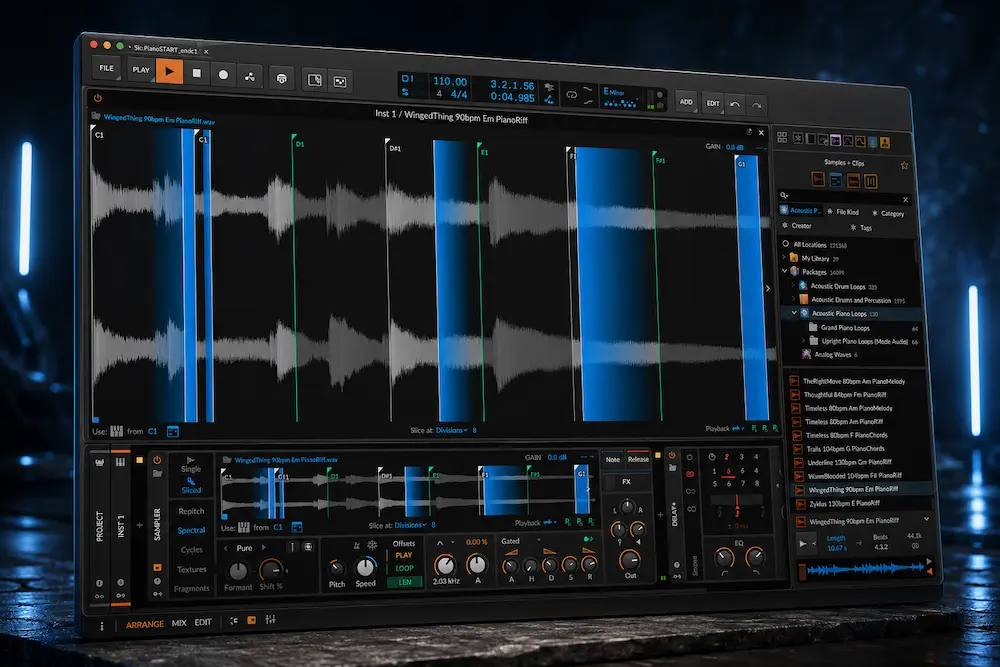
Bitwig Studio 6.1 turns Sampler into a much more complete production instrument. The update adds dedicated slicing, automatic pitch analysis, Spectral time-stretching, Fragments granular playback and a more capable multisample workflow, but the feature count is not what matters most here.
What matters in practice is how quickly a sample becomes usable. A drum loop can go from audio to playable slices without rebuilding it in another device, a moving vocal can be analyzed without forcing a single root note onto the whole recording, and a stretched sample can stay editable instead of being printed and re-imported.
That does not make Sampler 6.1 the best sampler for every job. Kontakt is still a different tool for large sample libraries, Ableton has a mature chopping workflow, and dedicated granular instruments can go deeper. The interesting change is narrower: Bitwig has removed much of the friction that previously made ordinary sample manipulation feel less direct than the rest of the DAW.
Bitwig Studio 6.1 Review at a Glance
| Category | Our Take |
|---|---|
| Best improvement | Sliced Sampler and the reduction of repetitive sample-editing steps |
| Most important new engine | Spectral for integrated time-stretching and pitch manipulation |
| Most creative addition | Fragments granular playback with up to 256 grains per voice |
| Best for | Bitwig users who regularly chop, stretch, pitch or resynthesize samples |
| Biggest limitation | No dedicated record-directly-into-Sampler workflow, and no single stretching mode is ideal for every source |
| Best reason to upgrade | Less workflow friction when sample manipulation is a regular part of production |
| Overall rating | 8.9/10 |
Our main finding: the Sliced Sampler is the part of 6.1 that changes everyday work most often. Spectral and Fragments are more technically interesting, but slicing removes a repetitive production step that comes up constantly when working with loops, vocals and recorded material.
Why Bitwig Sampler 6.1 Matters in a Production Workflow
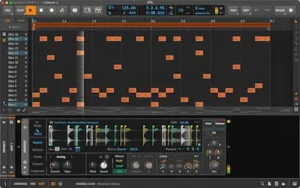 Bitwig has long been strong at modulation, sound design and unconventional audio routing, but its native Sampler was less efficient for straightforward sample manipulation. Chopping a loop, building a playable instrument from multiple regions or preparing samples for rhythmic performance often meant moving between clips, Drum Machine and other devices rather than staying inside one sampling workflow.
Sampler 6.1 closes much of that gap. A sample can now be treated as a conventional instrument, a multisample or a sliced instrument, while the same device provides dedicated Spectral and Fragments playback modes. Slices can be generated from fixed divisions, beats, detected onsets or pitch changes, then refined manually when the automatic analysis is not enough.
The practical difference is the number of steps between source audio and a usable instrument. A drum break can be sliced and played from MIDI without first rebuilding it elsewhere in the project. A pitched recording can be analyzed instead of relying on a manually assigned root note. A loop can be stretched or broken into grains without routing it through another instrument. Multiple samples can be turned into a playable multisample setup without manually constructing every zone.
That distinction is important when evaluating the update. The strongest case for Sampler 6.1 is workflow efficiency, not a blanket claim of better sound. The quality of the result still depends on the playback algorithm, source material and the amount of processing applied.
What Changed in Bitwig Sampler 6.1
Bitwig 6.1 changes the Sampler at both the playback and workflow levels. The practical difference is easiest to understand by separating the new engines from the workflow improvements around them.
| Sampler Area | Bitwig 6.1 Change |
|---|---|
| Slicing | New Sliced Sampler with Divisions, Beats, Onsets, Pitch and Manual slicing |
| Pitch analysis | Automatic pitch detection and Analyzed Root Key tracking |
| Time-stretching | New Spectral mode with transient preservation, harmonic and formant processing |
| Granular playback | New Fragments mode with up to 256 grains per voice |
| Repitch | New Analog and Digital character options |
| Cycles | Expanded sample-based synthesis, harmonic control, phase modulation and Duophonic operation |
| Multisampling | Faster round-robin and layered creation, improved zone editing and Live Select Updating |
| Sampler processing | New Bell filter and expanded modulation and playback options |
| Analysis | New Tuner and expanded Sampler analysis integration with The Grid |
The important point is that 6.1 is not simply a new playback engine added to an old sampler. Bitwig has expanded the Sampler into a broader sample-analysis, performance and sound-design environment, with several of the new functions sharing the same modulation and editing architecture.
Bitwig also changes the way samples enter the device. Samples can now be dragged directly into a new Sampler device with different preset configurations, reducing another small but recurring piece of setup work.
Hear What Your Mix Can Become
Once the production is finished, the final mix still determines how much detail, punch and balance can survive the mastering stage. If you want to hear where your track can go without guessing from meters or specifications, upload up to 35 seconds of your mix and receive a free mastering demo. You can compare the result with your original before deciding whether a full mastering project makes sense.
Request your free mastering demo →
Bitwig Sampler Slicing: The Biggest Workflow Gain in 6.1
The new Sliced Sampler is more important to everyday production than either Spectral or Fragments. Slicing is a routine task, and 6.1 removes several steps that previously made sample chopping less direct in Bitwig.
A sample can be divided by fixed divisions, beats, detected onsets or pitch changes, or sliced manually. The resulting regions can be played from MIDI or the piano roll and edited afterward, so automatic detection serves as a starting point rather than locking the user into the algorithm’s decisions.
That is particularly useful for drum breaks, vocal phrases and rhythmic loops. Instead of turning a clip into a set of separate audio events and then building an instrument around them, the sample can go directly into a playable Sliced Sampler. Playback, looping and modulation remain part of the same instrument rather than becoming separate editing tasks.
The useful difference is that slicing does not end the workflow. The slices remain inside Sampler, so their playback, looping and modulation can still be changed after the initial detection. If the automatic cut is wrong, the edit does not have to be rebuilt from scratch.
For occasional sample work, the difference is modest. For a producer who chops material throughout a session, it removes enough repetitive setup to become a meaningful production-speed improvement.
The deeper advantage is that Bitwig does not treat slicing as a one-time render operation. The five slicing methods — Divisions, Beats, Onsets, Pitch and Manual — provide different starting points for the same instrument workflow. Divisions are useful when fixed rhythmic grids are required, Beats follow the detected tempo, Onsets are better suited to transient-rich material, Pitch can separate material according to detected pitch changes, and Manual mode gives direct control when automatic analysis is not enough.
The sliced result remains editable inside Sampler. Individual slices can be triggered, looped and modulated, while the Select parameter provides another way to control which sample material is active. This makes a chopped vocal, drum break or melodic phrase behave more like a playable instrument than a collection of separate audio clips.
This is where Sampler 6.1 moves beyond basic sample chopping. The slicing engine is not only an editing convenience; it turns a single recording into a structured performance and modulation source.
Bitwig Spectral Time-Stretching: What the New DSP Actually Changes
Spectral is the most technically significant addition to the 6.1 Sampler. Unlike a visual redesign or another convenience feature, it introduces a dedicated playback engine for changing a sample’s duration while giving the user more control over what happens to its transients and harmonic content.
The important control for production work is Preserve Onsets. Time-stretching a drum loop is not simply a matter of making the audio longer or shorter. The algorithm has to redistribute time without turning kicks, snares and other attacks into smeared or softened events. Preserve Onsets reduces processing around detected transients so the rhythmic definition of the original material can survive more aggressive stretching.
That makes Spectral particularly relevant to drum loops, percussion and other transient-heavy material. On sustained sounds, the priorities change: artifacts, harmonic stability, phase behavior and the natural movement of the source become more important than preserving individual attacks. Spectral also provides controls for harmonic and formant manipulation, moving it beyond straightforward tempo matching into deliberate sound design.
The important distinction is therefore not that Bitwig invented a new class of time-stretching. It did not. The useful change is having a dedicated stretching mode directly inside Sampler, with access to Preserve Onsets, formant processing and harmonic manipulation without moving the source into another device.
For that reason, Spectral should be treated as a serious new option rather than an automatic replacement for every existing stretching algorithm. Its real value is that Bitwig now has a purpose-built time-stretching engine available directly inside Sampler, where stretching can be combined with slicing, pitch analysis, granular processing and modulation without leaving the instrument.
Bitwig Fragments: A Granular Sampler Built Into the Workflow
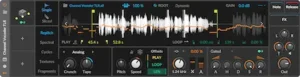 Fragments adds a dedicated granular playback engine to Bitwig Sampler. It can generate up to 256 grains per voice, with control over each grain’s playback rate, direction, position and size. That gives the Sampler a substantially different way to treat the same source material.
The granular technology itself is not particularly novel. Granular synthesis has been available in dedicated instruments for decades, and some specialized tools still offer deeper control. Fragments’ advantage is architectural: it sits alongside conventional playback, slicing, Spectral and the rest of Sampler rather than requiring a separate instrument.
That changes the workflow more than the synthesis concept. A vocal phrase can be sliced, pitched, stretched and then pushed into granular playback without moving the source through several devices. The same approach works with percussion, field recordings, sustained instruments and rhythmic loops. Because Fragments remains inside Bitwig’s modulation environment, grain position, size and playback behavior can also become part of a larger modulation system.
The 256-grain ceiling matters mainly when building dense textures. In normal musical use, the more important controls are grain size, density, position and motion, because those determine whether a source stays recognizable or turns into a continuous texture.
In practical production, the useful applications are broader than conventional granular effects. A vocal can be turned into an evolving pad, a drum loop can become a rhythmic texture, and a sustained instrument can be transformed into a moving layer whose grain position follows modulation rather than the original performance. Grain direction, playback rate, position and size can all contribute to the result, while the surrounding Bitwig modulation system keeps those movements editable.
For electronic production and sound design, Fragments is therefore a meaningful addition. It is not a new category of synthesis, and it does not eliminate specialized granular instruments. Its strength is turning granular processing into another stage of the same Sampler workflow.
Bitwig Sampler Pitch Analysis: Less Manual Key Mapping
Bitwig 6.1 adds automatic pitch analysis to Sampler, reducing the need to determine and enter a sample’s root note manually. After analyzing the loaded material, Sampler can use the detected pitch to track incoming MIDI notes across its playback modes.
This is most useful with individual musical recordings that do not arrive as neatly prepared multisamples. A bass note, guitar recording or vocal phrase can be loaded and mapped without first working out its fundamental pitch by ear or with a separate tuner. For material with a stable fundamental, that can remove a small but recurring piece of setup work.
The benefit becomes more interesting when the source contains pitch movement. A static root-note assignment describes only one reference point; pitch analysis can provide information about the actual content of the recording. That makes the feature useful for melodic samples, pitched phrases and other material where the relationship between the source and played MIDI notes needs to be more dynamic.
There is a limit, however. Pitch detection is a mature technology, and automatic analysis is not inherently more accurate than every manual decision. Complex chords, noisy recordings, strong overtones and sources with ambiguous fundamentals can produce results that still need to be checked. The feature should therefore be treated as a fast analysis and mapping tool, not as an infallible pitch-tracking system.
The useful part is the integration. Once the pitch has been analyzed, Sampler can use that information for tracking instead of forcing the whole recording into one manually chosen root note. That is a small feature on paper, but it removes a repetitive step when working with pitched recordings.
Bitwig Repitch and Cycles: From Sample Playback to Sound Shaping
Bitwig also extends two existing Sampler playback modes, but the changes are not equally significant.
Repitch gains Analog and Digital character options. Analog adds saturation and tape-like coloration, while Digital is intended to evoke the behavior and tonal character of older digital samplers. These modes are useful when the goal is to make pitch-shifted material less clinical, but they should be treated as creative coloration rather than exact recreations of a particular piece of vintage hardware.
The more substantial change is in Cycles. Sampler can now use sample-derived material as the basis for synthesis-oriented manipulation, including pulse-width control, separate treatment of odd and even harmonics, and phase modulation. With Freeze enabled, the sample can function more like a fixed oscillator source, turning the Sampler from a playback device into a source for sustained synthesis.
Duophonic operation adds another layer by crossfading between two Cycles engines. That makes it possible to build smoother transitions and more complex timbral movement without creating a second instrument and managing the crossfade externally.
In practice, this makes Cycles useful for a different class of sound-design task: taking recorded material and treating it as oscillator material rather than as a sample that needs to remain recognizable. That is a more meaningful change than the individual synthesis controls suggest.
Bitwig Sampler Multisampling: Faster Zone Creation and Control
Multisampling gets a less flashy but highly practical upgrade in Bitwig 6.1. The main improvement is not the sound engine itself; it is the amount of manual zone management the workflow removes.
Dragging multiple samples into Sampler can now create a round-robin instrument, while a modifier can be used to layer the samples and tune them automatically. Zones can be muted or soloed during editing, and multiple selected zones can be adjusted together through the Histogram instead of being edited one at a time.
That becomes particularly useful when building playable instruments from recorded material. A collection of velocity layers, alternate articulations or repeated recordings can be organized inside Sampler with considerably less repetitive mapping work. For composers and sound designers, this is a more meaningful improvement than the interface refinements elsewhere in the device.
Live Select Updating pushes the workflow further. Sample selection can respond to pressure, modulators and other control sources, allowing the instrument to move between samples dynamically rather than treating each zone as a fixed mapping. This makes multisampling part of Bitwig’s modulation system instead of a separate preparation stage.
The result is not a new approach to multisampling, but a more efficient one. Bitwig is reducing the amount of administrative work required to turn a folder of recordings into a playable, dynamically controlled instrument.
Bitwig Sampler 6.1: Real-World Workflows I Would Actually Use
Drum loop to playable rhythm instrument. I found the Sliced Sampler most useful when the automatic detection was treated as the first pass rather than the finished edit. On a drum loop, Onsets gives a usable starting point quickly, but I still expect to move a few slice boundaries manually before playing the result from MIDI. That is a much better workflow than rebuilding the same material from separate audio events.
Vocal phrase to evolving texture. Fragments becomes more interesting once the source stops being treated as a conventional sample. A vocal phrase can remain recognizable at low grain density, then become a completely different texture as grain position, size and playback direction are modulated. The important part is that this happens without exporting the intermediate sound to another device.
Tempo-changing sample. Spectral is most convincing when the source gives it enough material to work with. Long loops and sustained material give the algorithm more room to preserve the character of the source; short one-shots are much less forgiving. Preserve Onsets is particularly useful on rhythmic material, but I would not assume the same setting is appropriate for a vocal or sustained instrument.
Pitch-changing material. The new pitch analysis is more useful on material whose pitch actually moves than on a simple sustained note. Instead of assigning one root note to the entire recording, the analyzed pitch can follow the source as it changes. That is a workflow improvement I would notice immediately when turning recorded phrases into playable material.
These tests changed my view of the update more than the feature list did. The Sampler is most valuable when several operations are needed on the same source, because the source can stay inside one device while the production task changes from slicing to pitching, stretching or granular processing.
Where Bitwig Sampler 6.1 Still Falls Short
Sampler 6.1 fixes several longstanding workflow limitations, but it does not make every sampling task equally strong. The biggest caveats appear when moving from creative sample manipulation to conventional pitch-shifting and stretching, where the best algorithm depends heavily on the source material.
Short one-shots are a harder test for any stretching or transposition algorithm because there is very little material between the initial transient and the end of the sound. A kick, a sustained pad, a vocal phrase and a rhythmic loop therefore should not be judged with the same expectations.
Spectral gives Bitwig a serious new option for time manipulation, but it should not be treated as a universal replacement for every established stretching algorithm. A mode optimized for transient preservation can make an excellent choice for drums while a different approach may produce a more natural result on a sustained instrument or a short pitched sample. The practical test is always the source material, not the feature name. In our assessment, the relevant question is not whether Spectral can produce an impressive isolated stretch, but whether the processed sound still behaves correctly inside the arrangement.
For drum loops, transient preservation is the first priority. For vocals and sustained instruments, harmonic stability, formant behaviour and natural movement become more important. Short one-shots are a different case again because their transient and decay structure gives the algorithm much less material to work with. A mode that performs extremely well on a long rhythmic loop is therefore not automatically the best choice for every sample.
There is also a workflow limitation that remains unchanged: Sampler does not provide a dedicated hardware-style record-directly-into-the-instrument workflow. Audio still has to be recorded or captured in Bitwig and then loaded into Sampler. That is inconsequential for a clip-based DAW workflow, but it matters to producers accustomed to the immediate sampling experience of hardware instruments and MPC-style workflows.
Finally, the expanded Sampler does not eliminate specialized sampling tools. Kontakt remains better suited to large sample libraries and complex instrument programming, while dedicated granular instruments can offer deeper control over highly specialized granular techniques. Ableton’s sampling workflow also remains a strong alternative for producers who already work efficiently with Simpler and Sampler.
Bitwig’s achievement in 6.1 is therefore more specific: it closes a significant gap in native sample manipulation and sound design without pretending to replace every specialized sampling environment.
Bitwig Sampler 6.1 vs Ableton, Kontakt and Dedicated Sampling Tools
Bitwig Sampler 6.1 is now competitive with established samplers, but the comparison depends on what the instrument is expected to do. Bitwig’s strongest case is the combination of sample manipulation, modulation and sound design inside one DAW. It is not automatically the best choice for large sample libraries, hardware-style sampling or every conventional playback task.
| Tool | Best For | Where Bitwig 6.1 Has an Edge | Where the Alternative Still Wins |
|---|---|---|---|
| Bitwig Sampler 6.1 | Sample manipulation, sound design and modulation | Slicing, Spectral, Fragments, pitch analysis and multisampling are integrated into the same instrument | Some conventional sampling workflows remain less specialized |
| Ableton Simpler / Sampler | Fast sample chopping, playback and performance | Deeper combination of sample playback with Bitwig’s modulation and sound-design architecture | A mature, highly established workflow for conventional sample manipulation |
| Kontakt | Large sampled instruments and complex sample-library programming | Faster for manipulating ordinary production samples directly inside Bitwig | A far larger ecosystem of commercial instruments and specialized sample libraries |
| Dedicated granular instruments | Specialized granular synthesis and detailed grain control | Granular playback is available directly alongside slicing, stretching and Sampler modulation | Dedicated instruments may provide deeper granular architecture and specialized controls |
| Hardware samplers | Hands-on sampling, performance and immediate audio capture | Project recall, DAW integration and deeper software modulation | Direct sampling, tactile control and hardware-specific workflow and character |
Bitwig’s advantage is most obvious when several sampling tasks happen in the same session. The same source can be sliced, pitch-analyzed, stretched or moved into granular playback without rebuilding the instrument around each operation.
That advantage matters most to existing Bitwig users. If your current DAW already provides a fast sampling workflow through Simpler, Sampler, Kontakt or dedicated instruments, Bitwig 6.1 does not offer enough by itself to justify changing platforms. If sample manipulation is a recurring part of your production and you already use Bitwig, however, the new Sampler is strong enough to replace several auxiliary steps and, in some cases, entire secondary instruments.
Bitwig Sampler 6.1 for Mixing and Mastering Engineers
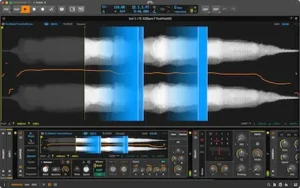 Bitwig Sampler 6.1 has limited direct value in mastering and considerably more value in production-oriented mixing work. It does not add anything to the core mastering chain: there is no new EQ, dynamics processor, loudness tool or delivery workflow. Its relevance is earlier in the signal path, where source material is being edited, reshaped or rebuilt.
For a mixing engineer who also handles production, the new Sampler can be useful for replacing or reshaping drum hits, extracting phrases from loops, correcting the pitch of sampled material, creating alternate fills and building layered instruments. Spectral and Fragments also provide ways to transform source material without committing the result to audio before the mix requires it.
That makes the strongest engineering use case pre-mix problem solving. A poorly pitched sample, an awkward vocal chop or a drum loop that does not fit the arrangement can often be corrected more effectively at the source than by trying to compensate for it later with EQ, compression or saturation. The same principle applies when preparing a mix for mastering: problems that originate in the arrangement or source material are usually better addressed before the final stereo mix is delivered. See our guide to preparing a mix for mastering for the checks that still matter once the production is finished.
There is also a practical resampling advantage. Once a sound has been shaped inside Sampler, its playback, modulation and processing can remain editable rather than being immediately printed to a new audio file. That is useful when a production is still changing and the engineer needs to preserve options without accumulating another layer of rendered material.
For a mastering engineer working only with completed stereo mixes, the case is much weaker. Sampler 6.1 does not address the problems that dominate a mastering session, so it should be viewed as a production tool rather than a mastering upgrade. Its professional value rises sharply only when the same engineer also works upstream on arrangement, editing, sound design or mix preparation.
How Bitwig Sampler Processing Can Affect Mix Translation and Mastering
Sampler 6.1 does not change streaming loudness requirements or codec behavior. Its relevance to mastering is further upstream: the way a sample is stretched, pitched, granularized or colored can change the material that eventually reaches the mix bus and mastering chain.
That matters because some artifacts are easy to miss while designing a sound in isolation. Aggressive time-stretching can soften or smear transients. Dense granular processing can increase high-frequency and upper-mid energy. Digital-style sample coloration can make an already bright source more forward, while resampling and extreme pitch manipulation can introduce artifacts that become much more obvious once the mix is compressed or limited. The same source-level principle applies to bass: shaping harmonics, distortion and stereo information before the sound reaches the mix can determine how much corrective processing is needed later. Our Arturia Pure SUB review examines this in the context of 808s and synthesized bass, where controlling the fundamental separately from the upper harmonic content can materially affect mix translation.
The problem is cumulative. A sound that works on its own may occupy substantially more spectral or dynamic space once combined with drums, vocals and other dense elements. If those changes are not audible until the mix bus is being pushed, the mastering engineer is left dealing with a source-level problem using downstream processing. This is one reason a mix can appear to get worse rather than better during mastering; our guide to common mastering problems covers how to distinguish a mastering issue from a problem that was already present in the mix.
This is particularly relevant with aggressive electronic production. Granular vocals, heavily stretched loops and sample-derived textures can sound controlled at moderate levels but become harsh, unstable or overly dense when the final mix is driven into a limiter. A mastering chain cannot reliably distinguish an intentional texture from an unwanted processing artifact; both are simply part of the incoming signal.
The useful approach is to judge Sampler processing at the mix level rather than only in solo. Check transient definition, low-end stability, high-frequency buildup and stereo behavior at realistic monitoring levels, then audition the full mix through the same bus processing used during production. The goal is not to avoid artifacts—many are intentional—but to make sure they remain intentional after compression, limiting and final delivery. That final-stage perspective becomes even more important once a mix is distributed across different streaming playback chains; our guide to mastering for streaming platforms covers what changes after the master leaves the studio.
Bitwig Studio 6.1 CPU, Stability and System Requirements
Bitwig Studio 6.1 requires a CPU with AVX2 support and runs on Windows 10 and 11, macOS 12 or later, and supported Linux systems. The Sampler itself does not require a dedicated GPU for audio processing, although Bitwig’s overall graphics requirements still apply to the host application.
CPU performance is harder to quantify. There is currently no sufficiently consistent independent benchmark comparing Spectral or Fragments against competing samplers under identical conditions, so specific CPU-percentage claims would be misleading. Both modes perform substantially more processing than straightforward sample playback, and the actual load will depend on the source, voice count, modulation and project configuration.
For large sessions, the practical issue is less about whether an individual Sampler instance is CPU-heavy and more about how many separate processing stages the new workflow can eliminate. Keeping slicing, stretching, granular playback and sample manipulation inside a native Bitwig device can simplify a project even when the active processing itself is computationally demanding.
That should not be interpreted as evidence that Spectral or Fragments are particularly CPU-efficient. There is not enough public data to make that claim. Users running large arrangements should still expect CPU consumption to rise with polyphony, dense granular processing and complex modulation, and should use Bitwig’s normal freeze, bounce and device-management workflows when sessions become processor-bound.
Who Should Use Bitwig Sampler 6.1 — and Who Should Skip It?
The value of Sampler 6.1 depends less on the user’s job title than on how often sample manipulation is part of the production process. For some users, the update removes a recurring bottleneck. For others, most of the new functionality will sit untouched.
Electronic producers and beatmakers are the clearest beneficiaries. Slicing, pitch analysis, Spectral, Fragments and the expanded Repitch modes cover techniques that appear constantly in sample-based production. The gain is not simply having more effects available; it is being able to move between chopping, pitching, stretching and resynthesis without rebuilding the instrument around each task.
Sound designers and composers have an even broader use case. Fragments and Spectral turn recorded material into sources for transformation, while Cycles and the improved multisample system make it easier to build playable instruments from original recordings. The same production principle applies to sampled instruments more generally: a source that sounds convincing in isolation still has to survive the arrangement without masking vocals, drums or other important elements. Our Native Instruments Electric Neon Deluxe review looks at this issue from the opposite direction, examining how a prepared sampled guitar source behaves once it has to occupy real space in a dense production.
Mixing engineers who also handle production can make practical use of Sampler for drum replacement, sample editing, vocal manipulation, resampling and other pre-mix work. It is much less relevant if the engineer receives fully produced stems and only performs conventional mix processing.
Mastering engineers working exclusively on finished mixes have little reason to prioritize the update. Sampler 6.1 does not address the core problems of mastering, and its benefits largely disappear once the source material has already been printed into a completed mix.
The strongest ROI therefore goes to professionals who manipulate samples frequently and work inside Bitwig. For them, the update can replace recurring workarounds with a native workflow. For users who rarely touch sampling, it is a useful addition rather than a compelling reason to change their setup.
Who should skip the upgrade? If your Bitwig workflow is dominated by mixing, mastering, recording or MIDI programming and you rarely manipulate audio samples, the new Sampler is unlikely to change your day-to-day work enough to justify upgrading for this feature set alone. The same applies if you already have a sampling workflow in another DAW or dedicated instrument that you consider fast and reliable; Sampler 6.1 improves Bitwig’s ecosystem, but it is not by itself a reason to rebuild an entire production setup.
Is Bitwig Studio 6.1 Worth Upgrading To?
For an existing Bitwig user who works with samples regularly, 6.1 is a meaningful upgrade rather than a minor feature refresh. The biggest benefit comes from the combination of improvements: slicing removes a recurring workflow bottleneck, Spectral and Fragments expand what can be done inside Sampler, and pitch analysis and multisample editing reduce manual setup.
The upgrade is much harder to justify if sampling is only an occasional part of your work. Bitwig 6.1 does not materially change the DAW’s core mixing, mastering or recording capabilities, so users who spend most of their time on those tasks will see little direct benefit.
The case is also different for producers working in Ableton Live, Logic Pro or FL Studio. The new Sampler removes one of the more legitimate reasons to look elsewhere for sample manipulation, but it is not, by itself, a reason to change DAWs. Switching platforms affects the entire production workflow; choosing a sampler affects only one part of it.
For existing Bitwig users, the licensing model makes the decision simpler. Bitwig uses a perpetual license with a 12-month Upgrade Plan rather than requiring an ongoing subscription to keep the software running. When the Upgrade Plan expires, the user retains access to the latest version covered by that plan.
The practical verdict is therefore straightforward: upgrade if sample manipulation is a regular part of your Bitwig workflow; skip the update if your work is primarily mixing, mastering or recording and you rarely use Sampler.
Bitwig Studio 6.1 Price, Editions and Upgrade Plan
Bitwig Studio 6.1 is available to users of Bitwig Studio, Producer, Essentials and 8-Track. The redesigned Sampler is part of the 6.1 update across the supported editions, while the new Spectral and Fragments play modes are exclusive to the full Bitwig Studio edition. An active Upgrade Plan provides access to new releases during its coverage period.
For a new buyer, the important distinction is therefore not simply whether the selected edition includes Sampler, but whether Spectral and Fragments are part of the workflow you actually want. If those two engines are a major reason for buying Bitwig 6.1, the full Bitwig Studio edition is the relevant version to evaluate.
Existing Bitwig users should make the decision differently. If sample manipulation is occasional, there is little reason to upgrade specifically for Sampler 6.1. If slicing, pitch analysis, time-stretching, granular processing or multisampling are recurring production tasks, the reduction in workflow friction makes the update considerably easier to justify.
How We Evaluated Bitwig Sampler 6.1
I evaluated Sampler 6.1 around the tasks that are most likely to expose differences between the new modes: slicing loops, tracking pitched material, stretching rhythmic sources, building granular textures and turning multiple recordings into a playable instrument. I also looked at the processed material in the context of a mix rather than judging every mode only in solo.
The engineering assessment is not limited to solo playback. Transient preservation, tonal stability, low-frequency behaviour, high-frequency buildup, modulation behaviour and the amount of workflow friction removed by the new Sampler all affect the final judgement. Spectral and Fragments are therefore evaluated as production tools whose output has to survive the mix, not simply as isolated DSP demonstrations.
Where independent benchmark data is insufficient — particularly for comparative CPU performance and universal time-stretching quality — the review does not assign certainty that the available evidence cannot support.
Bitwig Studio 6.1 Sampler: Pros and Cons
| Pros | Cons |
|---|---|
| Much faster sample slicing and editing workflow | No dedicated record-directly-into-Sampler workflow |
| Spectral time-stretching integrated directly into Sampler | Stretching quality remains strongly source-dependent |
| Fragments adds substantial granular sound-design capability | Spectral and Fragments can increase CPU demand |
| Automatic pitch analysis reduces manual mapping | Dedicated samplers can still be better for specialized workflows |
| Strong integration with Bitwig modulation and The Grid | Less compelling for users who rarely manipulate samples |
Overall Rating
These scores reflect independent engineering judgement based on workflow efficiency, source-material behaviour, mix integration and practical production value rather than feature count alone.
| Category | Rating |
|---|---|
| Sampling Workflow | 9.5/10 |
| Playback & DSP | 9/10 |
| Sound Design Flexibility | 9.2/10 |
| Mix Translation | 8.8/10 |
| CPU Efficiency | 7.5/10 |
| Value for Bitwig Users | 9.2/10 |
| Overall | 8.9/10 |
Sampling Workflow — 9.5/10. This is the strongest part of the update. Slicing, pitch analysis, multisampling and the different playback engines remove enough repetitive setup to make Sampler substantially more practical for regular sample-based production.
Playback & DSP — 9/10. Spectral, Fragments and the expanded Repitch and Cycles modes give Sampler a much broader technical range. The score is not higher because the best result still depends heavily on the source material, particularly with time-stretching and pitch manipulation.
Sound Design Flexibility — 9.2/10. Sampler is no longer limited to conventional sample playback. Granular processing, spectral manipulation, Cycles and modulation allow recorded material to become a genuine sound-design source rather than simply an instrument sample.
Mix Translation — 8.8/10. The instrument itself is capable of producing production-ready results, but some processing can introduce transient smearing, spectral buildup or other artifacts that become more apparent after compression and limiting. The score reflects the need to evaluate processed samples inside the full mix rather than in isolation.
CPU Efficiency — 7.5/10. Spectral and Fragments perform substantially more processing than conventional sample playback, and there is not yet enough standardized independent benchmarking to justify a higher score. CPU demand will depend strongly on polyphony, grain density, modulation and project complexity.
Value for Bitwig Users — 9.2/10. For producers who manipulate samples regularly, the update can replace several auxiliary steps and reduce recurring workflow friction. Its value is considerably lower for users focused primarily on mixing, mastering or recording rather than sample-based production.
Bitwig Studio 6.1 Sampler Verdict: A Major Upgrade for Sample-Based Production
Bitwig Studio 6.1 is a substantial upgrade because it changes the role of Sampler inside the DAW. It is no longer primarily a conventional sample playback device; it now combines slicing, pitch analysis, time-stretching, granular playback, multisampling and sample-derived sound design within one integrated workflow.
The strongest improvement is not any individual algorithm. It is the reduction in friction between source audio and a finished production part. A loop can be sliced, a sample can be analyzed, material can be stretched or granularized, and the resulting instrument can remain connected to Bitwig’s modulation architecture without repeatedly rebuilding the signal path.
The limitations prevent it from being a universal replacement for dedicated sampling tools. Spectral does not produce the ideal result on every source, Fragments does not replace every specialized granular instrument, and the absence of direct recording into Sampler remains relevant for hardware-style sampling workflows.
For electronic producers, beatmakers, composers and sound designers, Sampler 6.1 is a major improvement. For mixing engineers who also handle production, it is a useful source-editing and pre-mix tool. For mastering engineers working exclusively with finished stereo mixes, its direct value remains limited.
Final verdict: Bitwig Studio 6.1 is worth upgrading to when sample manipulation is a recurring part of the production workflow. Its real advantage is not that it replaces every sampler, but that it makes a much larger range of sample-based work possible without leaving Bitwig.
Before Adding More Processing, Hear What Mastering Changes
A strong production can still lose impact at the final stage. Tonal balance, transient control, stereo depth and overall dynamics have to work together without stripping away the character you built into the mix. More plugins are not necessarily the answer—sometimes the better decision is to have the finished mix evaluated by an experienced mastering engineer.
Don’t judge the difference from theory alone. Upload up to 35 seconds of your finished mix and get a free mastering demo created by a real mastering engineer. Compare it directly with your original and hear whether your track benefits from a professional mastering approach before committing to the full session.
Get your free mastering demo →
Bitwig Studio 6.1 Sampler FAQ
Is Bitwig Sampler 6.1 good for sample chopping?
Yes. The new Sliced Sampler can divide material by beats, fixed divisions, detected onsets or pitch changes, then map the resulting slices for MIDI performance. It is a substantially more direct workflow for drums, loops and vocal phrases.
What slicing modes does Bitwig Sampler 6.1 have?
Bitwig Sampler 6.1 provides five slicing methods: Divisions, Beats, Onsets, Pitch and Manual. They cover fixed-length slicing, tempo-based slicing, transient detection, pitch-based segmentation and manual editing. The resulting slices can then be triggered, looped and modulated inside Sampler.
How many grains can Bitwig Fragments play?
Fragments can generate up to 256 grains per voice. Each grain can have its own playback rate, direction, position and size, making the mode useful for dense granular textures, rhythmic processing, vocal transformation and evolving sound design.
Does Bitwig Sampler 6.1 replace Ableton Simpler?
For many Bitwig users, it can. Sampler 6.1 now covers slicing, playback, pitch analysis, time-stretching and granular processing in one device, while Bitwig adds deeper modulation integration. Ableton Live still has a mature sampling workflow, so the advantage depends on which DAW the producer already uses and how much they rely on its existing sample tools.
Is Bitwig Spectral better than Ableton’s warping?
There is not enough independent blind-testing data to establish a universal winner. Spectral is a dedicated time-stretching engine with transient-oriented controls, but the best result still depends on the source and the amount of stretching required.
Can Bitwig Sampler record directly from a microphone or instrument?
No. Bitwig can record the source into the DAW, but Sampler does not provide a dedicated hardware-style record-directly-into-the-instrument workflow.
Is Bitwig Sampler 6.1 useful in a mixing workflow?
Yes, when the mix engineer also handles production or source editing. It is useful for drum replacement, sample pitching, vocal manipulation, resampling and rebuilding problematic material before it reaches the mix bus.
Does Bitwig Sampler 6.1 have any real use in mastering?
Only in production-oriented mastering workflows. A mastering engineer working exclusively with completed stereo mixes has little reason to use the Sampler, because it does not address EQ, dynamics, loudness, monitoring or delivery.
How CPU-intensive are Bitwig Spectral and Fragments?
There is not yet enough standardized independent benchmarking to give reliable comparative CPU figures. Both modes perform substantially more processing than basic sample playback, so CPU load will vary with polyphony, grain density, modulation and project complexity.
Is Bitwig Sampler 6.1 compatible with older computers?
Bitwig Studio 6.1 requires a CPU with AVX2 support. It supports Windows 10 and 11, macOS 12 or later, and supported Linux systems. Older systems without AVX2 support are not compatible.
Is Fragments a replacement for a dedicated granular synthesizer?
Not in every workflow. Fragments provides granular playback directly inside Sampler and benefits from Bitwig’s modulation system, but dedicated granular instruments can still offer deeper controls and more specialized synthesis architectures.
Is Bitwig Studio 6.1 worth upgrading to if I rarely use samples?
Probably not for the Sampler features alone. The upgrade is most valuable when sample manipulation, sound design, slicing or multisampling are regular parts of the production workflow.

Yurii Ariefiev evaluates music production tools from the perspective of what happens after the sound leaves the instrument. His reviews focus on sample processing, dynamics, tonal balance, transient behavior and the way production decisions affect the mix before it reaches mastering.
At AREFYEV STUDIO, software is judged by its practical impact on real production workflows rather than by feature count. For sampling tools, that means looking beyond the interface to how pitch, time-stretching, resynthesis and modulation affect the finished mix and its translation across playback systems.
☕ Buy me a coffee
