
SoundCloud Mastering: Don’t Let Your Track Fall Apart After Upload
Your track doesn’t sound worse by accident — SoundCloud is reshaping it. You upload a clean WAV. Everything feels right. Then it’s live — and the top end smears, the low-end shifts, and details start to disappear.
Start with a free 30-second demo. Send your track and hear how it actually translates on SoundCloud before you release it.
Upload your file to any file-sharing service and send us the link.
That shift isn’t subtle. It comes from compression and encoding that actively reshape your audio — not just reduce it. Two tracks can play at the same level on SoundCloud, but only one keeps its clarity and punch. The difference isn’t the mix. It’s how the master reacts once the platform processes it.
Why Most Masters Fail on SoundCloud
 SoundCloud doesn’t just host your audio — it rebuilds it.
When you upload a WAV file, it gets transcoded into compressed formats (typically around 128 kbps AAC or similar). During that process, parts of the signal are removed or simplified to reduce data size. That’s where the change begins.
High frequencies are usually hit first. What sounded open and detailed in your session can come back slightly blurred. Hi-hats lose edge, air disappears, and the top end starts to feel less defined.
Transients don’t pass through unchanged either. Fast attacks — kicks, snares, percussive elements — get softened. If your mix depends on sharp transient detail, that loss becomes obvious. What felt tight and punchy turns flatter.
Low-end reacts differently. Lossy compression removes subtle information while reshaping peak structure, which can shift how bass translates. If the master is already dense, those changes become more noticeable — the low-end starts to feel less controlled or less consistent across systems.
This isn’t unpredictable behavior. It’s how lossy encoding works. If you want a broader look at how different platforms affect mastering decisions, see our breakdown of streaming mastering.
SoundCloud doesn’t break your track — it reveals how stable the master actually is.
What Actually Changes After Upload
You don’t notice it in theory — you hear it immediately.
Low-end is usually the first to shift. What felt tight in your session can come back looser and less defined. The kick and bass stop locking the same way. On some systems it feels heavier than it should — on others, it loses weight. That inconsistency is what makes the track feel unstable.
High frequencies move in the opposite direction. Instead of clarity, you get a grainy edge. Hi-hats lose detail, air turns into noise, and the top end starts to feel brittle. It’s not always obvious in isolation, but across a full track it becomes fatiguing. This is the same type of issue addressed when fixing harsh high-end problems.
Vocals don’t disappear — they shift. The placement changes just enough to feel off. Words become slightly buried or disconnected from the instrumental, especially when midrange balance isn’t stable under compression.
Stereo image tightens as well. Width that felt natural in the mix can collapse inward when subtle side information gets reduced. The track doesn’t turn mono — it just loses space and depth.
None of this comes from random errors. It’s what happens when a balanced mix is pushed through a lossy system. If the low-end turns muddy or undefined once processed by SoundCloud, it follows the same behavior described in muddy mastering fixes — just triggered by encoding.
What you hear on SoundCloud isn’t your original mix. It’s your mix after it’s been reshaped — and that process exposes everything.
Why Loud Masters Fall Apart on SoundCloud
What feels powerful in your DAW can collapse once it hits SoundCloud.
On platforms like YouTube or Spotify, loud tracks are typically turned down by normalization. SoundCloud works differently. It doesn’t consistently reduce playback level — it compresses and re-encodes the signal. That’s where problems begin.
When a track is already pushed hard, there’s no space left to absorb that processing. Transients are flattened, peaks are limited, and the signal becomes dense. Once encoding is applied, that density doesn’t translate into impact — it turns into loss of definition.
Kicks lose their edge. Snares stop cutting through. The track feels smaller, even if the level stays similar. What sounded aggressive in your session comes back softer and less controlled once processed by SoundCloud.
Low-end reacts the same way. Instead of staying tight, it can blur or shift depending on playback. This becomes especially noticeable when the master relies heavily on sub energy without enough structure in the upper bass range.
The more aggressively a track is pushed, the more fragile it becomes under encoding. That’s why loudness alone doesn’t translate. The same principles apply when working with clipping and loudness and LUFS strategy — but on SoundCloud, the consequences show up differently.
On this platform, loud doesn’t win. Control does.
Test Your Track Against SoundCloud Before You Release It
SoundCloud will change your track — the only question is how much. Send it in and hear a real 30-second demo master built to survive compression, so you don’t find out the problem after release.
No presets. No assumptions. Just a master that holds up after it’s been encoded.
How SoundCloud Mastering Actually Differs
 SoundCloud mastering isn’t a variation of standard mastering — it’s a different problem entirely.
A generic master is built to sound right in a controlled environment. SoundCloud doesn’t play that version back — it processes it. That means the real reference point isn’t your DAW, but how the track behaves after encoding.
High-end control becomes critical. Extra brightness might feel exciting before upload, but once compressed, it turns brittle. A proper SoundCloud master keeps clarity without pushing the top end into a range that breaks under processing.
Stereo balance has to be managed differently. Wide mixes can feel immersive in the studio, but subtle side information often gets reduced during compression. The goal isn’t to narrow the track — it’s to keep the width stable once the platform reshapes it.
Transients are another weak point. Sharp attacks don’t always survive encoding. If the master depends on exposed transient energy, that detail softens. The focus shifts from raw punch to controlled impact — keeping drums defined even after processing.
This is where platform-aware mastering separates itself. It’s not about using different tools — it’s about predicting how the audio will change and shaping it before that happens. You can see how this approach fits into a full workflow on our professional mastering process page.
If the track only works before upload, it’s not finished. SoundCloud mastering is about making sure it holds up after.
Real Results: Before and After SoundCloud Processing
You don’t hear the problem until the track goes live — and then it’s obvious. What sounds finished in your session doesn’t always survive the upload.
In one recent project, the mix had a clean top end and tight drums. After being uploaded to SoundCloud, the hi-hats turned brittle and the snare lost its edge. The issue wasn’t level — it was how the high frequencies reacted to compression. After adjusting the tonal balance and controlling transient peaks, the track kept its clarity without breaking under encoding.
Another case involved low-end instability. The original master felt solid on studio monitors, but once processed, the bass became inconsistent across playback systems. By reshaping the low-frequency structure and tightening the relationship between kick and 808, the track translated more reliably after upload.
These aren’t isolated problems. They appear consistently when a master isn’t prepared for how SoundCloud handles audio. The goal isn’t to make it sound impressive before upload — it’s to make sure it holds together after.
In direct comparison, the difference becomes obvious within seconds.
Listen on different systems if you can — headphones, speakers, even your phone. Pay attention to how the top end behaves, how the low-end holds, and whether the punch stays intact. That’s where the difference becomes obvious.
You can hear more platform-ready results in our real mastering results and before/after examples, where each track is built to translate beyond the studio.
Technical Approach: Building a Master That Survives SoundCloud
There’s no preset that guarantees a stable result on SoundCloud — because the platform changes the signal after it’s been encoded.
You deliver a full-resolution WAV, but SoundCloud typically re-encodes it around 128 kbps. That process removes detail and reshapes peaks to reduce data. The more overloaded the master is, the more it falls apart under that compression.
In many cases, high-frequency loss becomes noticeable above 12–14 kHz after encoding.
Headroom becomes critical. If everything is already pushed to the edge, the encoding stage has no space to work with. That’s where distortion, smearing, and imbalance start to appear. Leaving room isn’t about making the track quieter — it’s about keeping it stable once it’s processed.
Peak control matters just as much. Inter-sample peaks and aggressive limiting don’t always translate cleanly after conversion. What sounds controlled in your DAW can introduce artifacts once encoded. A stable peak structure keeps the track consistent across playback systems.
Each master is checked across multiple playback conditions before delivery.
There’s no fixed formula here. Two tracks at the same level can behave completely differently after encoding — one holds together, the other collapses. The difference isn’t the numbers. It’s how the master is shaped before it hits the platform.
That’s why preparation matters before mastering even begins. If the mix is unstable, SoundCloud will expose it immediately. For a deeper look, see our guide on preparing a mix for mastering.
The goal isn’t to hit targets. It’s to build a master that stays intact after the platform reshapes it.
Why Some Tracks Survive SoundCloud — and Others Don’t
Two tracks can be exported the same way, hit similar levels, and still behave completely differently after upload.
One keeps its punch, clarity, and balance. The other loses definition, low-end control, and presence. The difference isn’t random — and it’s not just about loudness.
It comes down to how the mix and master respond to data reduction. Tracks with controlled dynamics, stable low-end structure, and balanced high frequencies tend to survive encoding. Overloaded masters — especially those pushed for loudness — break apart faster.
This is why “good in the DAW” doesn’t mean “good on SoundCloud.” The platform doesn’t reward loudness or brightness — it exposes instability.
The goal of SoundCloud mastering isn’t to make the track louder or sharper. It’s to make sure it stays intact when the platform reshapes it.
Common Mistakes That Break SoundCloud Playback
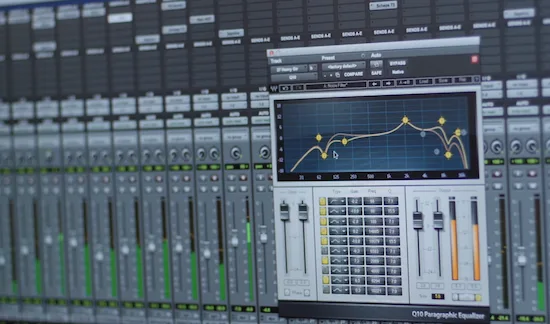 SoundCloud doesn’t create problems — it exposes them.
One of the most common mistakes is pushing too much high-end. It might sound bright in your session, but once compressed, those frequencies turn harsh. Hi-hats lose definition, and the top end becomes aggressive instead of clean.
Clipping gets worse after upload. Even slight distortion in the master becomes more noticeable once the audio is encoded. What felt like energy turns into rough edges and artifacts across the track.
Export quality is another weak point. Uploading anything other than a clean, high-resolution WAV introduces degradation before SoundCloud even processes the file. That double compression removes detail permanently.
Stereo width can also work against you. Extremely wide mixes feel impressive in headphones, but subtle side information often gets reduced during compression. The result is a narrower, less stable image that shifts depending on playback.
All of these mistakes come from the same decision — pushing for impact without accounting for how the platform reacts. Once the track is encoded, those choices don’t stay the same. They get amplified.
If your master already has weak points, SoundCloud will make them obvious. These are the same issues covered in our mastering problems guide and addressed through our mastering fix service.
What works in the studio isn’t the final version. What survives the platform is.
How SoundCloud Differs from Other Platforms
Not all platforms change your audio the same way — and SoundCloud is the least predictable of them.
While services like YouTube and Spotify mainly adjust playback level, SoundCloud goes further. It compresses and rebuilds the signal itself, which directly affects clarity, balance, and transient detail. That’s why the same master can behave completely differently depending on where it’s played.
| Platform | Behavior | Risk |
|---|---|---|
| SoundCloud | Audio compression & transcoding | High — tonal shifts, loss of detail |
| YouTube | Loudness normalization | Medium — reduced punch if over-limited |
| Spotify | Normalization with controlled playback | Lower — more predictable translation |
If you want to understand how these differences affect mastering decisions, see our guides on YouTube mastering and Spotify mastering.
SoundCloud doesn’t just adjust loudness — it reshapes the audio. That’s why it requires a different mastering strategy.
Who Actually Needs SoundCloud Mastering
If your track ends up on SoundCloud, you’re already in it — whether you planned for it or not.
A mix can feel finished in your DAW and still lose clarity, balance, or punch once it’s uploaded. That gap between “studio-ready” and “platform-ready” is where most tracks fail.
It doesn’t matter if you’re releasing singles, uploading beats, or sharing demos. The moment your audio goes through SoundCloud, it gets processed — and that changes how it’s heard.
Some tracks hold together. Others don’t. The difference isn’t luck — it’s whether the master was built to survive compression.
If your music goes through SoundCloud, it needs to be prepared for it. Otherwise, you’re leaving the final result to the platform.
Make Sure Your Track Survives SoundCloud
Once your track is uploaded, you can’t control how it changes. If the master isn’t built for SoundCloud, you’ll hear the problems after release — not before. Send your track and get a free demo to hear how it actually holds up under compression.
Hear the result first. Then release with confidence.
Frequently Asked Questions About SoundCloud Mastering
Why does SoundCloud change how my track sounds?
Because your file doesn’t stay the same after upload. It gets compressed and rebuilt into a smaller format, and that process removes detail and reshapes parts of the signal — especially highs and transients.
What is the best format to upload to SoundCloud?
A 24-bit WAV file. It gives the platform the cleanest source to work with. Uploading MP3 or other compressed formats just adds another layer of quality loss before SoundCloud even processes it.
Does bitrate still matter if everything gets re-encoded?
It does. The better the source file, the fewer artifacts you get after compression. Lower-quality files give the encoder less to work with, and that loss becomes more obvious once the track is processed.
Does loudness really matter on SoundCloud?
Not in the way most people think. There’s no strict normalization like on other platforms, but pushing a track too hard usually makes it less stable after encoding. Balance holds up better than raw level.
Why does my mix feel different after upload?
Because different parts of the spectrum react differently to compression. Transients soften, highs can get harsher, and low-end can shift — even if everything felt balanced in your session.
Can mastering fix this before uploading?
Yes — if it’s done with the platform in mind. A SoundCloud-ready master is shaped to stay stable after processing, not just sound good before it.