Waveform 14 in Modern Production: AI Assistance, Surround Tools, and Its Actual Role in Today’s DAW Landscape
Waveform 14 enters a DAW market where incremental version updates rarely change how records are built in practice. Tracktion positions this release around three core areas: a redesigned interface, expanded multi-channel and surround routing, and an AI-assisted layer intended to streamline production decisions. The real question is not feature count, but whether any of this alters established mixing and production workflows inside working studios.
Waveform 14 Review Overview
Waveform 14 is a lightweight DAW designed for fast workflow execution, flexible routing, and independent production environments. It does not compete with studio-standard DAWs in terms of ecosystem depth or industry adoption.
Key updates include interface redesign, AI-assisted workflow tools, and expanded multi-channel routing. The audio engine remains unchanged from previous versions.
Quick verdict: Waveform 14 is a workflow tool, not a studio production standard.
Quick Verdict
Waveform 14 is a workflow-focused DAW with strong speed and routing flexibility, but it is not a studio-standard production platform.
Is Waveform 14 Worth It?
Waveform 14 is worth it for producers who prioritize speed, flexible routing, and lightweight performance. It is not designed for large-scale commercial studio workflows or industry-standard collaboration environments.
Waveform 14 Review: What It Actually Is
Waveform 14 is a lightweight digital audio workstation focused on fast workflow, flexible routing, and efficient session handling. It is not a deep studio-standard DAW, but a production environment optimized for independent and hybrid workflows.
Waveform 14 Architecture: Interface Changes, AI-Assisted Layer, and Multi-Channel Routing Expansion
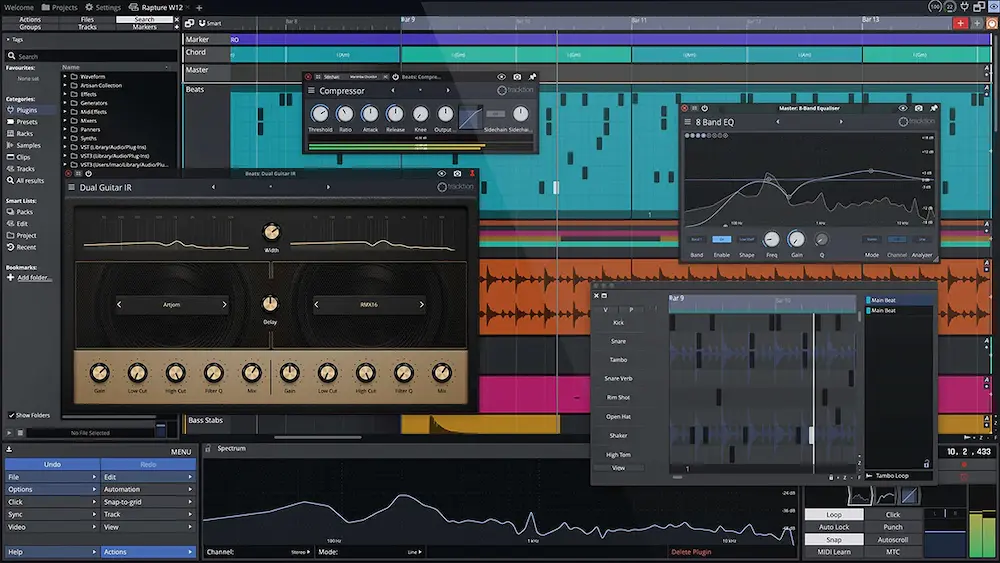
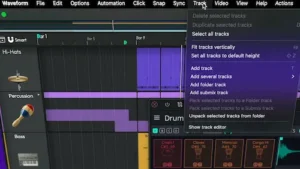 The interface redesign in Waveform 14 is not a cosmetic pass. It directly affects session navigation density—specifically how quickly users move between clip editing, plugin chains, and routing structures within a single-window environment. Tracktion’s approach remains intentionally unified, avoiding the multi-window fragmentation common in DAWs like Pro Tools.
The AI Assistant functions as a workflow layer rather than a generative system. In practical use, it targets repetitive production tasks: routing suggestions, basic processing chain setup, and session organization. It does not intervene in tonal decisions or mix balance; its role is closer to session scaffolding than “intelligent mixing.”
Surround and multi-channel capabilities represent the more substantial technical expansion. Waveform has historically been centered on stereo production, so this update extends its applicability into post and spatial workflows. However, it still lacks the ecosystem depth and standardized post-production integration found in dedicated systems like Nuendo.
From a mixing engineering perspective, the critical variable is not feature availability but routing predictability under real session load. Waveform’s modular architecture offers flexibility in signal flow design, but that same flexibility introduces variability in session structure across projects and users, which can become a limitation in collaborative or studio-standard environments.
Waveform 14 Strengths and Limitations
- Lightweight and fast performance
- Flexible routing system
- Low CPU overhead
- Single-window workflow efficiency
- Weak studio adoption
- No industry-standard ecosystem integration
- AI is assistive only
- Surround requires external monitoring setup
Engineering Reality vs Marketing Narrative in Waveform 14
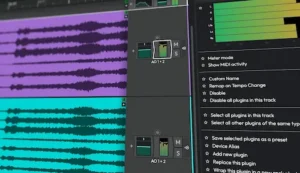 AI assistance in modern DAWs is typically positioned as a creative accelerator, but in actual production workflows it operates as a guidance layer rather than a decision-making system. In professional mixing environments, engineers still validate every critical move—tonal balance, gain staging, and spatial placement are not delegated to automated systems without oversight. Waveform 14 follows the same constraint model.
The interface redesign does not alter the underlying DSP engine. Latency behavior, plugin execution order, and summing architecture remain consistent with established Tracktion engine characteristics. As a result, there is no audible or technical shift in sound quality introduced by the update itself, despite the perception often associated with major version releases.
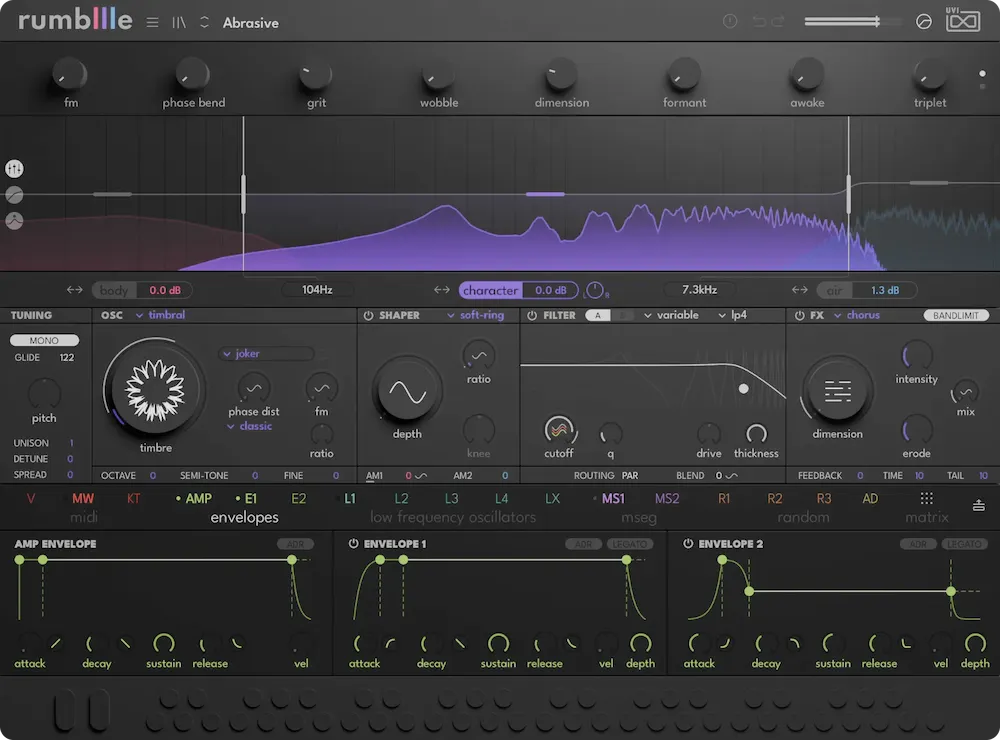
The same logic applies earlier in the production chain where sound design decisions are made before the mix stage. Instrument-level architecture has a direct impact on downstream mixing behavior, especially when working with hybrid synthesis systems and modern wavetable-based instruments.
Surround functionality appears more impactful in specification than in practical deployment. Its real usability depends on properly calibrated multi-monitor environments, which most production setups outside post or specialized facilities do not maintain. In typical music production contexts, this limits the feature to partial or theoretical use.
The key limitation is not feature depth, but lack of measurable impact on core mix outcomes. Nothing in Waveform 14 directly improves translation across playback systems, loudness consistency, or mastering reliability. The update primarily affects workflow efficiency and session handling rather than the final audio result.
Competitive Positioning: Where Waveform 14 Sits in the DAW Ecosystem
Waveform is not positioned to compete with Ableton Live or Pro Tools on industry dominance or studio standardization. It occupies a mid-tier category defined by accessibility, lower system overhead, and flexible workflow design, but without deep penetration into commercial recording pipelines.
| DAW | Workflow Architecture | Industry Adoption | Mixing / Mastering Depth | Post / Surround Capability | Primary Use Case |
|---|---|---|---|---|---|
| Waveform 14 | Modular, fast, single-window design | Low–medium | Medium | Medium | Independent production, hybrid electronic setups |
| Ableton Live | Nonlinear, clip-based performance workflow | Very high | Medium | Low–medium | Electronic production, live performance |
| Logic Pro | Integrated production ecosystem | Very high (Apple ecosystem) | High | Medium | Full-scale music production and composition |
| Pro Tools | Linear, session-based engineering standard | Industry standard | Very high | High | Recording studios, post-production, mixing |
| Studio One | Mix-focused, hybrid linear/nonlinear workflow | Medium–high | High | Medium | Mixing and mastering workflows |
Waveform’s real advantage is operational efficiency: fast load times, low system overhead, and a flexible structure that adapts easily to different production styles. Its limitation is structural—not sonic. It does not carry the ecosystem gravity required for standardized studio exchange or large-scale commercial collaboration.
For mixing and mastering engineers, this creates a practical constraint: session portability and cross-studio compatibility are more limited compared to Pro Tools or Logic-based workflows, where interchange formats and studio adoption are deeply established.
Real-World Production Perspective: Translation, Loudness, and Session Behavior
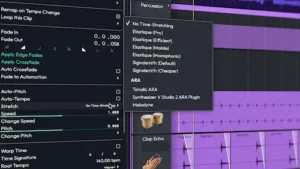 From a mastering standpoint, DAW selection only becomes consequential when the system introduces instability in gain staging, nonlinear processing paths, or inconsistent summing behavior. Waveform itself does not impose these limitations at the engine level, but its modular routing structure can indirectly introduce complexity that increases the risk of user-constructed inconsistencies.
Loudness translation is fundamentally DAW-agnostic, but workflow structure still affects efficiency in reaching stable LUFS targets. In practice, Waveform’s single-window environment reduces navigation friction during iterative adjustments, which can improve speed in mix refinement stages. The benefit is operational, not sonic.
CPU performance in Waveform is generally efficient under moderate session loads due to its lightweight architecture. However, performance scaling becomes less predictable when dense plugin chains are combined with multi-channel routing configurations, where heavier DAWs like Studio One or Cubase tend to maintain more optimized large-session handling behavior.
Surround and spatial workflows are highly dependent on monitoring infrastructure rather than DAW implementation alone. Without calibrated multi-speaker environments, Waveform’s multi-channel capabilities remain underutilized in typical music production settings, limiting practical application outside post-production contexts.
In commercial mastering workflows, Waveform is rarely used as a final delivery environment. It functions primarily as a production and mixing platform, while final mastering stages are typically handled in dedicated mastering-focused environments with stricter monitoring, metering, and session control standards.
Who Waveform 14 Is Actually For
Waveform 14 is best suited for independent producers, electronic musicians, and hybrid workflows that prioritize speed and flexibility over industry-standard DAW compatibility.
It is not the primary choice for commercial mixing or mastering environments where session interchange and standardized studio pipelines are required.
Verdict: Incremental Utility Inside a Non-Standard DAW Ecosystem
Waveform 14 is an incremental release focused on workflow refinement rather than any structural change to the DAW’s engineering foundation. The AI Assistant functions as a convenience layer for routine production tasks, but it does not influence core mix decisions or alter established engineering workflows. Surround capabilities extend technical scope on paper, but their practical use remains limited outside specialized post-production or experimental setups.
In practical workflows, DAW limitations rarely define the final sound; preparation and mix structure do. Most issues that appear at the mastering stage originate earlier in the production chain, particularly in how the mix is prepared before export and delivery. This is why understanding pre-mastering constraints matters more than DAW feature sets.
Prepare Mix for Mastering: What Actually Matters Before You Send It outlines these technical dependencies in detail.
For independent producers, Waveform continues to offer a fast, lightweight environment with flexible routing and low system overhead. That combination makes it efficient for ideation, arrangement, and non-linear production workflows where speed matters more than studio standardization.
In commercial mixing and mastering contexts, however, it remains secondary to entrenched industry platforms. The limitation is not audio quality but ecosystem integration—session interchangeability, standardized studio workflows, and established production pipelines still favor other DAWs.
Its value proposition is narrow but clear: efficient execution, adaptable routing, and minimal system strain. It does not redefine modern production practice, and it does not position itself as a replacement for industry-standard environments.
FAQ: Waveform 14 in Practical Production Workflows
Is Waveform 14 suitable for professional mixing and mastering?
It is fully capable of handling professional-level mixing sessions, but it is not commonly found in commercial mastering chains. The limitation is less about processing quality and more about studio standardization, session interchange formats, and established pipeline compatibility.
Does Waveform 14 improve audio quality compared to earlier versions?
No. The audio engine remains consistent. Updates focus on workflow design, interface efficiency, and feature expansion rather than any change in sonic character.
How does Waveform 14 compare to Ableton Live or Logic Pro in real production work?
Ableton is optimized for nonlinear composition and performance-based workflows. Logic functions as a vertically integrated production ecosystem. Waveform prioritizes lightweight architecture and flexible routing, but it does not operate at the same ecosystem depth or industry penetration level.
Is the AI Assistant relevant for actual mixing decisions?
Only indirectly. It assists with session organization and workflow suggestions, but it does not make decisions about EQ, dynamics, balance, or spatial placement in a way that replaces engineering judgment.
Can Waveform 14 realistically be used for surround or post-production work?
Yes, at a technical level. However, its ecosystem lacks the depth and post-specific infrastructure of dedicated platforms like Nuendo, which limits its use in professional film, broadcast, and game audio pipelines.
Does Waveform 14 introduce higher CPU load compared to other DAWs?
The engine itself is efficient. CPU load is primarily determined by plugin choice and routing complexity, not the DAW architecture. Heavy multi-bus sessions will stress any DAW similarly.
Is Waveform a strong entry point for beginners?
It is sufficient for learning production fundamentals, but it is not aligned with the most widely used commercial studio workflows. For long-term studio integration, other DAWs provide more transferable skills.
Which producers benefit most from Waveform 14?
Independent producers, electronic musicians, and hybrid setups that prioritize speed, flexibility, and low system overhead over strict industry workflow compatibility.
How well does Waveform integrate with external hardware and controllers?
Integration is functional but not ecosystem-driven. It depends on routing configuration and user setup rather than tightly standardized hardware workflows seen in more entrenched DAWs.

Yurii Ariefiev focuses on real-world mastering workflows where DAW architecture, routing behavior, and session structure directly affect mix translation before mastering. His work centers on how production environments like Waveform interact with gain staging, loudness control, and delivery constraints across modern streaming systems.
Editorial analysis is based on practical studio conditions rather than feature descriptions, with emphasis on how mixing decisions carry into mastering, and why preparation—not DAW choice—defines final sonic reliability across platforms.